

If you’ve ever tried improving a website using only analytics, you know the limitation: you can see what users do, but not why they do it. Website feedback changes that, revealing how users experience your site in their own words: what confused them, what they expected and what prevented them from moving forward.
Drop-offs, bounces and unfinished journeys show up clearly in your analytics reports, but the reasons behind them stay hidden until you incorporate feedback. With this context, you move from guessing what to improve to knowing exactly where to focus.
This blog explains why website feedback matters, the types of insights you should collect, and how to gather it in a way that genuinely improves your digital experience.
TL;DR – Article summary
Website feedback gives you the context analytics can’t, showing why users drop off, get confused or hesitate. This article explains why that insight matters, the key types of feedback to collect and how to gather it effectively. With Mopinion, now part of Netigate, you can capture these moments with precision and turn real user comments into clear, actionable improvements for your digital experience.
In this article, we’ll cover:
- Why website feedback matters?
- The benefits of website feedback
- The most useful types of website feedback with examples
- How to collect website feedback effectively
- Tools that support high-quality website feedback
- Final thoughts
Why website feedback matters?
Every visitor lands on your website with an intention to learn, compare, buy or solve a problem. When that journey breaks, users don’t always tell you. They simply leave.
Traditional analytics sources, like Google Analytics, show the exit point.
Feedback tells you the reason behind it!
Website feedback helps you:
- Understand what users expected versus what they found
- Detect content gaps or unclear copy
- Identify broken or confusing elements
- Learn what creates hesitation or friction
- Make changes based on evidence, not assumptions
According to Nielsen Norman Group, one of the biggest issues in digital UX is that organisations “design for what they think users need, rather than what users actually experience.” Direct on-page feedback bridges that gap, giving you real-world insight you can act on.
To learn how to ask users for feedback effectively, see How to Ask for Website Feedback
The benefits of website feedback
Website feedback doesn’t only flag problems, it builds a clearer roadmap for smarter, faster, more customer-driven improvements.
1. It reveals usability issues you can’t see internally
What feels obvious to a team familiar with a product can feel completely confusing to new visitors. Users notice:
- Buttons that blend into the layout
- Missing or unexpected information
- Pages that feel overwhelming
- Steps that don’t flow logically
These insights help you refine design, navigation and content in targeted, high-impact ways.
2. It explains the reasons behind drop-offs
Why do users abandon checkout? Why is a form rarely completed? Why do visitors leave after seconds?
Feedback reveals answers like:
- Delivery costs discovered too late
- Trust signals missing
- Payment options unclear
- A step feels too demanding
- A key detail is difficult to find
Baymard Institute’s research on checkout UX shows that 69% of online carts are abandoned and most of the causes relate to fixable UX issues.
Implementing website feedback, such as a Goal Completion Rate (GCR) survey, helps you pinpoint these issues before they hurt revenue.
This type of survey shows you why users aren’t completing key actions, from checkout to form submissions, so you know exactly what needs attention.
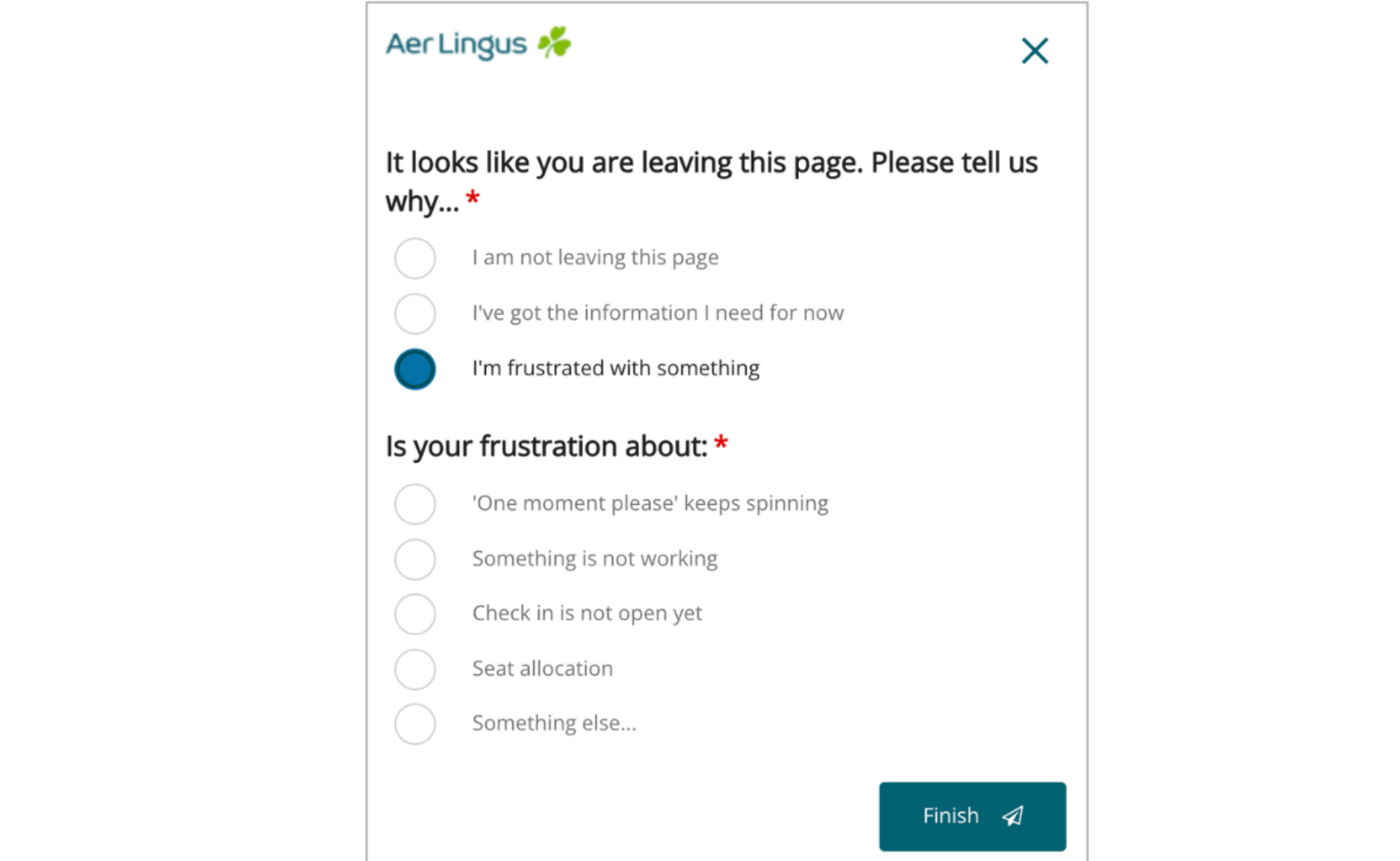
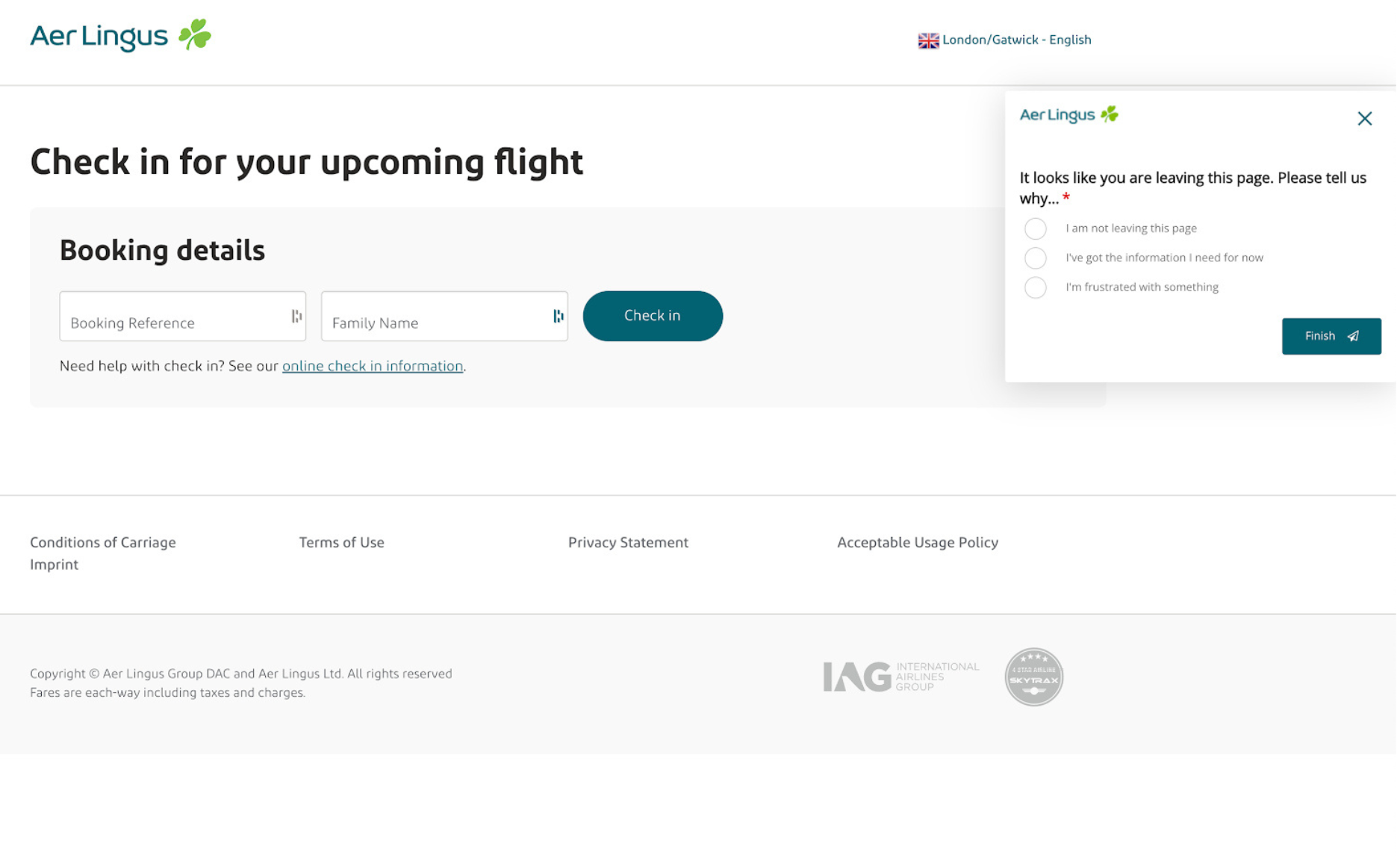
Image Example: An exit-intent survey from Irish airline Aer Lingus.
3. It helps you prioritise real user needs
Not every issue is equally urgent and internal opinions often differ.
Feedback helps you:
- Spot patterns across users
- Track recurring pain points
- Prioritise based on impact
- Justify decisions with user evidence
This leads to a more focused, user-centred improvement strategy.
You can do this by placing the right forms at the right moments, for example, using GCR surveys on key funnels, exit-intent forms on pages with high drop-off, or short CES/CSAT questions after important interactions.
These small, contextual touchpoints help you understand what’s working and where users are struggling, so your improvements are guided by real behaviour rather than guesswork.
4. It validates design and content changes
Before rolling out new layouts, navigation updates or feature launches, website feedback helps you understand:
- Whether users interpret changes as intended
- Whether the new design makes tasks easier
- Whether updates solve existing issues
- Whether confusion increases or decreases
It’s a fast, low-risk way to validate decisions.
5. It reduces support tickets
Many support queries originate from issues users encounter on the site.
Website feedback highlights these early, helping you fix them before they reach your support team.
The most useful types of website feedback with examples
To understand your digital experience holistically, you need a combination of question types.
Here are the most effective ones and where they work best:
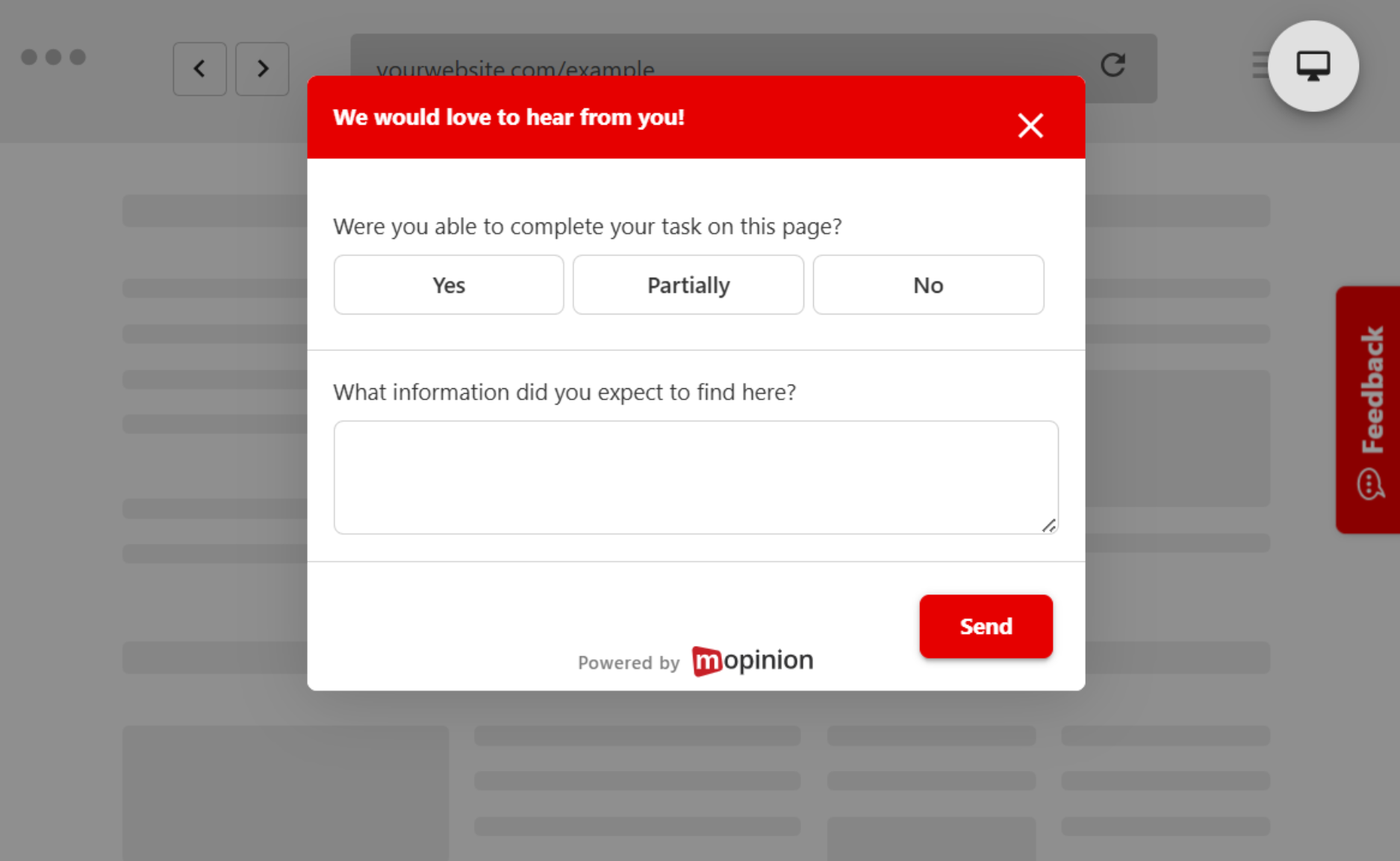
1. Task-based feedback
Ask:
- “Were you able to complete your task on this page?”
- “What information did you expect to find here?”
Best placed: Pages with clear goals: product pages, sign-up forms, FAQs, support articles.
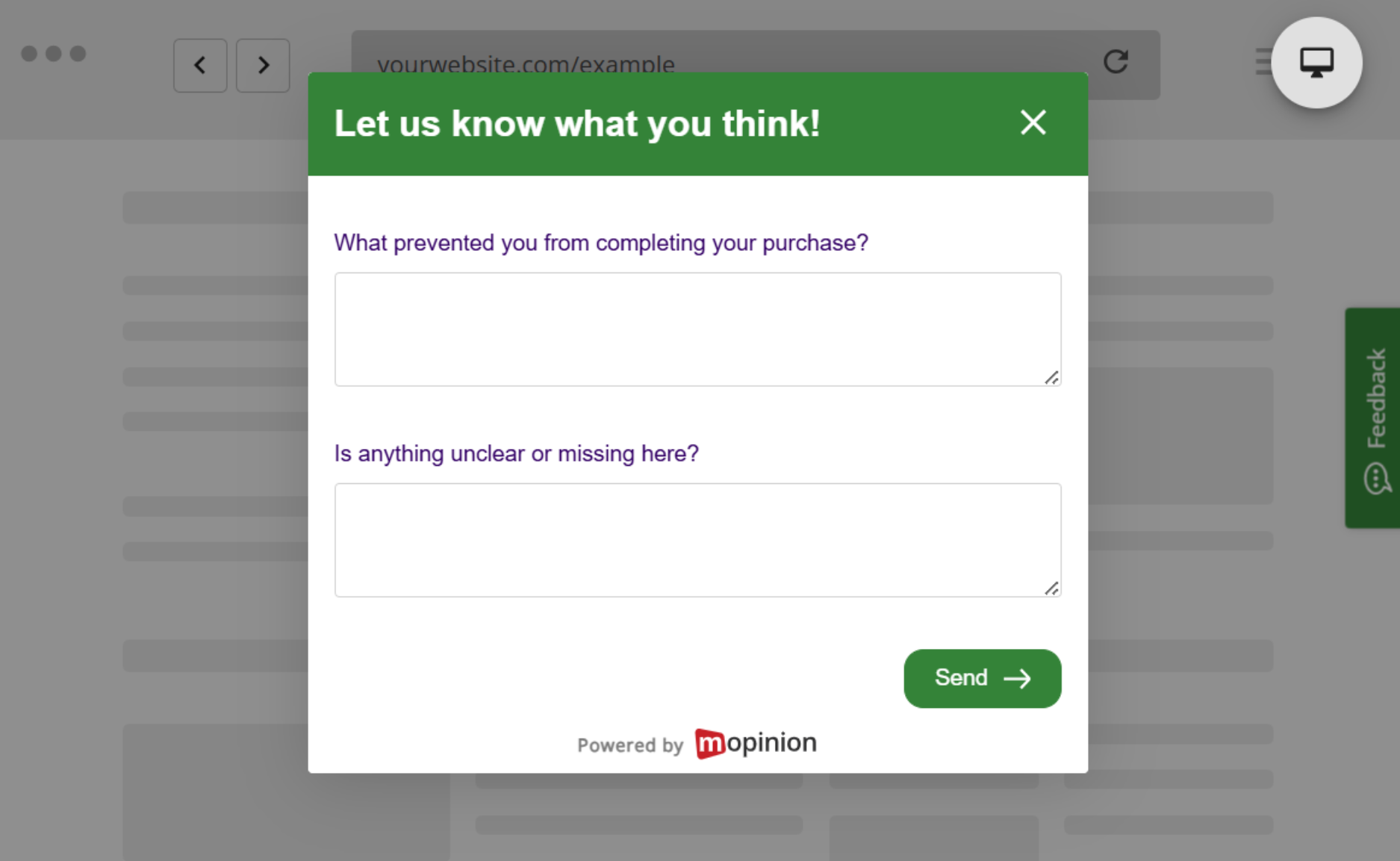
2. Conversion-focused feedback
Reveals what stops users from completing an action.
Ask:
- “What prevented you from completing your purchase?”
- “Is anything unclear or missing here?”
Best placed: Checkout flows, pricing pages, demo request forms, exit-intent moments.
3. Content clarity feedback
Shows whether your content is actually helping users. A common way to measure this is with a Goal Completion Rate (GCR) form, which asks visitors whether they were able to complete their goal on the page. If they select “no”, an optional comment field helps you understand what was missing or unclear.
This gives you direct insight into how well your content supports users and where improvements are needed.
Ask:
- “Was this information helpful?”
- “Did this page answer your question?”
Best placed: Help articles, blog posts, documentation, product information pages.
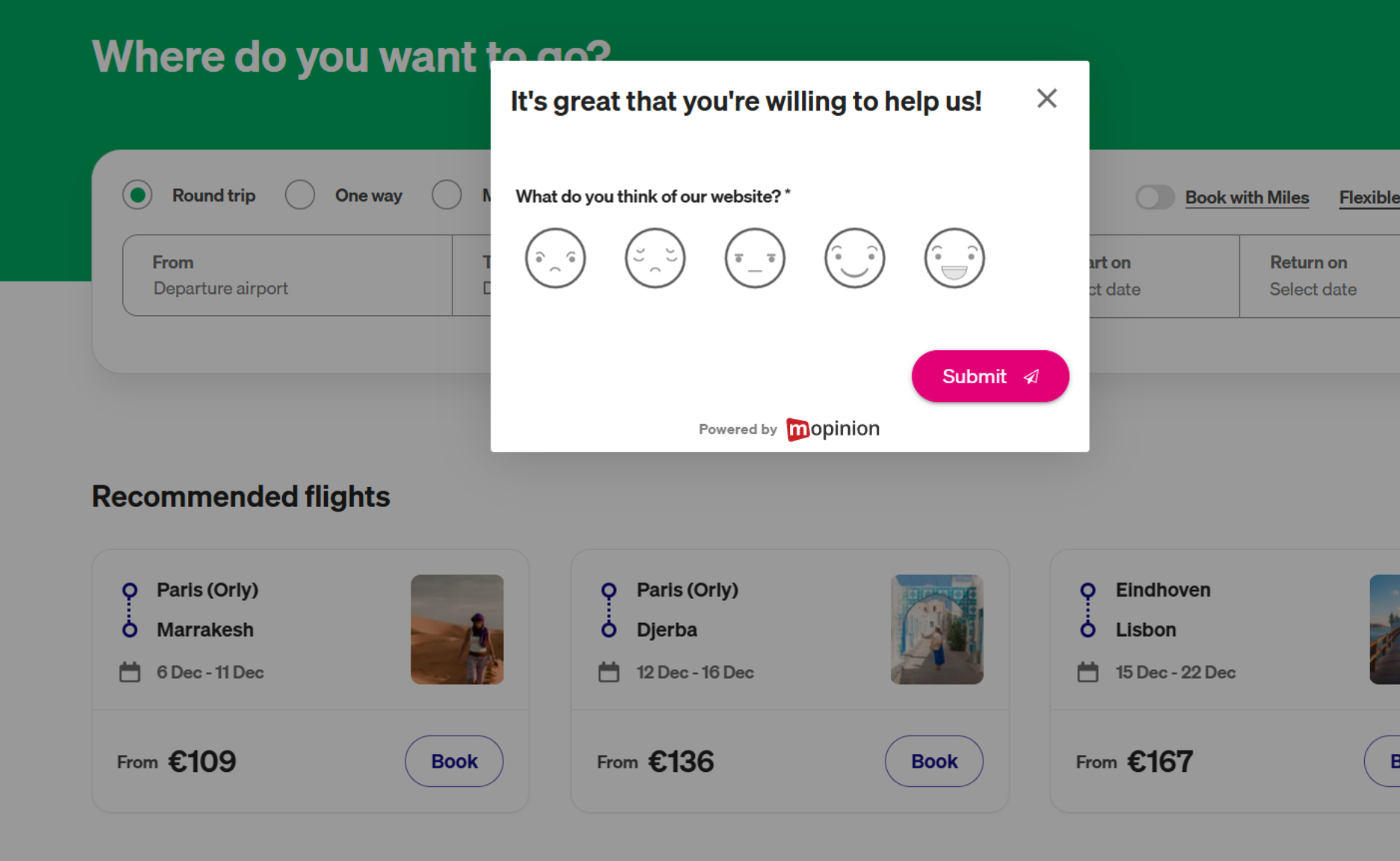
Image Example: Content clarity feedback from Transavia Airlines.
4. Overall website satisfaction
A quick pulse check on broader experience.
Ask:
- “How would you rate your experience on our website today?”
- “What could we improve on this page?”
Best placed: Landing pages, homepages, or session-end interactions.
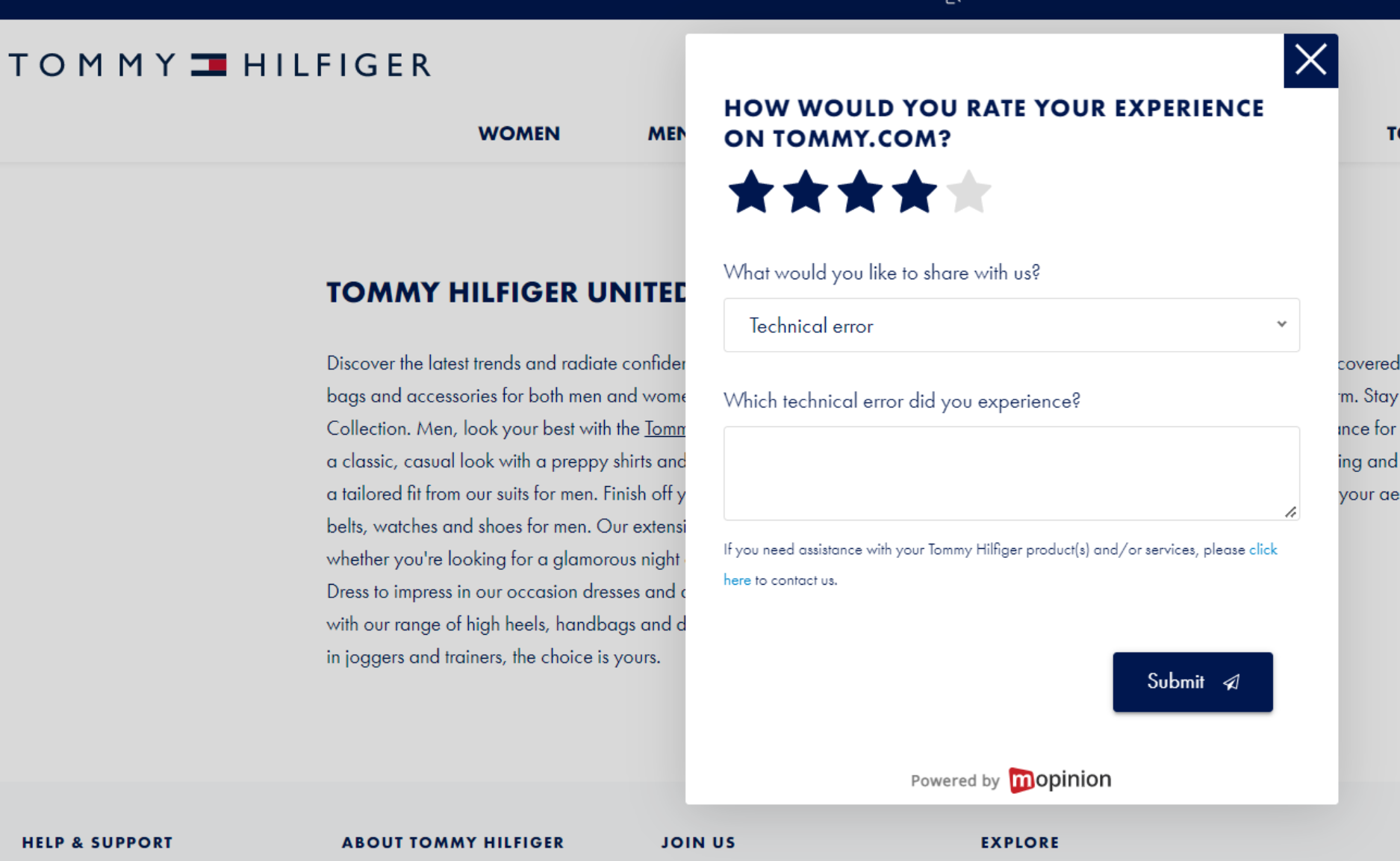
Image Example: Overall website feedback from Tommy Hilfiger.
5. Open comments
Captures everything you didn’t explicitly ask.
Almost all feedback forms perform better when they include an open comment field, because this reveals the why behind a user’s answer.
For example, asking “Did you manage to find what you were looking for?” only tells you what happened. But when you pair it with a follow-up like “We’re sorry to hear that, could you tell us what you were trying to find?”, you uncover the context you need to make meaningful improvements.
Prompts:
- “Something isn’t working as expected.”
- “I have a suggestion.”
Best placed: Floating, always-visible feedback buttons.
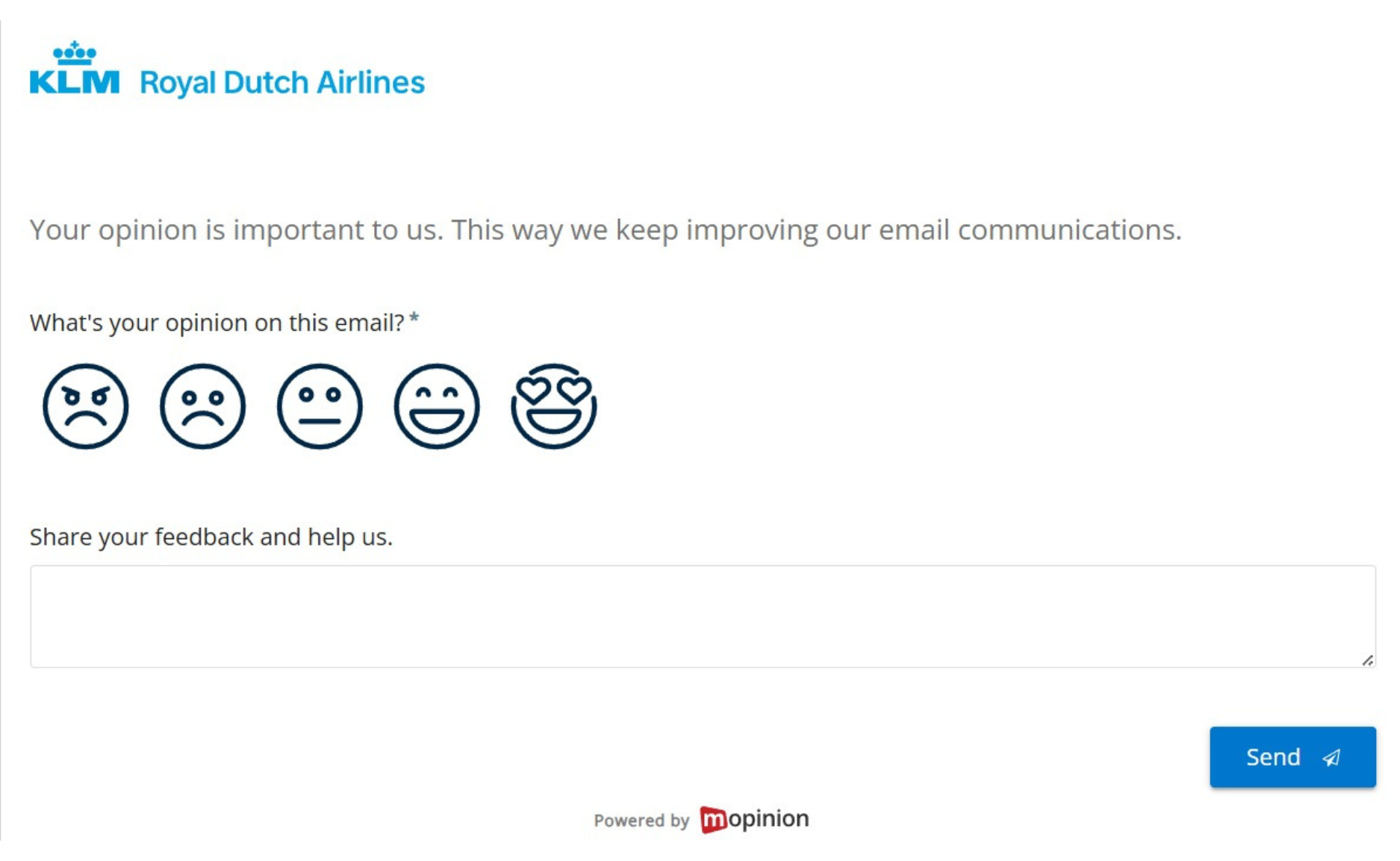
Image Example: Open comment feedback survey from KLM Airlines.
For more examples, see Website Feedback Examples That Actually Work.
How to collect website feedback effectively
Collecting feedback isn’t about asking more questions, it’s about asking the right questions at the right moment.
1. Trigger feedback at natural moments
Well-timed forms produce higher-quality responses because users are answering in the context of what they just experienced.
You can trigger forms based on:
- Scroll depth: great for long articles or product pages to check if users found what they needed.
- Time spent on page: helps identify confusion or friction when someone stays longer than expected.
- Completed action: perfect for measuring satisfaction after a purchase, sign-up, or form submission.
- Exit intent: captures insights from users who are about to leave.
- Returning visitor behaviour: useful for understanding ongoing issues or repeated friction points.
Why it matters: timing shapes accuracy, the closer the feedback is to the experience, the more truthful and actionable it becomes.
2. Keep forms short and focused
Short forms respect the user’s time and increase completion rates.
Aim for three questions or fewer, focusing on what you genuinely need to know.
Why it matters: users are far more willing to answer quick, purpose-driven questions. The shorter the form, the more likely you’ll receive thoughtful, high-quality responses.
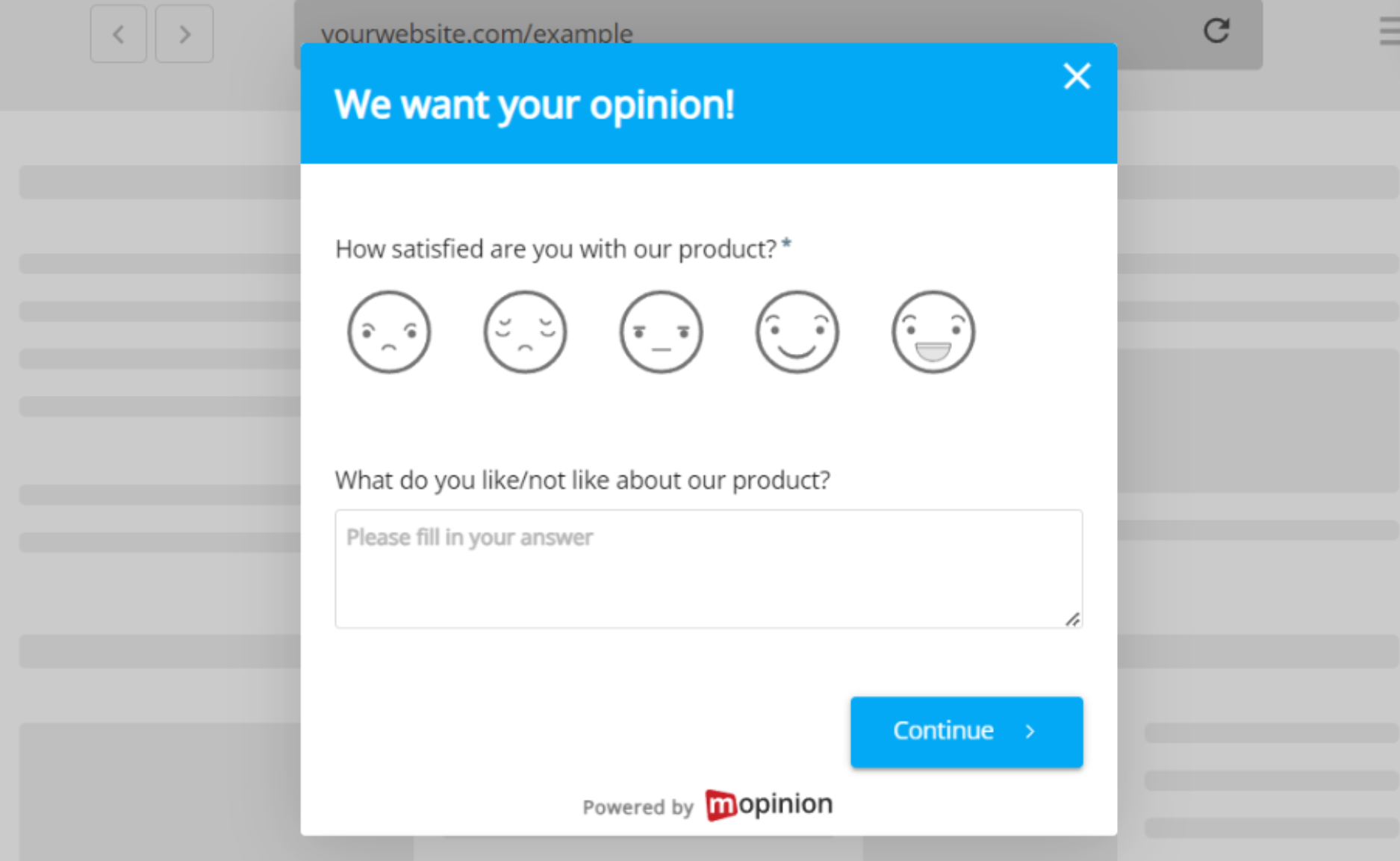
3. Use clear, human language
Avoid slang, internal jargon, acronyms without explanation or overly formal language. Instead, write questions the way you would naturally speak to a customer.
Why it matters: the more approachable the tone, the easier it is for users to understand what you’re asking and the more accurately they’ll respond.
4. Combine quantitative and qualitative insights
Metrics like CSAT, CES, or NPS give you a quick numerical snapshot of satisfaction or effort. Open comments reveal the why behind those numbers.
How it helps: together, they provide a complete picture. You see both the pattern (the score) and the story behind it (the comment). This combination is what turns raw data into clear next steps.
5. Close the loop with users
Letting users know their feedback is received builds trust and encourages future responses.
It doesn’t need to be complicated. Even a simple “Thanks, we’re reviewing this” makes the experience feel acknowledged.
Why it matters: when users feel heard, they’re more willing to provide feedback again, which helps you continuously improve your website experience.
For more on writing strong questions, explore our blog: How to write good survey questions: 80 examples and tips
Tools that support high-quality website feedback
This is where Mopinion helps teams make real progress!
Now, as part of Netigate, this becomes even more powerful, combining Mopinion’s strength in digital feedback with Netigate’s experience management capabilities.
Together, we offer a more unified way for teams to collect insights across channels, understand user behaviour and take meaningful action faster.
Mopinion enables you to:
- Create tailored feedback forms for any page or journey
- Trigger your forms with precision based on behaviour, URL, task completion, device type and much more, giving you full control over when and where feedback appears
- Analyse results in real time
- Use Smart Recaps to automatically extract key insights, including AI-generated feedback summaries from open-text comments, making it easier to understand themes at a glance
- Visualise themes and trends across journeys
- Share insights with stakeholders easily
It transforms raw comments into clear direction for your UX, product and marketing teams!
Final thoughts
Website feedback is one of the most powerful tools for improving your digital experience.
It reveals the reasons behind user behaviour, uncovers friction you can’t see internally and helps you design experiences grounded in real user needs.
When you give users a voice, your website becomes clearer, easier to use and far more effective, not because you guessed, but because you listened.
Ready to see Mopinion in action?
Want to learn more about Mopinion’s all-in-1 user feedback platform? Don’t be shy and take our software for a spin! Do you prefer it a bit more personal? Just book a demo. One of our feedback pro’s will guide you through the software and answer any questions you may have.