
User experience surveys help digital teams understand how people interact with their websites, apps and products. They give users a direct way to share what feels easy, confusing, frustrating or helpful during their journey.
While analytics tools can show you what users do, they do not always explain why something happens. A user might leave a checkout page, abandon a form or stop using a feature, but without feedback, it can be difficult to understand what caused that behaviour.
That is where user experience feedback becomes valuable. By collecting feedback at the right moments, you can uncover pain points, validate design decisions and improve the overall experience across your digital channels.
TL;DR – Article Summary
- User experience surveys help you collect direct feedback from users about your website, app or digital product.
- User experience feedback explains why users behave in certain ways, not just what they do.
- A user experience feedback form should be short, relevant and shown at the right moment in the user journey.
- The best UX surveys combine quantitative questions, such as ratings or scores, with qualitative open-text questions.
- Tools like Mopinion help digital teams collect, analyse and act on UX feedback across websites, mobile apps and email campaigns.
In this blog, we’ll cover:
- What is user experience?
- User experience vs user interface: what is the difference?
- What is user experience feedback?
- What is a user experience feedback form?
- Benefits of conducting user experience surveys
- What should you ask in a user experience survey?
- Types of user experience surveys
- How to design an effective user experience survey
- How Mopinion helps collect user experience feedback
But where do you start? What constitutes a ‘good’ user experience survey? And what are the best practices for conducting these surveys? Let’s dive in.
What is user experience?
User experience, often shortened to UX, refers to the overall experience a person has when interacting with a website, app, product or digital service. It includes how easy the product is to use, how clear the journey feels, how quickly users can complete their tasks and how they feel during the interaction.
A good user experience helps users achieve their goals with as little friction as possible. A poor user experience, on the other hand, can lead to confusion, frustration, lower conversions and reduced customer loyalty.
Monitoring the user experience is typically done by way of user experience tracking tools such as:
- UX analytics and event-tracking tools
- Session recording and heatmapping tools
- A/B and split testing tools
- Design and wireframing tools
- Usability testing tools
- User feedback and survey tools
In this article, we will focus specifically on how to collect user experience feedback through surveys and feedback forms.
User experience vs user interface: what is the difference?
User experience and user interface are closely connected, but they are not the same thing.
User interface, or UI, refers to the visual and interactive elements of a digital product. This includes buttons, icons, menus, forms, screens, colours, layouts and other design elements users see and interact with.
User experience is broader. It includes the entire impression a user has while interacting with a product or digital channel. This includes usability, functionality, design, performance, content, trust and emotion.
For example, a website might have a visually attractive interface, but if users cannot find the right information or complete a form easily, the overall user experience may still be poor.
That is why collecting user experience feedback is so important. It helps you understand whether your website or product works well in practice, not just whether it looks good.

Here are the Hottest UX blogs you should be following
Stay up-to-date with the latest trends in user experience
What is user experience feedback?
User experience feedback is feedback collected from users about their experience with your website, app, product or digital journey. It helps you understand what users think, feel and experience while interacting with your digital channels.
This type of feedback can reveal:
- where users get stuck
- which pages or features feel confusing
- whether users can complete their tasks
- what users like or dislike about the experience
- which improvements would make the journey easier
- why users abandon a page, form or checkout process
User experience feedback is especially valuable because it adds context to behavioural data. Analytics may show that users are leaving a certain page, but feedback can explain whether the problem is unclear content, poor navigation, technical issues, missing information or something else entirely.
What is a user experience feedback form?
A user experience feedback form is a short form used to collect feedback from users about their experience on a website, app or digital product. It can appear during a specific part of the journey, after a user completes an action, or through a passive feedback button that users can open whenever they want to share their thoughts.
A user experience feedback form can include questions about usability, satisfaction, navigation, design, content, performance or task completion.
For example, you might use a user experience feedback form to ask:
- Was this page helpful?
- Did you find what you were looking for?
- How easy was it to complete your task today?
- What stopped you from completing your goal?
- How would you rate your experience with this feature?
- What could we improve about this page?
The best user experience feedback forms are short, relevant and easy to complete. They should feel like a natural part of the journey, not an interruption.
Benefits of conducting user experience surveys
These surveys are useful because they help teams make better decisions based on direct input from users. Instead of guessing what needs to be improved, you can use survey responses to identify patterns, prioritise issues and create a better digital experience.
They help you understand user needs
They give you insight into what users need, expect and struggle with. You can learn which parts of the journey work well, which areas create friction and what users need in order to move forward.
This is especially useful for digital teams working on websites, mobile apps, product features or self-service journeys.
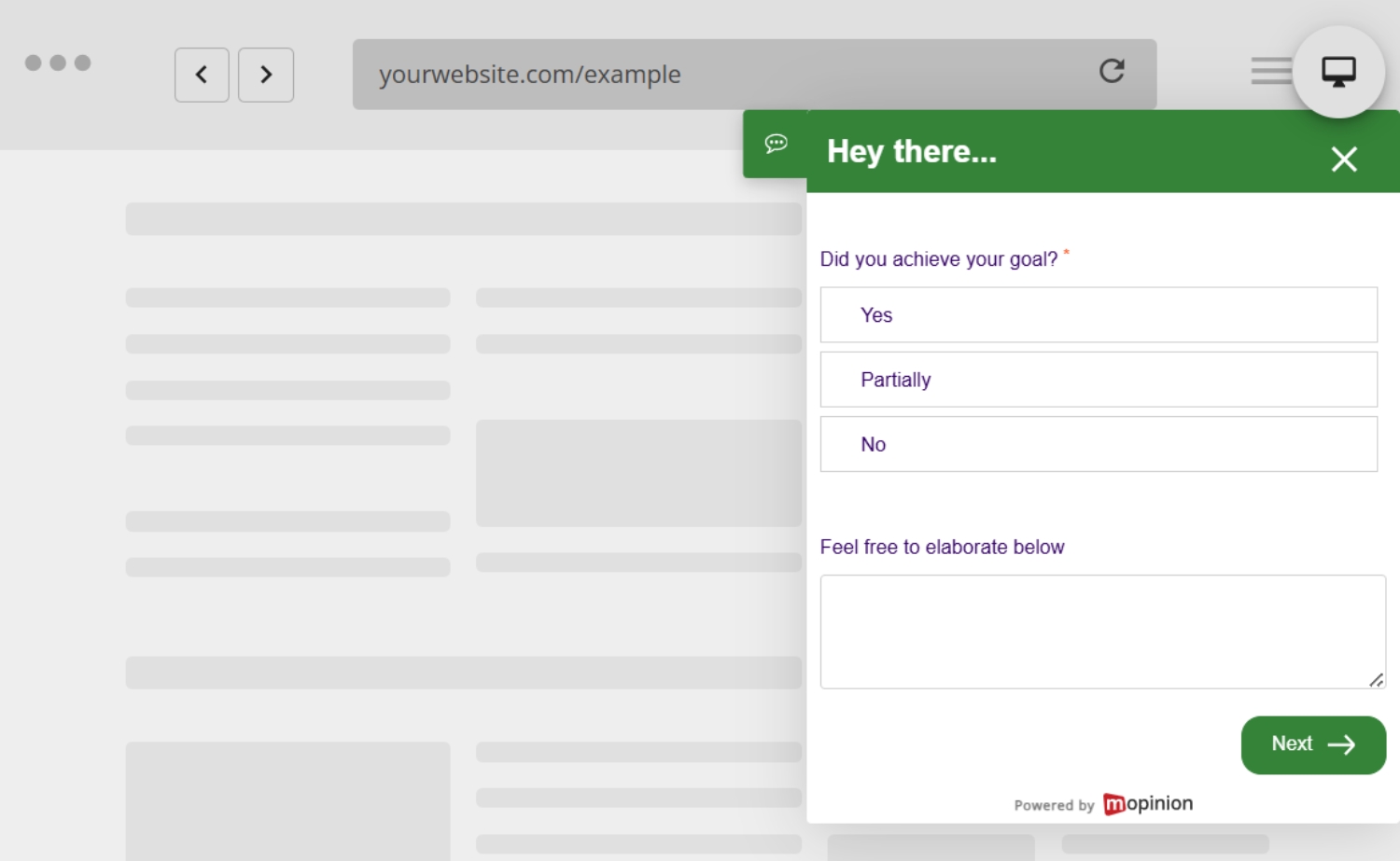
They reveal trends and patterns
When UX surveys are used consistently, they can reveal recurring trends. For example, you might notice that users often struggle with the same form field, complain about missing product information or mention that a certain feature is difficult to find.
These patterns help teams move beyond individual comments and identify larger UX issues.
They help validate design decisions
User experience surveys can also help validate assumptions. If your team launches a new design, feature or page layout, feedback can show whether it actually works for users.
This is particularly useful for UX designers and product teams. Instead of relying only on internal opinions, they can use real user feedback to understand whether a design change has improved the experience.
They support better product and website improvements
By collecting feedback directly from users, teams can make more informed decisions about what to improve next. This helps reduce wasted time on changes that may not matter to users and gives teams clearer direction.
Over time, this can lead to better usability, higher satisfaction, stronger loyalty and improved conversion rates.
What should you ask in a user experience survey?
The questions you ask in a user experience survey depend on what you want to learn. A survey about a checkout journey will look different from a survey about a new product feature or a help centre page.
The key is to make every question relevant to the user’s current experience.
For example, if you want to understand a checkout issue, ask the question on or after the checkout page. If you want feedback on a new feature, ask users who have actually interacted with that feature.
Here are a few general UX survey questions you could use:
- How would you rate your experience with our website?
- How satisfied are you with your experience today?
- Did you find what you were looking for?
- How easy was it to complete your task?
- Was anything unclear or difficult to use?
- What could we improve about this experience?
- How would you rate the user-friendliness of this page or feature?
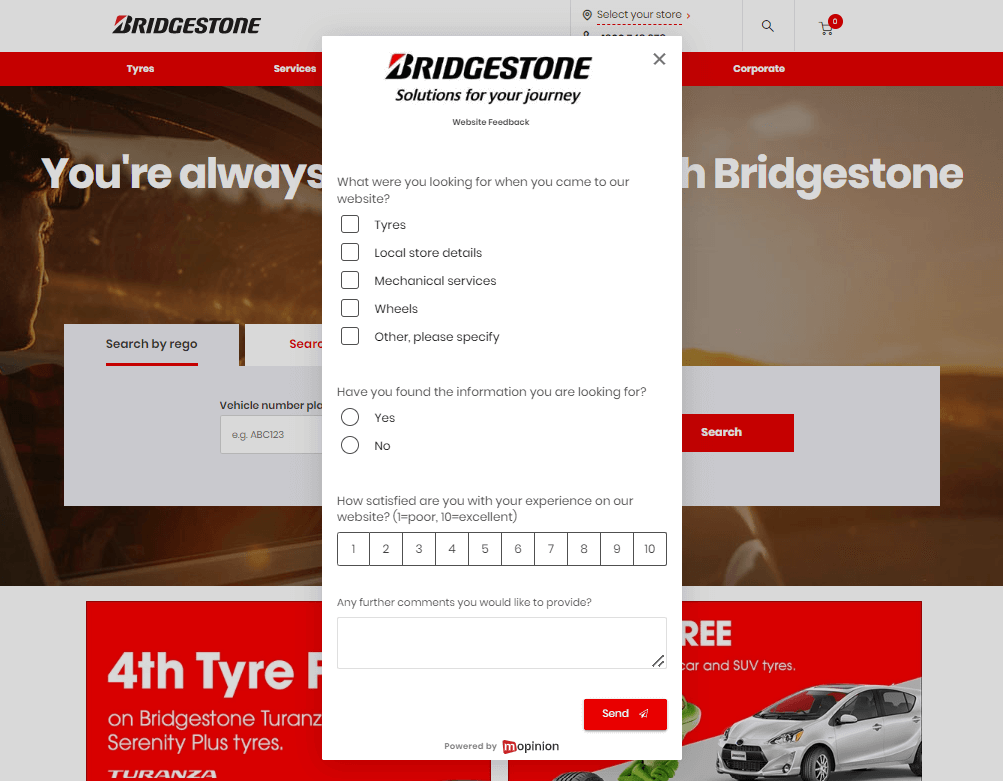
Example of a general UX survey on Bridgestone.com.au.
Types of user experience surveys
There are different types of UX surveys you can use depending on your goals, audience and digital journey.
Customer satisfaction UX surveys
Customer satisfaction UX surveys help you understand how satisfied users are with a specific experience, page, journey or product. They are often used during or after an interaction.
These surveys may include questions such as:
- How satisfied are you with your experience today?
- How would you rate this page?
- How likely are you to recommend our website or product?
- What did you like most about this experience?
- What could we improve?
These surveys are useful for monitoring satisfaction and identifying moments where the experience could be improved.
Task completion surveys
Task completion surveys help you understand whether users were able to do what they came to do. These are especially useful on websites, self-service portals, checkout flows, support pages and account environments.
Example questions include:
- Were you able to complete your task today?
- What were you trying to do on this page?
- If you could not complete your task, what stopped you?
- How easy was it to complete your task?
These questions help identify blockers that may not be visible in analytics alone.
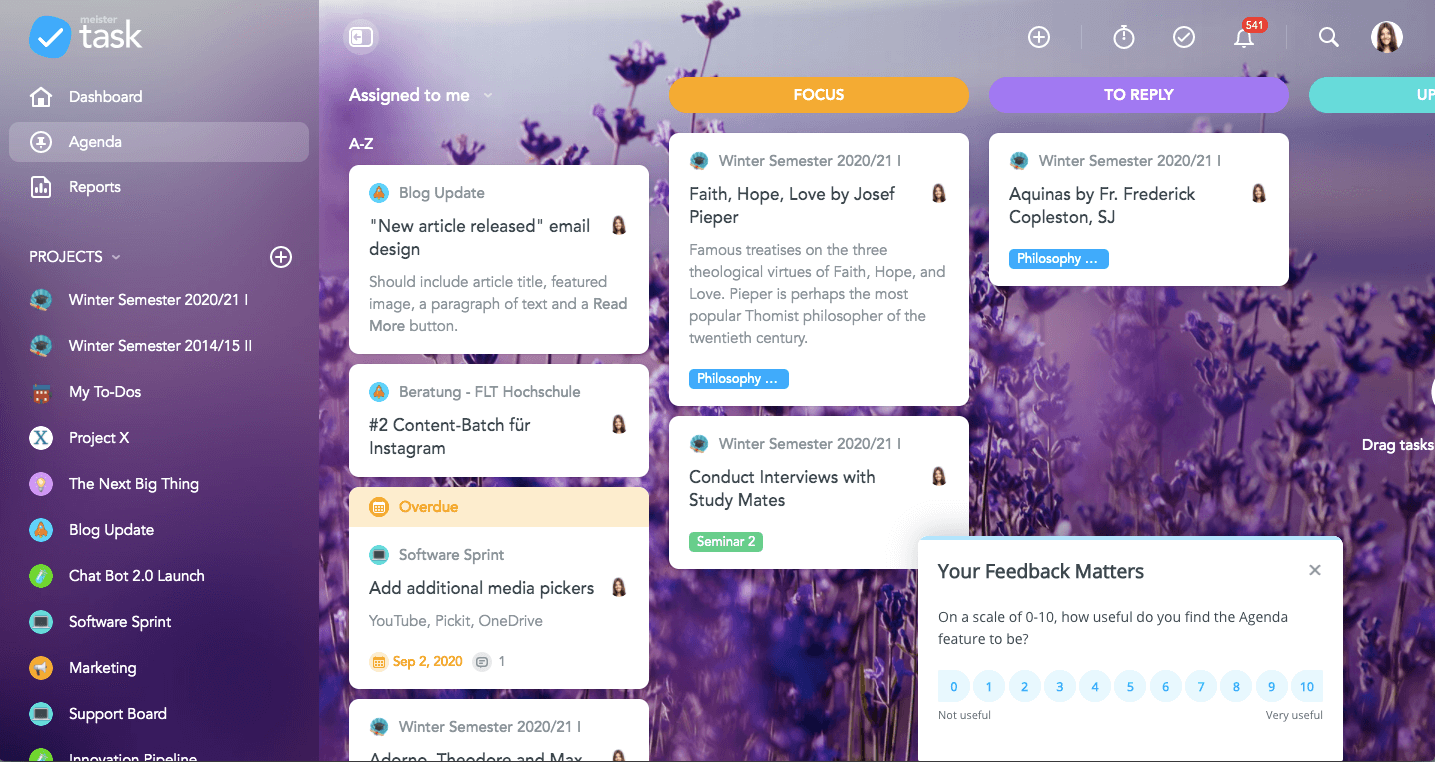
Example of an NPS survey in Meistertask.
Website and app feedback surveys
Website and app feedback surveys collect feedback from users while they are browsing or using a digital product. They can be triggered by behaviour, such as time on page, scroll depth, exit intent or task completion.
They can also be made available through a passive feedback button.
Example questions include:
- What do you think of this page?
- Is anything missing from this page?
- Did this page answer your question?
- How can we improve this app experience?
These surveys are useful for collecting in-the-moment feedback while the experience is still fresh.
In-depth research surveys
In-depth UX research surveys are usually longer than short website or app surveys. They are often sent by email or used as part of a broader research project.
These surveys can help teams understand user expectations, motivations and overall impressions in more detail.
Example questions include:
- What was your first impression of our product or website?
- Why did you start using our product?
- How useful is our product or website to you?
- What do you find most difficult about using our product?
- How would you describe your overall experience?
Because these surveys take more time to complete, it is important to explain the purpose and give users an idea of how long it will take.
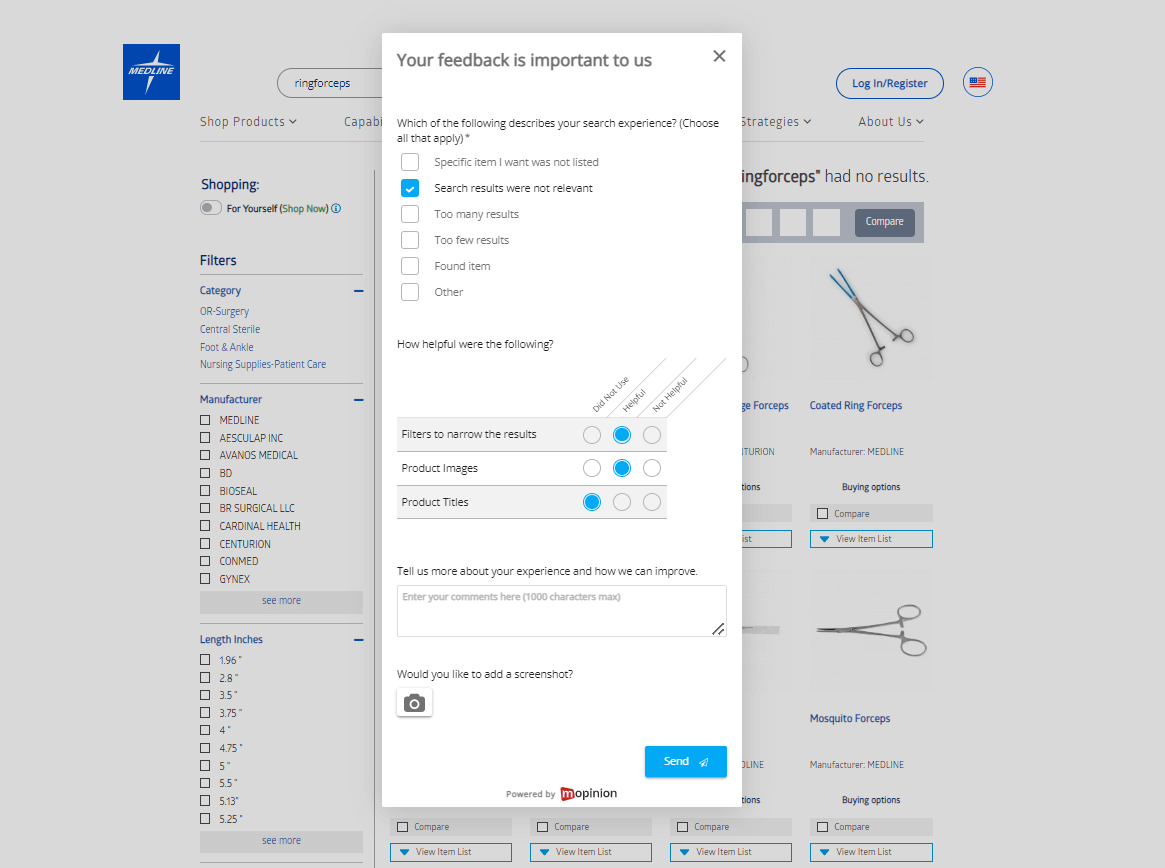
Example of an in-depth UX survey from the Medline website.
How to design an effective user experience survey
Designing an effective user experience survey is about asking the right questions, at the right time, in the right way. A poorly timed or overly long survey can frustrate users. A well-designed survey can help you collect valuable feedback without disrupting the experience.
1. Decide the focus of the survey
Before creating your survey, define what you want to learn.
Are you trying to understand why users abandon a form? Do you want feedback on a new feature? Are you measuring overall satisfaction? Are you trying to improve a specific page?
A clear goal will help you choose the right questions and avoid asking too much at once.
2. Keep the survey short and focused
Short surveys usually perform better, especially when they appear during a live digital journey. In many cases, two or three questions are enough.
For example, you could ask:
- How easy was it to complete your task?
- What could we improve?
- Would you like us to contact you about your feedback?
Longer surveys can still be useful for research, but they should be used carefully. If a survey takes more time to complete, make that clear from the start.

3. Make the questions relevant to the user
Relevance is one of the most important parts of a good UX survey. Users are more likely to respond when the question matches what they are currently doing.
For example, do not ask users about the checkout experience if they have not reached the checkout. Do not ask about a feature they have not used. Do not show the same survey on every page without considering context.
With a feedback solution like Mopinion, teams can use targeting and survey logic to show different questions based on user behaviour, page type or previous answers. This helps create a more relevant experience for the respondent and more useful feedback for your team.

Mopinion for UX & Design Experts
Cut through the clutter and give your UX the attention it deserves
4. Use both quantitative and qualitative questions
A good user experience survey often combines quantitative and qualitative questions.
Quantitative questions give you measurable data. These might include rating scales, satisfaction scores, NPS, CES or multiple-choice questions. They help you spot trends and compare performance over time.
Qualitative questions give users space to explain their answer in their own words. These open-text responses help you understand the reasons behind the score.
For example, you could ask:
- How would you rate your experience today?
- What is the main reason for your score?
This combination gives you both the measurable trend and the context behind it.
5. Ask at the right moment
Timing can make a big difference to the quality of your feedback. If you ask too early, the user may not have enough experience to answer. If you ask too late, they may have already left.
Good moments to ask for user experience feedback include:
- after a user completes a task
- after a purchase or form submission
- when a user is about to leave the page
- after someone uses a specific feature
- when a user spends a long time on a key page
- after a support or self-service interaction
The goal is to collect feedback while the experience is still fresh.
6. Avoid leading questions
The way you phrase your questions matters. Leading questions can influence the user’s answer and make your feedback less reliable.
Instead of asking:
“How much did you enjoy our improved checkout experience?”
Ask:
“How would you rate your checkout experience?”
This gives users more space to answer honestly!
7. Give users space to explain
Scores are useful, but they do not always tell the full story. Open-text questions allow users to explain what happened, what they expected and what could be improved.
This is where some of the most valuable UX insights are found. A user’s own words can reveal issues your team may not have considered.
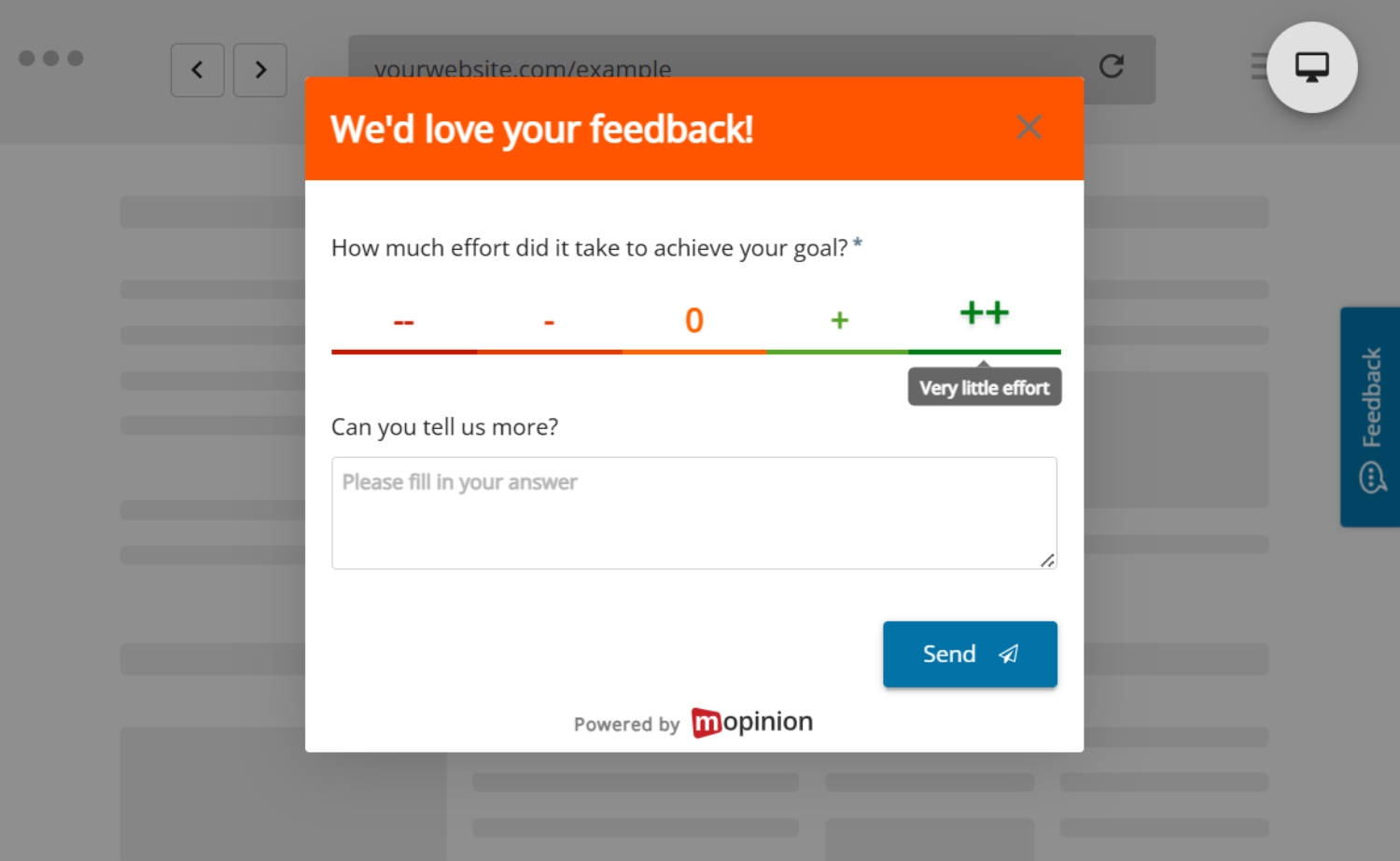
8. Make the feedback form easy to complete
A user experience feedback form should be simple, accessible and easy to complete on any device. Avoid long blocks of text, too many required fields or complicated answer options.
The form should be quick to understand and easy to submit, especially on mobile.
9. Analyse feedback regularly
Collecting feedback is only the first step. To improve the user experience, you need to analyse the results and look for recurring issues, trends and opportunities.
This might include reviewing:
- low satisfaction scores
- repeated complaints
- common words or topics in open-text feedback
- feedback by page, journey or device
- changes in sentiment over time
Regular analysis helps teams move from individual comments to actionable insights.
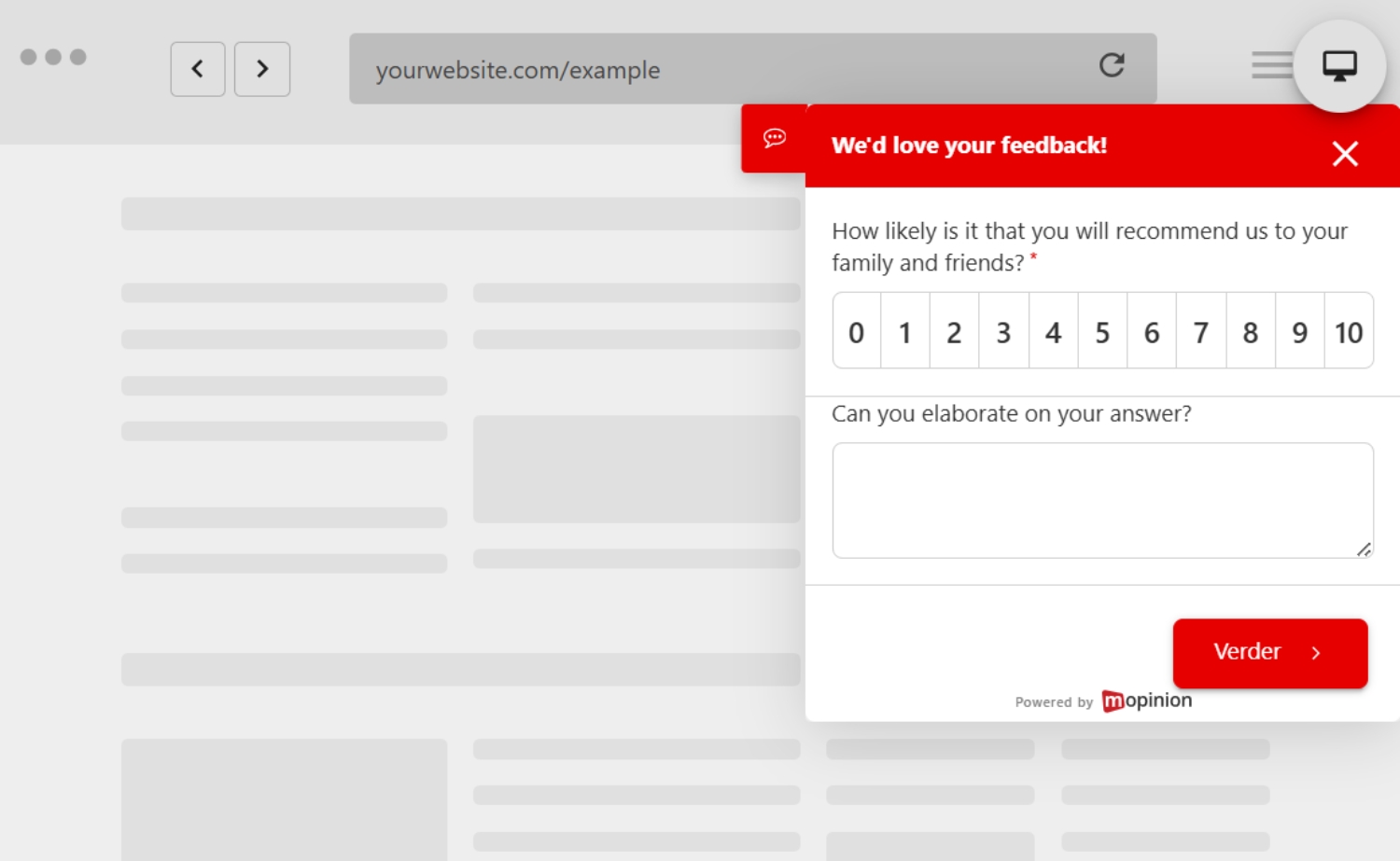
10. Share feedback with the right teams
User experience feedback should not stay with one team. Depending on the feedback, it may be useful for UX designers, product managers, developers, marketers, customer support teams and content specialists.
For example:
- UX teams can use feedback to improve journeys and layouts.
- Product teams can use feedback to prioritise features.
- Marketing teams can use feedback to improve landing pages.
- Support teams can use feedback to identify recurring customer questions.
- Development teams can use feedback to spot bugs or technical issues.
The more visible feedback becomes, the easier it is to act on it.
How Mopinion helps collect user experience feedback
Mopinion, part of Netigate, is an all-in-one user feedback solution that helps organisations collect and analyse feedback across websites, mobile apps and email campaigns.
With Mopinion, digital teams can create customised user experience feedback forms, target specific visitor groups and collect feedback at key moments in the digital journey.
Teams can use Mopinion to:
- build and customise UX feedback forms
- collect feedback from websites, apps and emails
- trigger surveys based on user behaviour
- use survey logic to create more relevant questions
- combine quantitative scores with open-text feedback
- visualise feedback in dashboards and charts
- share insights with the right teams
- take action faster with smart alerts
This makes it easier to understand where users are struggling, what they need and how the digital experience can be improved.
Read more about this topic in our post about quantitative and qualitative data.
Start creating those user experience surveys!
User experience surveys help you understand what your users are really experiencing. They give you direct insight into what works, what causes friction and what needs to be improved.
By asking relevant questions at the right moment, you can collect user experience feedback that helps your team make smarter decisions. Whether you are improving a website, mobile app, checkout flow, product feature or self-service journey, a well-designed user experience feedback form can help you uncover insights that analytics alone cannot provide.
With the right approach, user experience surveys can become a powerful part of your UX and optimisation strategy.
Frequently Asked Questions – User Experience Surveys
A user experience survey is a survey used to collect feedback from users about their experience with a website, app, product or digital service. It helps teams understand what users find easy, confusing, frustrating or helpful during their journey.
User experience surveys are important because they help teams understand why users behave in certain ways. Analytics can show where users drop off or which pages they visit, but UX feedback explains the reason behind that behaviour.
You can ask questions about satisfaction, task completion, usability, content, navigation and the overall experience. Examples include “Did you find what you were looking for?”, “How easy was it to complete your task?” and “What could we improve about this experience?”
A user experience feedback form should be shown at a relevant moment in the user journey. This could be after a task is completed, after a purchase, after a user interacts with a specific feature or when someone is about to leave an important page.
To create an effective UX survey, start with a clear goal, keep the survey short, ask relevant questions and combine rating questions with open-text questions. This helps you collect measurable data while still understanding the reason behind each response.
Analytics show what users do on your website, app or product, such as where they click, which pages they visit or where they drop off. User experience feedback explains why something happens by giving users a direct way to share what was unclear, frustrating, helpful or missing.
Ready to see Mopinion in action?
Want to learn more about Mopinion’s all-in-1 user feedback platform? Don’t be shy and take our software for a spin! Do you prefer it a bit more personal? Just book a demo. One of our feedback pro’s will guide you through the software and answer any questions you may have.