
An online survey is a digital questionnaire used to collect customer feedback, opinions and other data through websites, mobile apps, email campaigns and shareable links.
Businesses use online surveys to measure customer satisfaction, understand user behaviour, identify friction and improve the digital customer experience.
In this guide, you’ll learn how online surveys work, the different survey types and metrics available, which questions to ask and how to create an effective survey.
TL;DR – Article Summary
- Online surveys are digital questionnaires used to collect customer and user feedback through websites, mobile apps, email campaigns and shareable links.
- Businesses use online surveys to measure satisfaction, loyalty, effort and goal completion while identifying friction across the digital journey.
- Website, mobile and email surveys describe where feedback is collected, while CSAT, NPS, GCR and CES describe what is being measured.
- Effective online surveys have a clear objective, concise questions, a logical structure and a relevant trigger or distribution channel.
- The best online survey tool depends on your audience, survey goals, digital channels, targeting requirements and reporting needs.
In this post, we will cover:
- What is an online survey?
- How do online surveys work?
- Online survey types at a glance
- How do online surveys improve the digital customer experience?
- What are the limitations of online surveys?
- What is the difference between a user survey and a customer survey?
- What are the main types of online surveys?
- Which online survey metrics should you use?
- Online survey question examples
- How to create an effective online survey
- Best online survey tools
- Frequently asked questions
What is an online survey?
An online survey is a digital method of collecting structured and open-ended feedback from a defined audience. It can be used to understand customer satisfaction, user experience, loyalty, effort, preferences and obstacles encountered during the customer journey.
Online surveys can include rating scales, multiple-choice questions, smiley scales, dropdown menus, open-text fields and visual feedback options. The questions shown may also change based on a participant’s previous responses through survey logic or question routing.
Organisations can distribute online surveys through websites, mobile apps, email campaigns, QR codes and shareable links. Survey responses can then be analysed to identify trends, uncover recurring problems and inform improvements to digital products, services and customer journeys.
How do online surveys work?
Online surveys work by presenting a set of questions to a selected audience and storing each participant’s answers for analysis. The survey can be shared through a direct link or displayed at a particular moment in a website, app or email journey.
A typical online survey process includes:
- Defining the survey objective and target audience.
- Selecting the questions and measurement method.
- Choosing where and when the survey will appear.
- Collecting quantitative and qualitative responses.
- Analysing the results to identify patterns and opportunities.
- Sharing insights with the appropriate teams and taking action.
More advanced survey tools can trigger forms based on visitor behaviour, journey stage, device type, page URL or previous interactions. They can also route respondents to different questions depending on the answers they provide.
Online survey types at a glance
Website surveys
Website surveys are best for identifying friction, measuring page satisfaction and understanding whether visitors achieved their goals. Common metrics include GCR, CSAT and CES.
Mobile surveys
Mobile surveys collect feedback from users of mobile websites and apps. They can help teams evaluate usability, task completion and the overall in-app experience.
Email surveys
Email surveys are commonly used after purchases, deliveries, support interactions and marketing campaigns. They are often used to collect NPS and CSAT feedback.
Link surveys
Link surveys can be shared through email, social media, messaging platforms or QR codes. They are useful when the survey is not connected to a specific digital interaction.
Embedded surveys
Embedded surveys appear directly within a webpage, help centre, account area or other digital interface. They allow users to provide feedback without leaving the page.
How do online surveys improve the digital customer experience?
Online surveys help organisations understand why users behave in certain ways across websites, mobile apps and other digital channels. While behavioural analytics can show what happened, survey feedback can provide important context about why it happened.
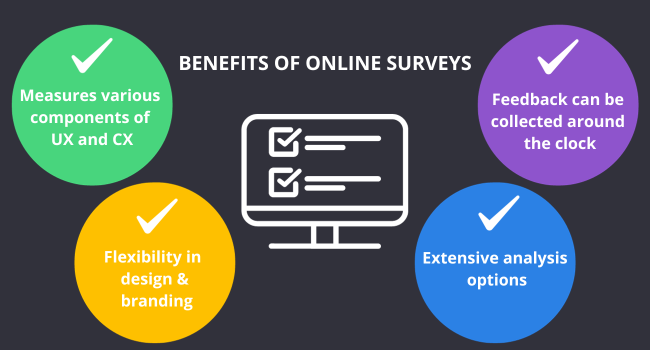
- Measure different elements of UX and CX: Online surveys can measure both the broader customer experience and specific interactions with a digital product or service. For example, a business may use a relationship survey to measure overall loyalty while using a website survey to investigate friction within a checkout process.
- Adapt the survey to your brand and customer journey: Online surveys can be customised to match an organisation’s visual identity and research objectives. Teams can control which questions appear, where the survey is displayed and which follow-up questions are shown based on previous responses.
- Collect feedback continuously: Surveys displayed across digital channels can collect feedback at any time and from users in different locations. Real-time feedback can help teams detect sudden issues, compare experiences over time and respond more quickly to emerging problems.
- Analyse quantitative and qualitative feedback: Online survey tools can visualise scores, segment responses and help teams identify trends within customer feedback. More advanced platforms can also categorise open-text responses, detect common themes and route insights to the teams responsible for taking action.
What are the limitations of online surveys?
Online surveys are a useful source of direct feedback, but their results should be interpreted carefully. Common limitations include:
Response bias
People who choose to complete a survey may have stronger opinions than those who do not respond.
Low response rates
Long, poorly timed or irrelevant surveys can discourage participation and reduce the amount of feedback collected.
Question bias
Leading, unclear or double-barrelled questions can influence responses and produce unreliable results.
Limited behavioural context
Survey answers explain what users think or feel, but they may not show exactly what happened during an interaction. Combining survey feedback with behavioural and operational data provides a more complete picture.
Survey fatigue
Showing too many surveys or repeatedly targeting the same users can damage the experience and reduce response quality.
These limitations can be reduced by keeping surveys concise, using neutral questions, selecting appropriate triggers and analysing feedback alongside other customer and user data.
What is the difference between a user survey and a customer survey?
User surveys and customer surveys both collect feedback, but they target different audiences. A user survey can include anyone who interacts with a product, platform or service, whereas a customer survey focuses specifically on people who have purchased from or completed a transaction with the organisation.
User Surveys
- Target Audience: anyone who interacts with a product, service, website or platform, including both paying customers and non-customers.
- Primary focus: user experience, usability, functionality, expectations and task completion.
- Typical timing: during or shortly after an interaction with a digital product or service.
For example, a software company may ask trial users how easy it was to complete a task even if those users have not yet purchased a subscription.
Customer Survey
- Target Audience: people who have purchased a product, subscribed to a service or completed another transaction with the organisation.
- Primary focus: satisfaction, loyalty, purchasing experience, service quality, support and the overall customer relationship.
- Typical timing after a purchase, delivery or customer service interaction, as well as at regular intervals throughout the relationship.
For example, a retailer may send a customer satisfaction survey after an order has been delivered.
The main difference is therefore the relationship between the respondent and the organisation. All customers may be users, but not every user is necessarily a paying customer.
Types of surveys
What are the main types of online surveys?
Surveys come in all shapes and sizes. Email surveys, market research surveys, UX surveys, in-app surveys, NPS surveys, the list goes on and on. All of these types serve a different purpose and are targeted at different points in the customer journey (as well as across different channels). That being said, there is no single way to categorise online surveys, as there is often quite a bit of overlap.
So, to illustrate which types of surveys you can use to improve overall customer experience and user experience across all of your digital channels, we will break this section down into the following: surveys for specific channels and the most popular survey metrics.
Surveys for specific channels
When it comes to surveying your customers, it’s important to reach out on all of your digital channels. Otherwise it wouldn’t really be a proper assessment of your overall customer experience now, would it?
There are three key channels you should focus on:
Website surveys
Website surveys are the most common way of gathering feedback. These surveys help you understand which areas of your website are performing better and which areas need improvement. For example, certain pages and funnels that are key to the success of your customer journey.
There are a variety of ways you can use website surveys. This includes a general feedback survey in the form of a feedback button (accessible on most pages of your website), an embedded website survey at, for example, the bottom of an FAQ page, or a slide-in survey which is triggered depending on certain customer behaviour(s).
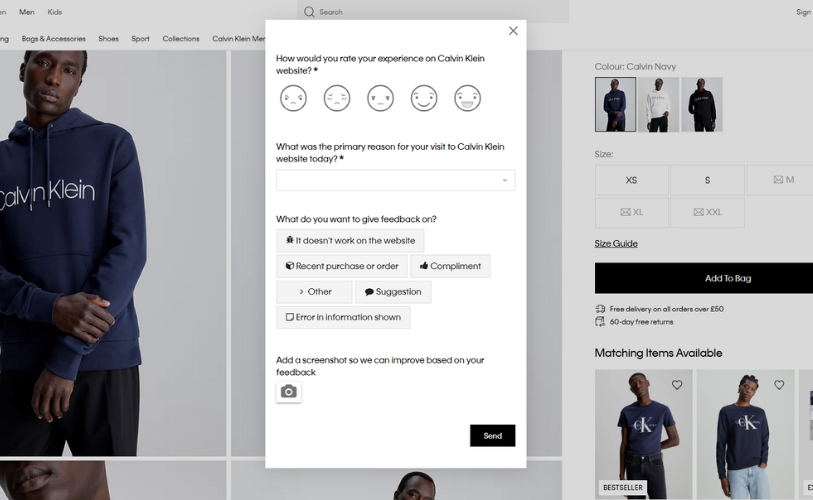
Calvin Klein CSAT website survey
Mobile surveys
Many organisations have realised that monitoring one single digital channel is not a sufficient indicator of the overall digital customer experience. Therefore, in addition to website surveys, many organisations also make use of mobile surveys.
The thing is, mobile surveys work somewhat differently from website surveys in that there are no mouse movements, which means that you cannot trigger forms in the same way. So how do you discover why a visitor doesn’t complete their order or leaves the app? You must leverage user feedback technology made specially for mobile, whether that’s via webview, API or SDK.

Here’s some more helpful information about mobile feedback and surveys.
Email surveys
Measuring the overall digital experience wouldn’t be complete without insights from email campaigns. And that’s why email surveys are also widely used among organisations. Email surveys create a platform for two-way communication between you and your customers. It gives them an opportunity to provide feedback on the quality of the emails themselves as well as the opportunity to provide a rating for a previous interaction with your brand, i.e. post-purchase.
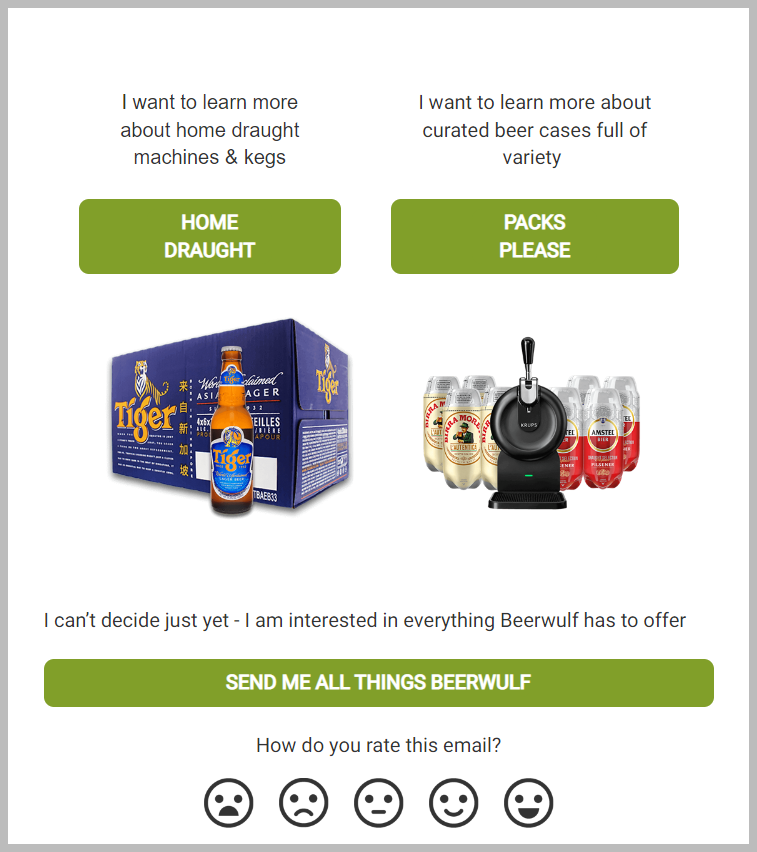
Beerwulf email survey
From promo campaigns, confirmation emails and newsletters to post-purchase drip and re-engagement campaigns, it can be a challenge to meet your customers’ needs if you’re not in tune with them. Email Feedback enables your team to deliver powerful email campaigns that sit well with your audience.
Which online survey metrics should you use?
The right survey metric depends on the question your organisation wants to answer. A metric should be selected before the survey is designed so that every question supports a clear objective.
Common online survey metrics include:
- Customer Satisfaction Score: Measures satisfaction with a specific experience, product, service or interaction.
- Net Promoter Score: Measures a customer’s likelihood of recommending an organisation, product or service.
- Goal Completion Rate: Measures whether users successfully achieved the purpose of their visit.
- Customer Effort Score: Measures how easy or difficult it was for customers to complete an action or resolve a problem.
Customer satisfaction (CSAT) survey
A Customer Satisfaction Score survey measures how satisfied a customer or user is with a particular product, service, interaction or digital experience.
CSAT surveys can be deployed on websites, within mobile apps or through email campaigns. They are most useful when the survey clearly identifies the experience being evaluated, such as a checkout process, support interaction or product feature.
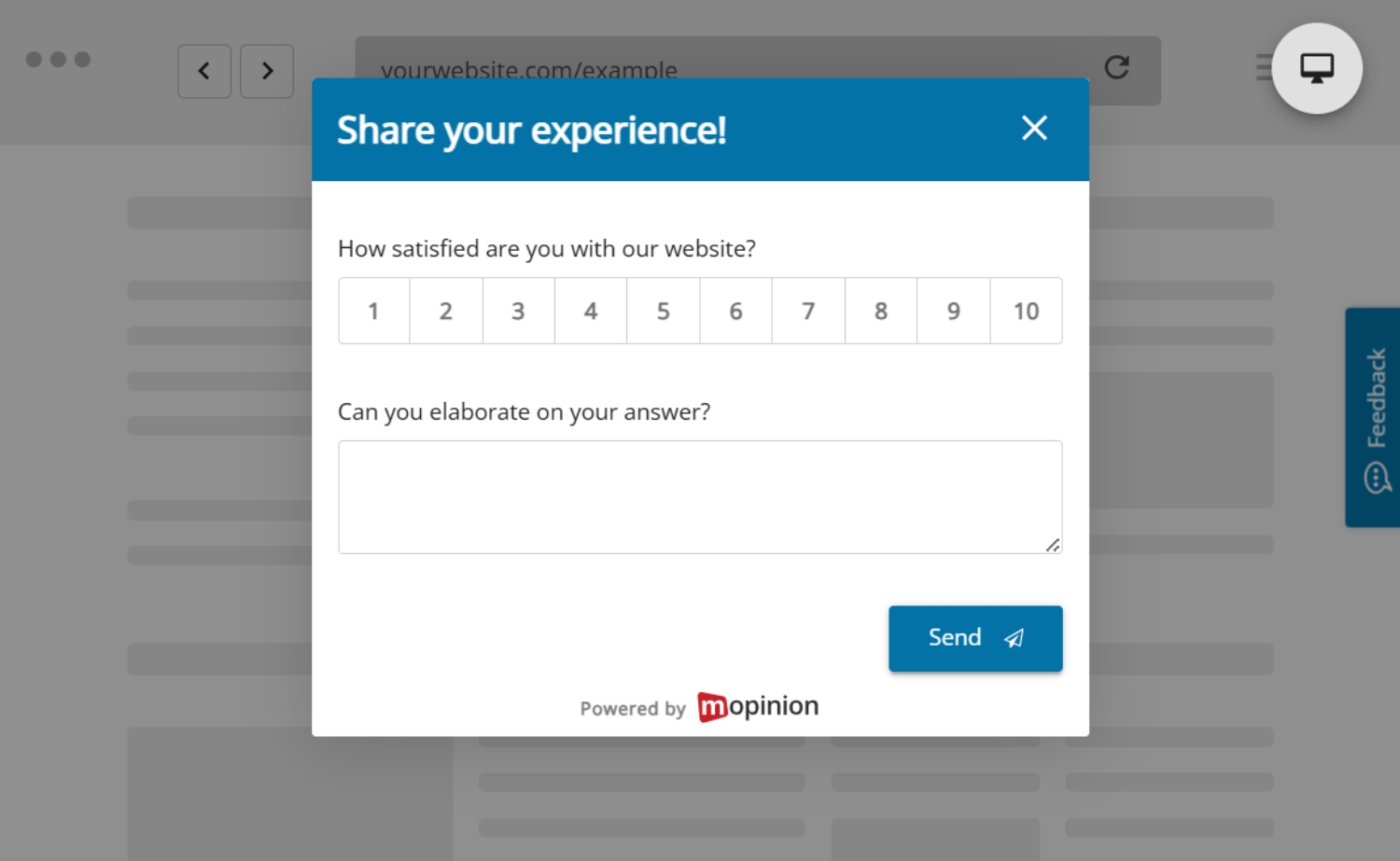
Example of a CSAT survey
A typical CSAT question is:
“How satisfied are you with your experience today?”
Responses can be collected using a numerical scale, Likert scale, star rating or smiley scale. The initial rating should usually be followed by an optional open-text question so respondents can explain the reason for their score.
Visit our guide on how to effectively deploy CSAT surveys across your digital channels.
Net Promoter Score (NPS) survey
Net Promoter Score is a widely used metric for measuring a customer’s likelihood of recommending a company, product or service.
An NPS survey typically asks:
“How likely are you to recommend us to a friend or colleague?”
Respondents answer on a scale from 0 to 10 and are divided into three groups:
- Promoters: Scores of 9 or 10
- Passives: Scores of 7 or 8
- Detractors: Scores from 0 to 6
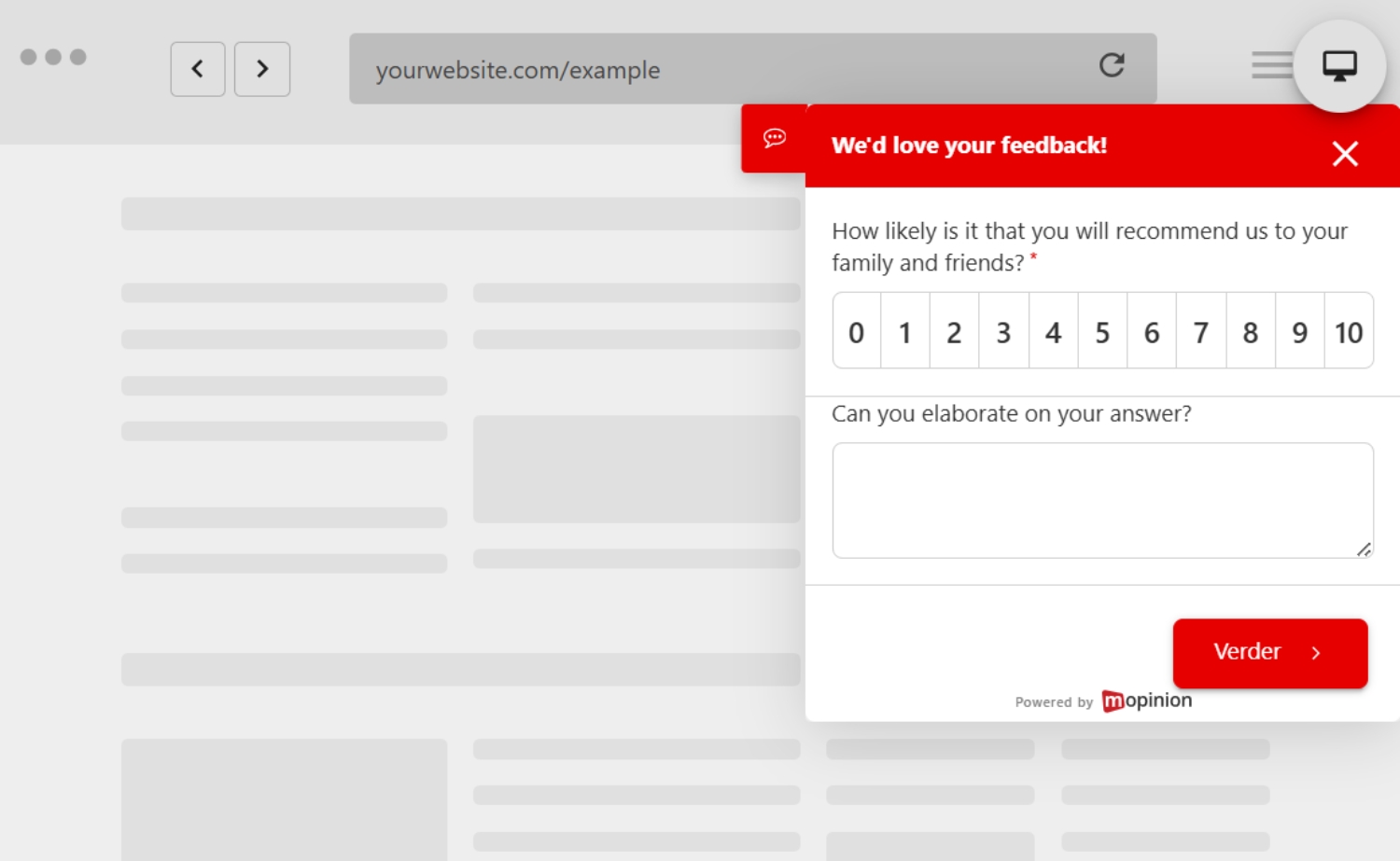
Example of an NPS survey
There are two different ways to measure NPS: relational NPS surveys and transactional NPS surveys. With relational NPS, your organisation will gather general insights on how your brand is perceived by a customer (based on the overall experience and the brand itself). With transactional NPS, you will gather insights based on a transaction the customer has made with your business.
Learn more about the ins and outs of conducting NPS surveys here.
Goal Completion Rate (GCR) surveys
Goal Completion Rate is a great metric for measuring how many visitors have completed a specific goal on your website or mobile app. This type of survey is typically found in places where a customer is trying to make a purchase. Either using a passive feedback method (user-initiated) or as exit feedback (a feedback form triggered based on exit intent).
Note: GCR should not be used on the homepage or landing page as this is just the beginning of the funnel and the goal cannot be completed at that point.
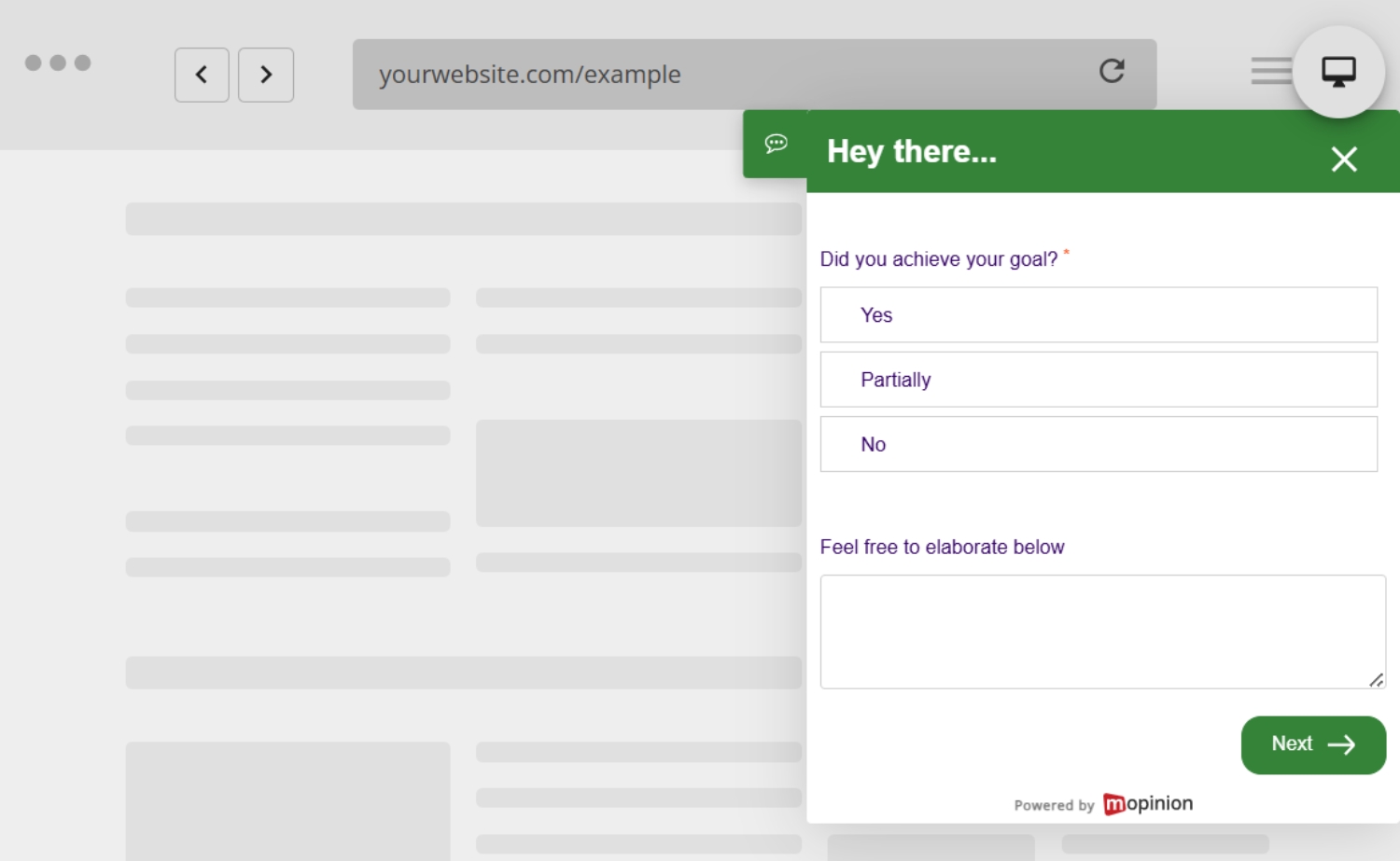
Example of a GCR survey
What’s great about GCR is that when a customer fails to reach their goal on your website, you can ask why they did not reach their goal as well as ask them to leave their contact information behind, which turns them into a lead. These details provide you with the opportunity to rectify any issues in the funnel and help the customer convert.
Customer Effort Score (CES) surveys
Customer Effort Score (CES) is an ideal survey metric for measuring how much effort it took for your customer to achieve their goal. In fact, this metric can be directly linked to the rise and fall of your loyalty metrics. Why? More often than not, high effort results in lower customer loyalty. So this is definitely a good metric to keep an eye on!
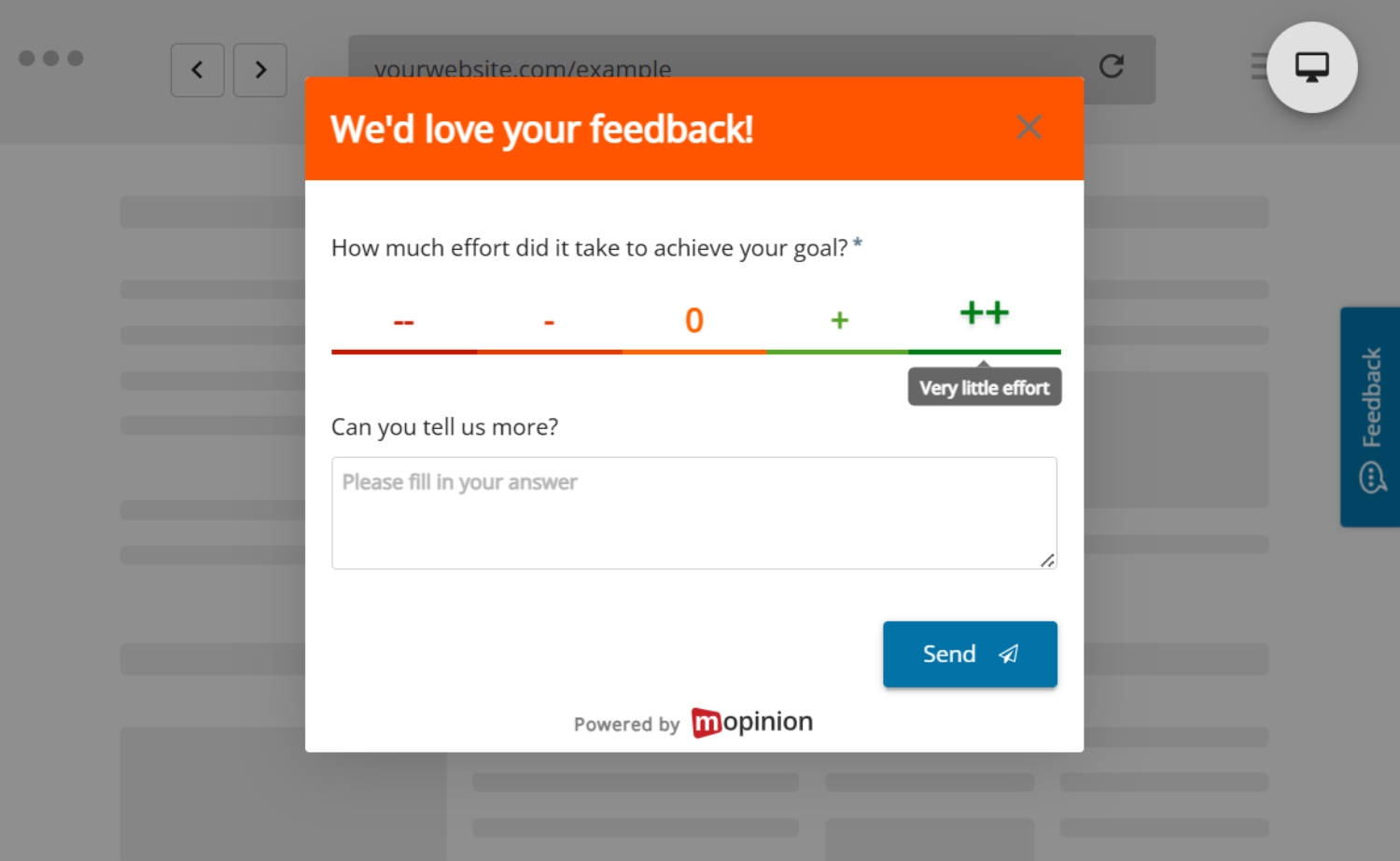
Example of a CES survey
One way to collect the CES is at the end of the funnel (i.e. once the customer has made a purchase). This is the most effective because although the customer made their purchase, there is otherwise no way of knowing how easy or difficult the process was for making that purchase. CES is also a good survey metric to use for improving.
Online survey question examples
Customer satisfaction survey questions
- How satisfied are you with your experience today?
- What could we have done better?
Website feedback survey questions
- Were you able to find what you were looking for?
- What stopped you from completing your goal today?
Mobile app survey questions
- How easy was it to complete your task in the app?
- Did anything in the app feel confusing or frustrating?
How to create an effective online survey
Now that you know which kinds of surveys you can choose from. It’s time to dive into how to create one. Creating an effective online survey involves several key steps:
1. Choose a flexible and reliable survey solution.
First and foremost, a good online survey solution goes a long way when creating an effective online survey. Make sure you have a solution that is flexible, customisable and also offers sufficient analysis features. Be sure to check out the list of survey software below for an indication of which solution might be best for your organisation.
2. Define the purpose of your survey.
Now that you’ve selected your software, it’s time to determine which information you want to gather and how it will be used to achieve your goals. Only then can you select the appropriate metrics and channels.
3. Customise your survey questions carefully.
With your goals in mind, you can start creating your surveys. When writing survey questions, it’s important to ensure your survey questions are clear, concise and relevant to your objectives. Consider a mix of rating scale questions (i.e. the metrics listed above), multiple choice questions and open answer questions. Need some inspiration?
Take a look at our overview of how to write good survey questions, complete with 80 examples, here.
4. Arrange questions logically.
Thanks to question routing, there are a number of different ways to ask questions in a survey, depending on the previous answer. However, this can also be a tricky task when creating your surveys. Therefore, it’s a good idea to think about where you want to go with each question and what you want to learn. A good rule of thumb is to start with the most general questions before moving to more specific questions.
5. Deploy on the appropriate channels and/or online funnels.
Once your survey is fully written and customised to your liking, it’s time to deploy it. Based on your assessment in step 2, you can choose to deploy your survey on either your website, mobile app or in an email. If you choose to deploy on your website and in-app, make sure you select a funnel that makes sense for your survey. For example, don’t ask NPS in the early stages of the funnel. It’s best to ask this later on when the customer has completed a transaction or had some sort of meaningful interaction with your brand.
Looking for more tips on how to create online surveys? Check out this link.
Best online survey tools
Curious what’s on the market? We’ve got a short overview of our favourite online survey tools, each one catering to different survey needs. In fact, each of these tools is uniquely suited for different kinds of businesses. That is why it’s important to be aware of your options.
Mopinion – Part of Netigate
Mopinion is an all-in-one user feedback software platform that goes beyond online surveys, enabling businesses to collect, analyse and act on feedback across digital channels such as websites, mobile apps and email. Now part of Netigate, an European experience management platform, Mopinion combines advanced feedback collection with real-time data visualisation, customisable dashboards and AI-driven insight analysis at scale, giving users a powerful way to uncover and understand customer feedback more efficiently.
Standout features:
- Build customisable forms with easy drag-and-drop functionality
- Feedback forms (passive and active) for all your digital channels
- Conversational feedback
- Visual feedback
- Advanced surveys with question routing
- Automated, advanced data visualisation with in-chart filtering and customisable dashboards
- Seamless data exploration
- Advanced action management
- Self-hosted surveys: No need for Javascript to set up Surveys
- Native SDK (Android and iOS): Fully native feedback on your app. No redirection is needed
- AI-powered, automated categorisation for open questions to help you read your qualitative data
- Integrates seamlessly with applications such as Slack, Google Analytics, Jira, Hubspot, Salesforce, etc.
Best for: Digital-first organisations that want to collect, analyse and act on online survey feedback across websites, mobile apps and email.
Learn more about creating surveys with Mopinion here.
Qualtrics
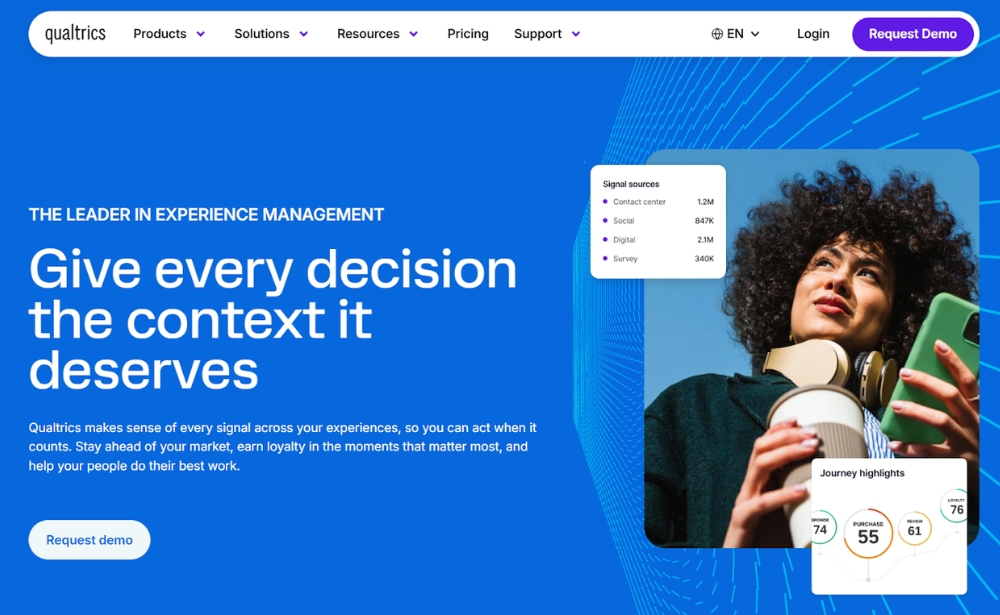
Qualtrics is an experience management software that offers an online survey solution. With well over 100 question types, this software also provides survey templates as well as features such as display logic, email triggers and logic branching. Included in its real-time web reports, users can choose from over 30 different graph types and export results to CSV or SPSS. Keep in mind, however, that this is a solution built for larger businesses as it’s a bit on the pricier side.
Standout features:
- A variety of question types
- Good customisation options
- User-friendly
Best for: Larger organisations looking for advanced online survey capabilities, extensive question types and enterprise-level experience management features.
Website: www.qualtrics.com
Qualaroo
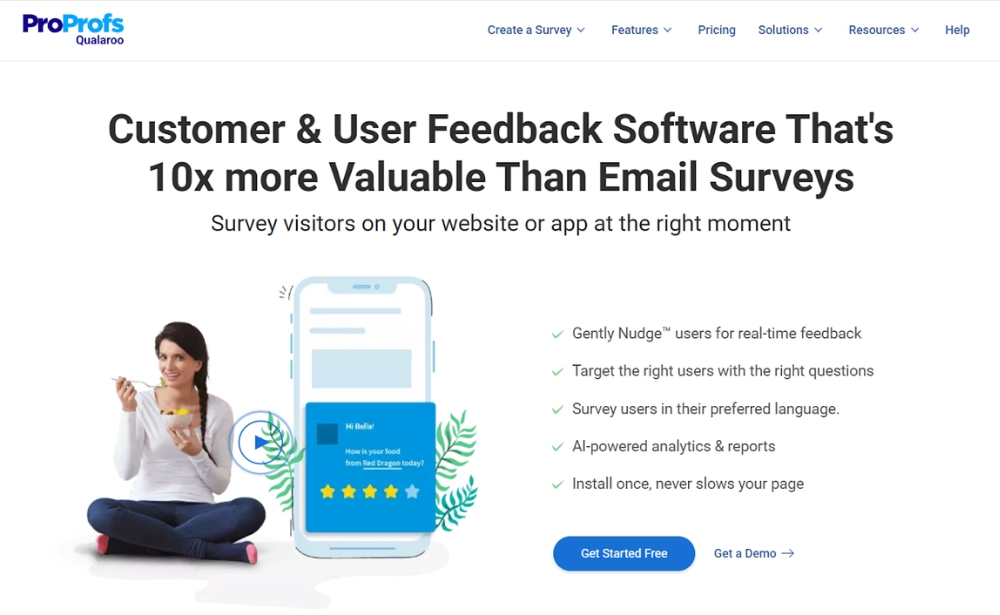
Qualaroo is a survey solution, recently acquired by ProProfs, that enables organisations to gather feedback across multiple channels including website, mobile, SaaS products and email. You can easily conduct polls among your visitors with short and simple questions or choose from a library of questions. It includes AI-based reporting and dashboarding to help you analyse and channel your data to the right teams.
Standout features:
- Built-in sentiment and text analytics
- Multi-language functionality
- Extensive template library
Best for: Teams that want to collect targeted feedback across websites, mobile apps, SaaS products and email, with built-in sentiment and text analytics.
Website: www.qualaroo.com
Survicate
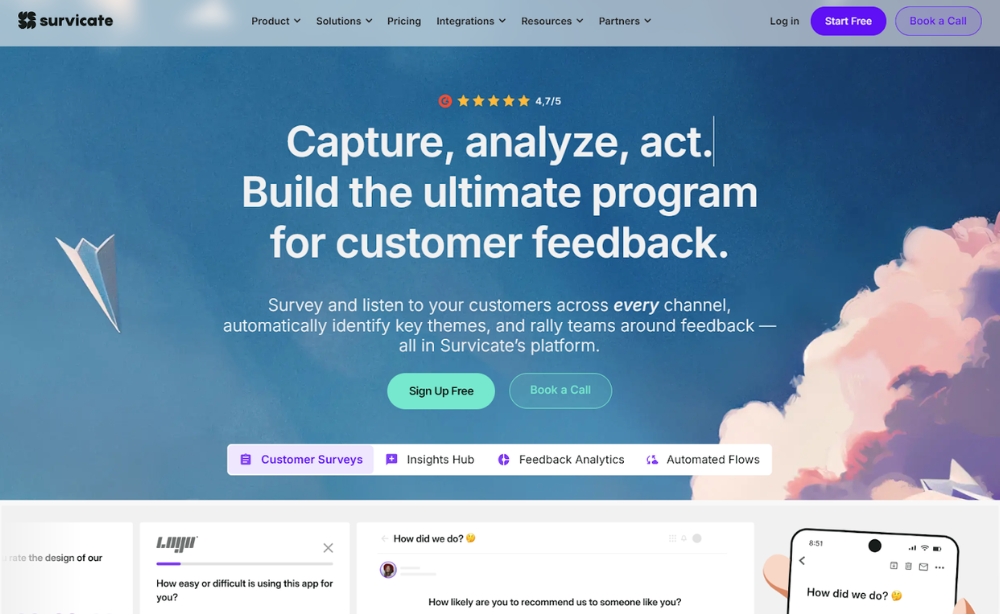
Survicate is a survey software that enables organisations to send out surveys on four main channels: email and link surveys, website feedback surveys, in-product surveys and mobile in-app surveys. With this tool, you can trigger targeted surveys across all channels using a library of predefined surveys. The tool also has dashboarding capabilities, NPS analysis and CSV and XLS export options.
Standout features:
- 125+ customisable survey templates
- Pulse surveys
- Tracks experiences over time
Best for: Businesses that want to run online surveys across multiple channels, including email, website, in-product and mobile app surveys.
Website: www.survicate.com
Typeform
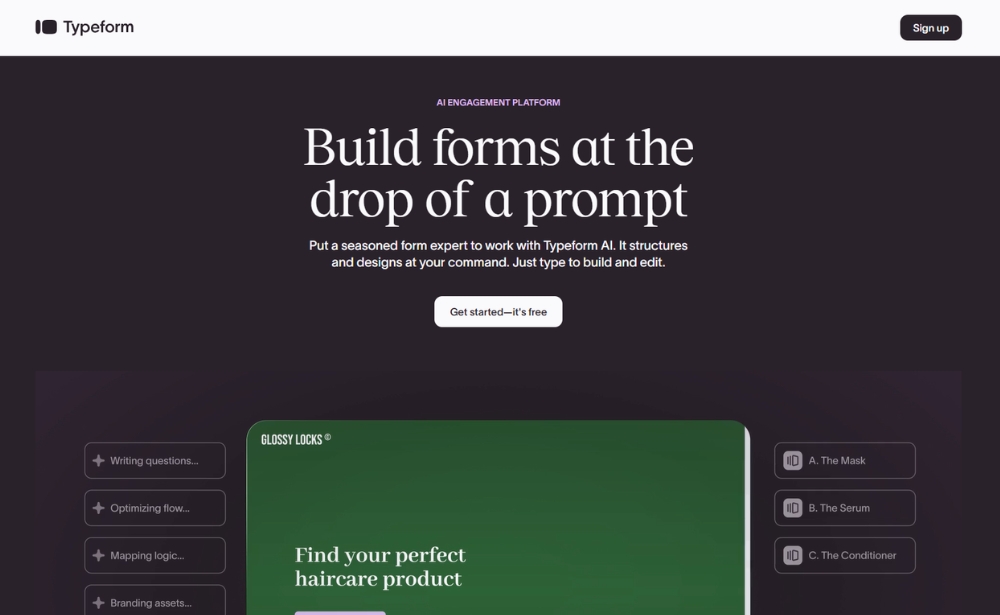
Typeform is an online survey software with a user-friendly interface that allows users to put surveys together themselves. As a respondent, the process of filling in a survey goes quite smoothly. The free version of Typeform includes features such as unlimited questions and answers, data export options, custom-designed themes as well as readily-made templates and basic reporting features. However, with this solution there unfortunately aren’t many options in terms of brand customisation. 41
Standout features:
- Simple, yet intuitive layout
- Extensive template library
Best for: Teams that want to create simple, visually engaging online surveys with an intuitive respondent experience.
Website: www.typeform.com
For a more extensive list of survey tools, check out our overview on the best online survey software.
Dive into the world of online surveys
Online surveys give organisations a direct way to understand customer satisfaction, user experience, loyalty, effort and journey friction. However, the value of a survey depends on more than the number of responses collected.
Effective survey programmes connect each question to a clear objective, target respondents at relevant moments and combine quantitative scores with qualitative context. Most importantly, organisations need a process for analysing responses, sharing insights and acting on what customers and users have said.
With the right strategy and online survey software, feedback can become an ongoing source of evidence for improving digital products, services and customer journeys.
Frequently asked questions about online surveys
An online survey is a digital questionnaire used to collect structured and open-ended feedback through websites, mobile apps, email campaigns, QR codes or shareable links. Organisations use online surveys to understand customer satisfaction, user experience, loyalty, effort and journey friction.
Online surveys present a set of questions to a selected audience and store the responses for analysis. They can be shared through a direct link or displayed during a specific website, mobile app or email interaction. More advanced survey tools can trigger forms based on user behaviour, journey stage or previous responses.
Common types of online surveys include website surveys, mobile surveys, email surveys, embedded surveys and link surveys. Surveys can also be categorised by the metric they use, such as Customer Satisfaction Score, Net Promoter Score, Goal Completion Rate or Customer Effort Score.
A questionnaire is the set of questions presented to respondents. A survey refers to the broader research process, which can include defining the objective, selecting the audience, distributing the questionnaire, collecting responses and analysing the results.
A user survey can target anyone who interacts with a product, website, platform or service, including non-paying users. A customer survey specifically targets people who have purchased a product, subscribed to a service or completed another transaction with the organisation.
Online surveys allow organisations to collect feedback across multiple digital channels, reach users at relevant moments and combine quantitative scores with qualitative responses. They can also be customised, targeted to specific audiences and analysed in real time.
Online surveys can be affected by low response rates, response bias, unclear questions and survey fatigue. Survey feedback may also lack behavioural context, so organisations should analyse it alongside other customer, operational and behavioural data.
An online survey should include only the questions needed to achieve its objective. Contextual website and mobile surveys are generally most effective when they are short, while broader research surveys may require more questions. Each question should support a clear decision or action.
A website survey should appear after the visitor has had enough time or interaction to answer the question meaningfully. Relevant moments include completing a task, reaching an important page, encountering an error or showing signs of abandoning a journey.
The best online survey tool depends on the channels you want to survey, the complexity of your questions, your targeting requirements, reporting needs, integrations, budget and data privacy requirements. Digital-first organisations may also need a platform that collects contextual feedback across websites, mobile apps and email.
Ready to see Mopinion in action?
Want to learn more about Mopinion’s all-in-1 user feedback platform? Don’t be shy and take our software for a spin! Do you prefer it a bit more personal? Just book a demo. One of our feedback pro’s will guide you through the software and answer any questions you may have.