As any good UX designer can tell you, creating a website or app that looks coherent builds trust and loyalty. It sets your product apart in the market and creates a memorable user experience. Feedback forms are no exception. We know this at Mopinion – that’s why you’ve been able to create highly branded feedback forms with our software for a long time. Now, we’ve just taken customisation to the next level with our brand new Media Library!
With this new solution, you can add your own smiley and thumbs icons to your feedback forms, easily access them from your personal library and reuse them whenever you need.
Are you already using tailored emojis, implemented with a custom CSS? Don’t worry – your forms will remain the same and you don’t have to change anything. If you’d like to create more custom forms in the future, however, you can now design these by yourself, via the Mopinion platform. No CSS knowledge needed.
Let us tell you exactly how all of it works!
In this article, we’ll cover:
- Elevate your digital channels with highly customised forms
- What is the Media Library?
- How do I use the Media Library?
TL;DR – Article summary
Mopinion is releasing their Media Library. This functionality allows you to add custom assets, like smileys, logos and icons to your forms. Once uploaded, these assets are available in the Media Library to be reused in future forms.
Elevate your digital channels with highly customised forms
A report from Marq shows that 70% of companies report that brand consistency has contributed to 10-20% growth in revenue. This is exactly why it’s so important not to forget that your feedback forms are included in your branding efforts as well.
Designing feedback forms that align with the rest of your website, app and/or email campaigns creates trust and will, in turn, lead to a higher response rate. Not to mention that uniquely created feedback forms help reduce feedback fatigue.
As mentioned, with Mopinion, customising and branding feedback forms is nothing new. You have been able to create design templates (or themes as we call them), add logos, choose your own colours, edit text size and much more for a long time.
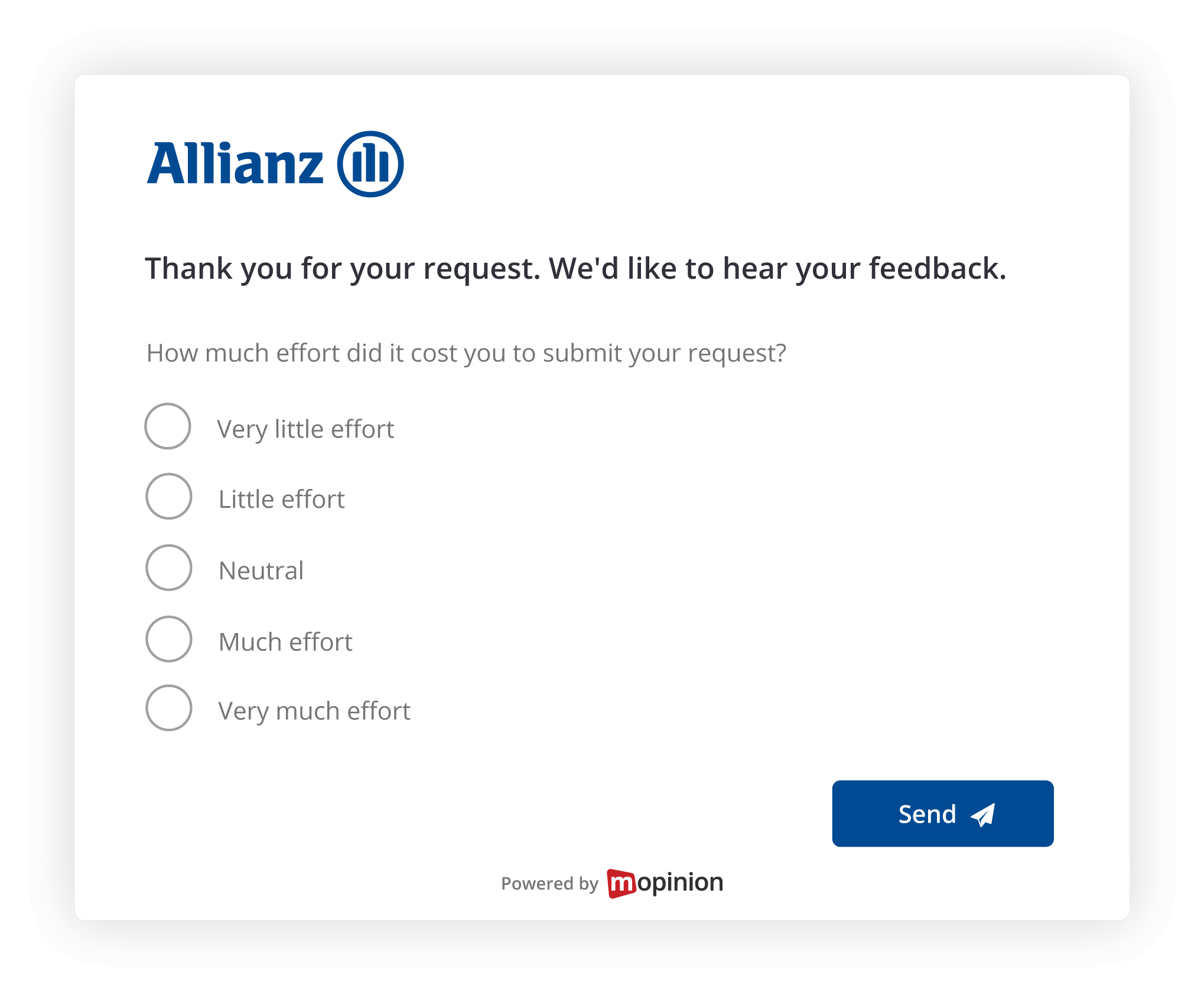
Image: A branded feedback form from insurance company, Allianz.
However, the Media Library takes customisation one step further. With this new solution, you can easily create completely unique, on-brand feedback forms. The best part is that you can easily access and reuse all the images and icons in the Media Library. This both saves time and reduces errors that come with having to upload the same image asset every time you want to use it.
What is the Media Library?
The Media Library is an image bank, located in the Mopinion form editor, where you can upload images, logos and smileys/thumbs icons. When this has been done, you can easily access and reuse the files whenever you want.
Do you have your own, customised smileys for a Customer satisfaction survey? Great! Simply upload them once and use them however many times you’d like. This also makes it a piece of cake to turn your website into a winter wonderland when the holiday season is getting closer, or create a spooky vibe around Halloween.
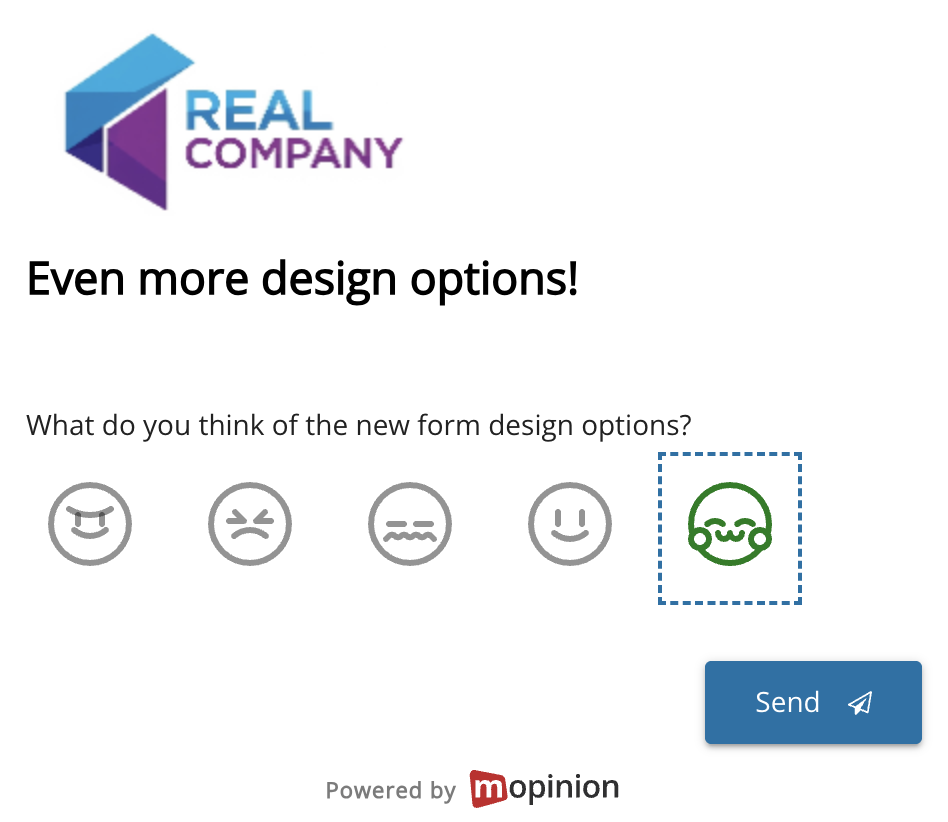
In other words, if your digital channels usually get a seasonal makeover, you can now easily apply this to your feedback forms as well!
To summarise, with the Media Library, you can:
- Customise your form with unique icons and images: Create your own smileys, thumbs assets or icons for your form, for a truly unique, personalised experience
- Access and reuse your images, logos and icons at any time: Simply upload them to the Media Library once and access them at any time
- Edit your assets: After uploading your icons and images, you can adjust the sizing to perfectly fit your feedback form
How do I use the Media Library?
It’s all very easy, but it depends a bit on what you want to do. A good place to start, however, is that all your emojis and icons need to be of the file type SVG. Logos and images can also be of the file type JPG, PNG and GIF.
With that out of the way, let’s break it down, step by step.
How to edit an image or logo in the Media Library
When you open the Media Library in Mopinion and hover over an uploaded image, logo or smiley/thumb icon, you see a pen. To edit your image, click this.
Here, you can change the title of the file and add an alt text. By clicking ‘Edit image’, you can also resize your file. Once you’ve added the correct size, click ‘Resize’ and then ‘Save’.
How to add a custom icon to your feedback button

You can now add an icon to the feedback button on your website or app.
Simply go to the feedback form you want to edit (or create a new one) by going to ‘Data collection’ and then ‘Feedback forms’ in the side menu of the Mopinion software.
Click the ‘Design’ tab and choose or create a theme if this has not already been done. Click ‘Form’ and then select ‘Button icon’. From here, you can upload your own icon or choose a previously uploaded asset by clicking ‘Add’.
How to add and edit a multimedia element

Adding a multimedia element to Mopinion feedback forms is not new. However, from now on, every time you add a multimedia asset to your feedback form, the asset will be added to your Media Library. This means that you have easy access to it and can reuse it anytime you’d like.
When adding the asset, you will also have the option to edit it. Let’s start from the beginning.
First, navigate to ‘Data collection’ and then ‘Feedback forms’ in the sidebar of the Mopinion software.
Either choose an existing feedback form to edit or create a new one.
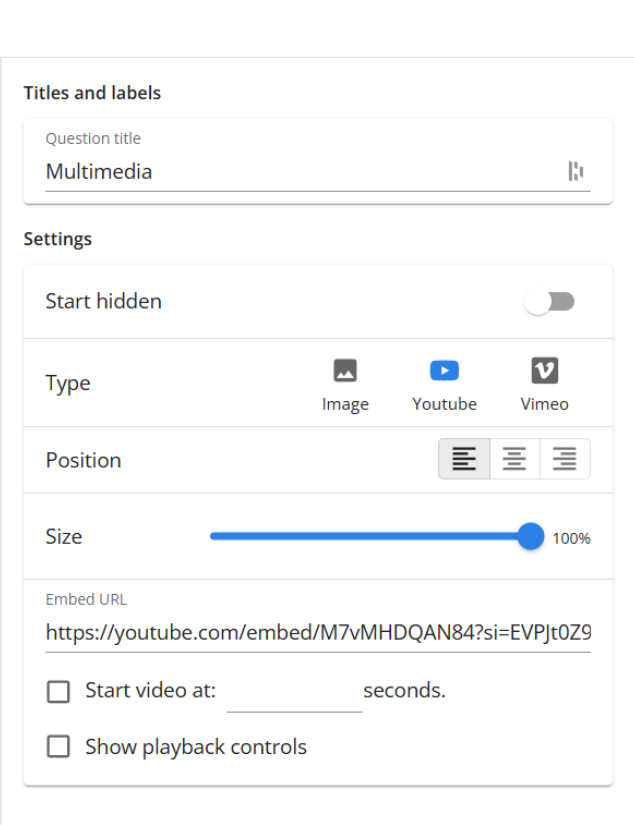
Once you are in the form builder, choose ‘Multimedia’ from the sidebar to the right under ‘Add’. Click your multimedia form element and either add an image or a Youtube or Vimeo embed URL.
If you click ‘Select image’, your Media Library will open. In here, you can see and select previously added images or choose to click ‘Upload an image’.
Once your desired image has been selected, you’ll see a slider in the tool builder, allowing you to change the size of the image. Simply slide it left or right to make it bigger or smaller. This can also be done with Youtube or Vimeo videos.
How to add custom icons and smileys
Custom icons are available for three of our question types:
- Smiley ratings
- Thumbs
- Categories
Adding a custom icon essentially works the same for all three, but for the category question type, you’ll find it in a slightly different spot.
Adding custom smiley and thumbs icons
Navigate to ‘Data collection’ and then ‘Feedback forms’ in the sidebar of the Mopinion software.
Either choose an existing feedback form to edit or create a new one.

In the form builder, add either a smiley or thumbs question and edit the text to be phrased the way you want it. Once done, click the ‘Design’ tab and select or build a theme if this hasn’t already been applied. Select your smiley or thumbs question and click ‘Edit’.
Here, you can find a section called ‘Custom smiley’. Simply click each smiley and upload your desired image or choose a previously uploaded image from the Media Library. That’s all there is!
Adding custom category icons
As always, open the form builder by navigating to ‘Data collection’ and then ‘Feedback forms’ in the sidebar of the Mopinion software. Choose an existing feedback form or create a new one.

Choose and add the ‘Categories’ question type. Instead of going to the design tab as you do for the smiley and thumbs questions, you stay in the build tab and click ‘Edit’. Here, you see a section called ‘Options’ where you can add more categories or edit the default ones.
To give your categories custom icons, click the images on the left and ‘Add’ under custom icons. Either upload a new image or choose a previously uploaded image from your Media Library.
Pretty easy, right?
Want to start creating your own custom feedback forms?
Are you not yet a Mopinion customer, but feeling inspired to create your own customised feedback forms? You’ve come to the right place. Mopinion offers a myriad of design options, ensuring that your feedback forms will blend seamlessly into your websites, apps or email campaigns.
We’re the European #1 feedback software for web, app and email. Complete with AI-powered analysis, advanced targeting options to reach the right audience and much more. Try us out today!
Ready to see Mopinion in action?
Want to learn more about Mopinion’s all-in-1 user feedback platform? Don’t be shy and take our software for a spin! Do you prefer it a bit more personal? Just book a demo. One of our feedback pro’s will guide you through the software and answer any questions you may have.