
A website feedback survey helps businesses understand what users experience on their website and why they behave the way they do. It gives digital teams direct, in-the-moment insight into friction points, confusion, usability issues and missed conversion opportunities that analytics alone cannot fully explain.
TL;DR – Article Summary
Website feedback surveys help businesses collect direct input from visitors while they are using a website, making it easier to understand friction, measure satisfaction and improve the user experience. Common examples include exit surveys, CSAT surveys, goal completion surveys, bug reporting forms and content feedback forms. When they are short, well-timed and relevant to the page or journey, they can reveal issues that analytics alone cannot explain and help teams make smarter UX, content and conversion improvements.
As customer expectations for smooth online experiences continue to rise, collecting website feedback through surveys has become essential for improving UX, increasing conversions and building long-term loyalty. Instead of relying only on behavioural data, businesses can use website feedback surveys to capture the reasons behind user actions while the experience is still fresh.
In this guide, we explore what website feedback surveys are, why they matter and how to use them to improve UX.
- What is a website feedback survey?
- What are its benefits?
- Types of website feedback surveys
- What makes a good survey?
- How to use it
- Final thoughts
- How Mopinion can help
What is a website feedback survey?
A website feedback survey is a short form shown on a website to collect feedback from visitors during their digital journey. It can appear automatically based on behaviour, such as exit intent, time on page, scrolling or task completion, or it can be made available through a persistent feedback button that users can click whenever they want to share input.
The goal is to collect feedback while the experience is still fresh. This makes it easier to understand what users were trying to do, whether they succeeded and what may have caused frustration, confusion or hesitation along the way.
Unlike traditional surveys sent after a visit, website feedback surveys capture in-the-moment feedback in context. That makes the insights more specific, more actionable and often more useful for UX, digital and optimisation teams.
What are its benefits?
While traditional analytics tools like Google Analytics show you what users do, such as where they click or how long they stay, they don’t explain why users behave that way.
A website feedback survey fills this gap by giving visitors a direct voice. It helps teams understand what is blocking conversions, where users are getting stuck, which parts of the experience feel unclear and what is working well.
This can support a wide range of digital goals, including:
- identifying UX issues and friction points
- understanding why visitors abandon journeys or leave pages
- measuring satisfaction at important touchpoints
- prioritising improvements based on direct user input
- validating changes during redesigns, launches or A/B tests
- improving trust, usability and long-term customer loyalty
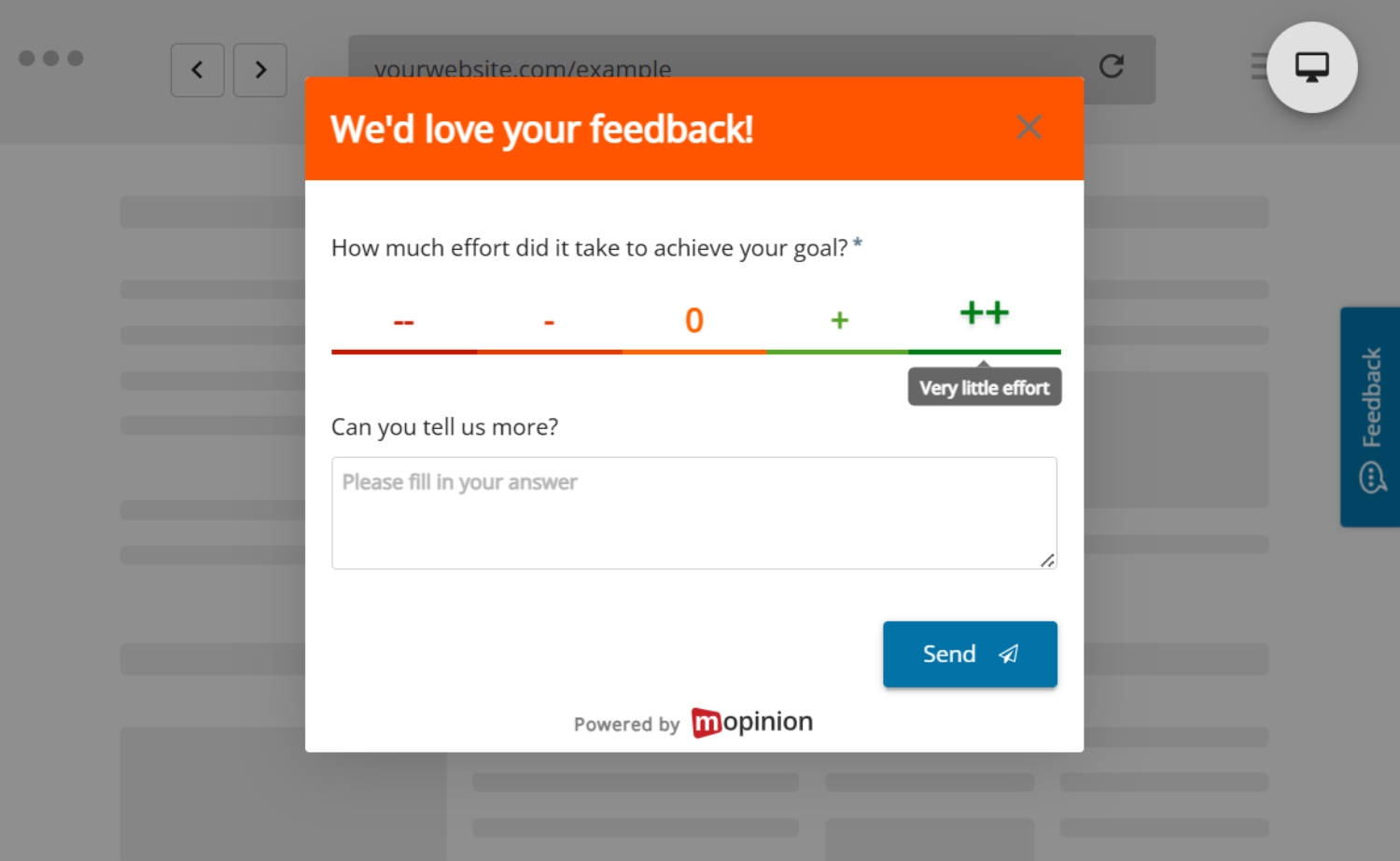
Types of website feedback surveys
Different journeys require different questions and different types of forms. What website feedback survey you choose to use depends entirely on your business goals. That being said, here are a few popular, high-impact examples:
Exit Surveys:
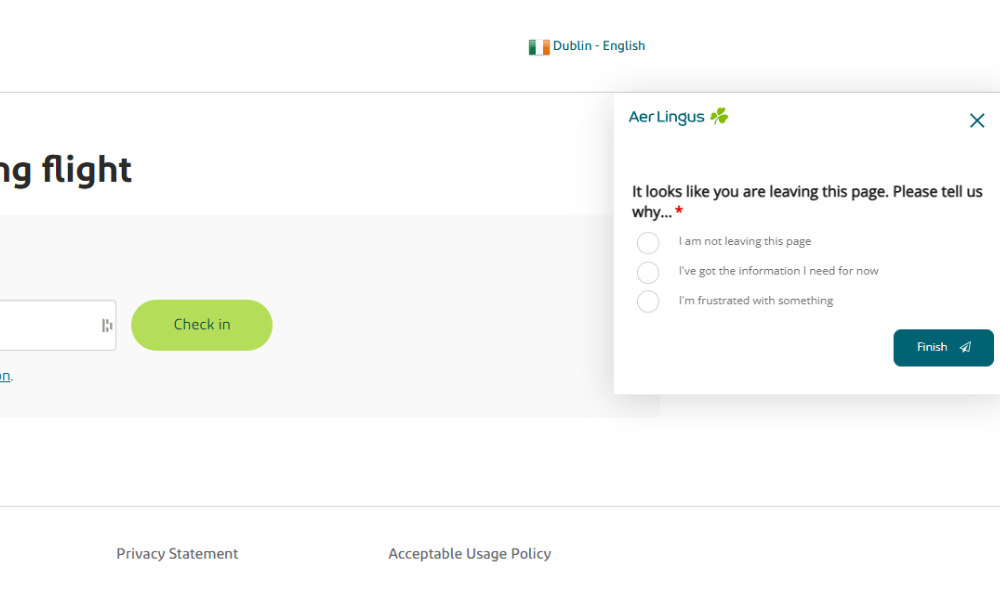
Exit surveys are especially helpful when you are trying to discover why someone is leaving without converting or completing an action.
Typically, they appear when a visitor indicates that they are leaving your page. The form can sense when the cursor is moving towards the close button of the browser, which triggers the form.
A typical example of a question to ask is “Did you find everything you were looking for today?” Don’t forget to include a follow-up question where your visitor can elaborate on what they were trying to do and what blocked them from achieving their goal.
This uncovers insights that lead to a smoother customer journey, heightened customer satisfaction and an increased conversion rate. Simply put: a win-win situation!

Translation: We would like to ask you a short question. Did you find what you were looking for on this page? Yes or no
CSAT (Customer Satisfaction) Surveys:
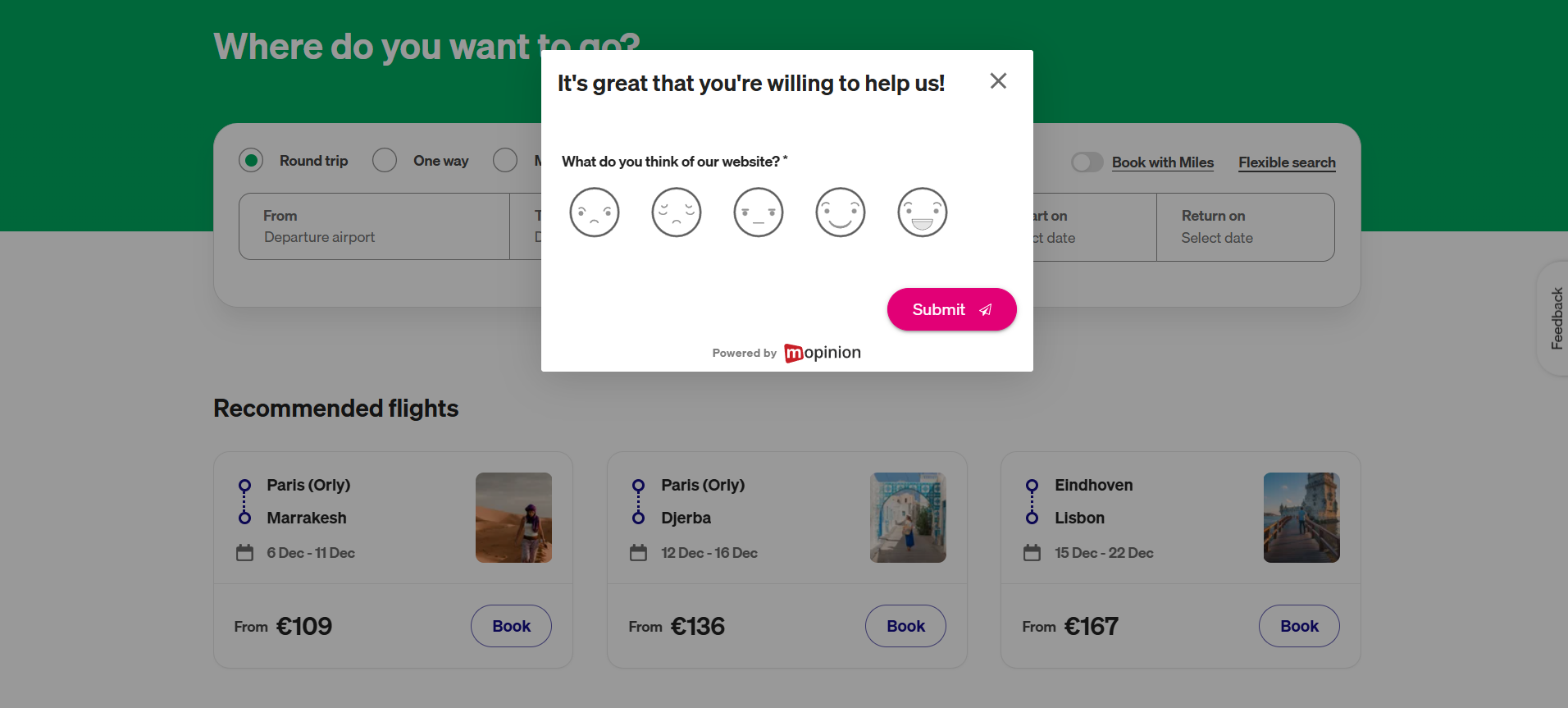
CSAT surveys are a powerful way to measure how satisfied users are with a specific part of their journey. They help you quickly identify which areas are working well and which might be frustrating your users.
These surveys are usually shown right after a key interaction, such as completing a purchase, submitting a support request or reading a help article.
They are also commonly included in general feedback forms, such as those triggered by a persistent feedback button, giving users an easy way to rate their experience at any point in their journey.
They are short and simple, typically using a scale from 1 to 5 or emoji ratings, which makes them quick and easy to respond to.

A common CSAT question might be: “How satisfied were you with your experience today?” To gather even more insights, you can follow this up with an open-ended question like: “What could we improve?”
By tracking responses across different pages or customer journeys, you can uncover trends and spot issues early. For instance, consistently low scores on a checkout page might point to friction that’s costing you conversions.
CSAT surveys give you a closer perspective of user satisfaction, so you can focus on what matters most.
Goal Completion Rate (GCR) Surveys:
Goal Completion Surveys help you understand whether your website is actually meeting the needs of your users. By identifying whether visitors were able to accomplish what they set out to do, these surveys reveal how effectively your site supports key user journeys.
GCR surveys are typically triggered when there’s a sign that a user may be struggling to complete a task, such as lingering on a page for an extended time, showing exit intent or abandoning a basket. These moments can signal that the user’s goal wasn’t achieved, making it an ideal opportunity to gather insights and improve the journey.
A typical GCR question might be: “Were you able to complete what you came here to do today?” Follow-up questions like “If not, what stopped you?” offer valuable insights into friction points.

Translation: Why are you on hema.nl?, Did it work? Yes or no, Why didn’t it work?
Tracking the ratio of “Yes” to “No” responses over time can highlight UX issues, broken flows, or unclear call-to-actions. If many users say “No” after attempting to sign up or check out, it’s a strong signal that something needs improvement.
In short, GCRs help you validate whether your digital experience is actually delivering on user expectations and where it might be falling short.
NPS (Net Promoter Score) Surveys:
NPS surveys are a go-to method for measuring overall customer loyalty and long-term brand sentiment. They help you understand how your audience feels about your brand, not just after one experience, but in a broader, emotional sense.
These surveys are typically sent out post-purchase or on a recurring basis, such as quarterly, to measure ongoing satisfaction. They’re especially useful for tracking trends over time and spotting shifts in customer perception.
The core question is simple yet powerful: “How likely are you to recommend our company to a friend or colleague?” Respondents answer on a scale of 0–10, which places them into one of three groups:
- Promoters (9–10) – loyal customers who really like your product
- Passives (7–8) – customers who are okay with it but not excited
- Detractors (0–6) – unhappy customers who might say bad things about you to others

Your Net Promoter Score is calculated by subtracting the percentage of Detractors from the percentage of Promoters. A rising NPS is often a sign of strong customer experience and brand trust, while a declining score can be an early warning sign of deeper issues.
Moreover, NPS gives you a bird’s-eye view of how likely your customers are to stick with you and bring others along.
Bug Reporting Forms:
Bug reporting forms are essential for catching problems in real-time directly from the people experiencing them. They empower users to flag technical issues, broken elements, or confusing content as they happen, helping you maintain a smoother and more reliable experience.
These forms are especially valuable during high-risk periods like product launches, redesigns or new feature rollouts, when issues are more likely to slip through the cracks. But they’re also useful year-round, across all pages of your site, as they give your audience the opportunity to flag potential issues you might not have anticipated or thought to ask about.

A typical bug report question might be: “Did you experience a technical issue on this page?” Followed by an open-ended prompt such as “Please describe what went wrong” or even a screenshot upload option for more context.
By collecting feedback in the user’s own words, you gain insights that automated error-tracking tools might miss, like layout bugs on specific devices or misleading content. This helps your team fix issues faster and avoid repeated frustrations for future visitors.
Overall, bug reporting forms turn your users into an extension of your QA team, keeping your digital experience sharp, stable, and user-friendly.
Content Optimisation Surveys:
Content Optimisation Surveys help you ensure your content truly meets users’ needs by directly asking if it was helpful or if anything was missing. They enable you to improve the clarity, relevance, and usefulness of FAQs, knowledge bases, blogs and support pages.
These surveys work best when placed at the end of articles, how-to guides or any support content right where users have just consumed the information. This timing captures immediate feedback on whether your content solved their problem.

A common question to ask is: “Did you find this article helpful?” followed by an optional open-ended question like: “What information would you like us to add?”
By collecting and analysing this feedback, you can refine your content, reduce confusion and ultimately provide a smoother user experience.
To conclude, content optimisation surveys help turn your data into valuable, user-centered resources.
What makes a good survey?
Keep it short, friendly, and easy. According to the Nielsen Norman Group, a leading UX research firm, effective website feedback surveys should ask only essential questions, use neutral, natural, and clear wording, and rely on closed-ended formats to ensure clarity and avoid bias.
In practice, this means keeping surveys to just one to three questions, using everyday language, and focusing only on what truly matters. It’s also important to offer simple response options, like multiple-choice, emojis, star ratings, or a small text box.
Targeting is key to making surveys feel helpful instead of intrusive. Trigger surveys based on user behaviour, such as time spent on a page, device type or exit intent.
For example, if a visitor lingers for more than 30 seconds on your pricing page without taking action, a quick survey could pop up asking: “Is there anything unclear about our pricing?” This timely approach uncovers friction points without disrupting the user’s flow.
In addition to these targeted surveys, passive feedback options, like a feedback button that’s always visible on your site give users the freedom to share thoughts whenever they want.
This approach captures spontaneous feedback and lets users report issues or suggestions at their own pace, boosting overall response rates and making visitors feel heard.
Combining targeted triggers with passive feedback channels ensures you gather rich, relevant insights while keeping the user experience smooth and respectful.
And always optimise for mobile. Many of your users are browsing on smaller screens, so make sure your website feedback survey is responsive and quick to complete.
How to use it
Collecting feedback is only the first step. The real value comes from how you analyse it and what you do next.
Start by looking for patterns rather than focusing only on individual comments. If multiple users mention the same issue, that is often a strong signal that something in the journey needs attention.
Then connect feedback to behaviour. For example, if users abandon a checkout page and also say the payment process felt unclear, you have both qualitative and quantitative evidence of friction.
It also helps to group feedback into themes, such as:
- navigation issues
- missing information
- technical problems
- pricing confusion
- trust concerns
- content gaps
From there, prioritise actions based on frequency, impact and business importance. Not every comment requires immediate action, but repeated issues affecting key journeys should move quickly onto your optimisation roadmap.
It is also important to track changes over time. If CSAT improves after a UX update or fewer users report issues on a key page, that gives you evidence that your changes are working.
Finally, close the loop where possible. Letting users know that feedback led to improvements helps build trust and encourages future participation. Even small signals, such as updating content based on feedback or improving a broken flow, can make a real difference.
Final thoughts
Your customers are already telling you what they want. A website feedback survey makes it possible to truly hear them.
It is quick to implement, easy to use, and incredibly valuable when you act on what you learn. Whether you’re trying to increase conversions, improve user experience, or understand your audience better, a website feedback survey helps take out the guesswork.
Use it well, and your digital experience won’t just be good. It will be unforgettable!
How Mopinion can help
Mopinion, part of Netigate, helps you optimise your website by offering fully customisable, dynamic feedback forms that adapt to your visitors’ behaviour. Whether it’s capturing drop-off reasons on your checkout page or measuring satisfaction after a support article, our platform ensures you ask the right questions at the right time.
With real-time analysis solutions like our Smart Recaps, which uses AI to summarise open-ended responses, detect sentiment and categorise feedback, you can uncover key insights faster and prioritise improvements with confidence.
From tracking NPS and CSAT to fixing bugs or improving UX flows, Mopinion turns website feedback into actionable results!
Ready to see Mopinion in action?
Want to learn more about Mopinion’s all-in-1 user feedback platform? Don’t be shy and take our software for a spin! Do you prefer it a bit more personal? Just book a demo. One of our feedback pro’s will guide you through the software and answer any questions you may have.