

Website feedback helps businesses identify UX issues, reduce customer friction, improve conversion rates, and increase customer retention. By collecting direct feedback through surveys, feedback widgets, heatmaps, and behavioural analytics, businesses can better understand user behaviour and optimise the digital customer experience.
TL;DR – Article summary
- Website feedback helps businesses identify UX issues, improve user experience, increase conversions, and reduce customer churn.
- Feedback can be collected through feedback widgets, surveys, heatmaps, session recordings, pop-ups, and email feedback campaigns.
- The most effective feedback strategies combine qualitative feedback with quantitative analytics to understand both what users do and why they do it.
- High-impact feedback is usually collected at key customer journey touchpoints, such as checkout, onboarding, pricing pages, and exit-intent moments.
- Metrics like NPS, CSAT, CES, churn rate and goal completion rate help businesses measure customer satisfaction and retention.
- Turning feedback into action requires identifying friction points, prioritising improvements, testing changes and continuously optimising the user experience.
- Businesses that create ongoing feedback loops can improve retention, customer loyalty and long-term business growth.
In this blog you’ll learn:
- Why is website feedback important for businesses?
- How to turn website feedback into business growth?
Why is website feedback important for businesses?
Website feedback helps businesses understand how users interact with their website, identify friction points in the customer journey, and improve conversion rates, retention and customer satisfaction.
Research from PwC found that 32% of customers stop doing business with a brand after just one bad experience.
Website feedback can help businesses:
- Reveal hidden UX and usability issues
- Capture real-time customer frustration
- Improve website engagement and trust
- Detect churn risks early
- Increase customer loyalty and retention
- Optimise conversion paths and checkout flows
- Prioritise improvements based on real user insights
As customer expectations continue to rise, businesses can no longer rely solely on analytics data to understand user behaviour. Instead, website feedback provides direct insights into what users experience, where they struggle and what prevents them from converting or returning.
According to Forrester Research
, a well-designed user experience can increase conversion rates by up to 400%.
Different industries, different impact
How we use customer feedback depends on the industry, customer journey and business goals. Different businesses collect different types of feedback to improve specific stages of the digital experience.
Retail and e-commerce
Retail brands use feedback to improve online shopping experiences, increase conversions and reduce cart abandonment.
For example, according to Baymard Institute, the average documented online shopping cart abandonment rate is nearly 70%, often caused by friction during checkout or unclear user experiences.
E-commerce businesses often collect feedback to:
- Improve product discovery and navigation
- Identify checkout friction points
- Reduce cart abandonment
- Personalise the shopping experience
- Increase customer loyalty and repeat purchases
Real-life examples:
Check out how Calvin Klein and Cultura leverage the power of feedback with Mopinion.
Travel and hospitality
Travel and hospitality businesses rely on website feedback to optimise complex booking journeys and improve customer confidence during the decision-making process.
Common goals include:
- Simplifying the booking experience
- Improving mobile usability
- Understanding traveler concerns
- Reducing booking drop-offs
- Delivering smoother customer journeys
Real-life examples:
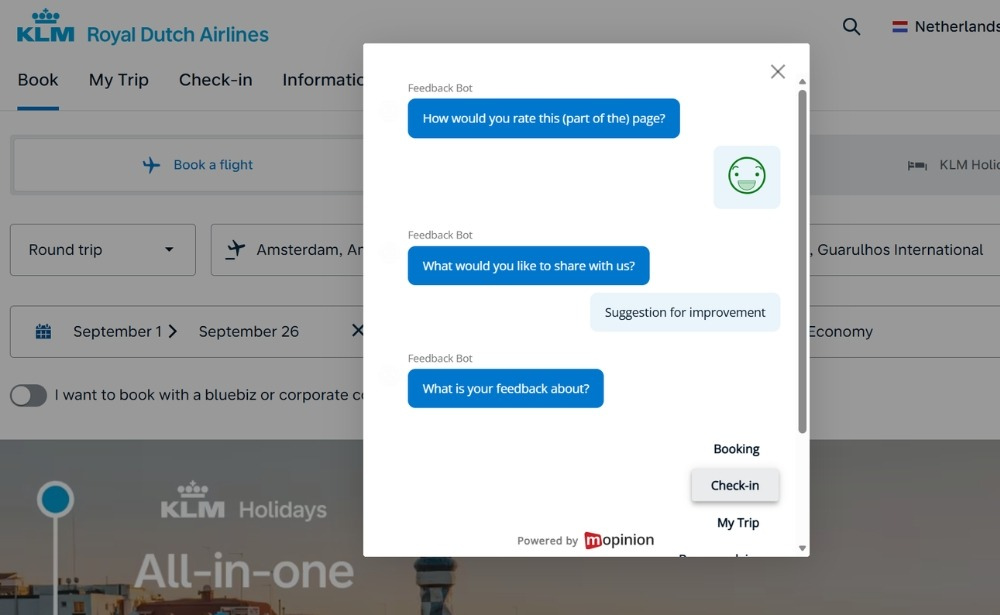
Read more about how Air France-KLM and Luxury Escapes deliver five-star online journeys through website feedback widgets.
Telecommunications and insurance
Telecommunications and insurance providers use website feedback tools to support customer-first strategies and improve long-term retention.
Feedback often helps businesses:
- Improve customer engagement
- Deliver more personalised experiences
- Identify customer pain points
- Reduce churn
- Strengthen long-term customer relationships
Real-life examples:
Telecommunications companies like Vodafone and insurance companies like Allianz support their customer-first strategy through website feedback.
How to collect feedback on a website?
Businesses collect website feedback using tools such as on-site surveys, feedback widgets, heatmaps, session recordings and email surveys. These tools help uncover user frustrations, identify conversion barriers and understand customer behaviour throughout the digital journey.
Website feedback can, for example, be collected through:
- On-page feedback widgets
- Exit-intent pop-ups
- Micro-surveys
- Email feedback campaigns
- Visual bug reporting tools
The most effective feedback strategies combine quantitative data (metrics and ratings) with qualitative insights (open-text responses and user comments).
Here’s how to collect website feedback step-by-step:
1) Match your feedback tools to your goals
The best website feedback tools depend entirely on what you want to learn.
Before choosing a tool, however, it is important to define:
- Where feedback should be collected (website, app, email or product experience)
- Whether you need quantitative or qualitative feedback
- Which stage of the customer journey matters most
- Which user actions or friction points should trigger feedback requests
For example, a feedback button visible at all times helps you identify bugs and create a smoother process.
To collect meaningful insights, feedback widgets should appear at key stages of the customer journey, not just randomly across the site, and the survey questions should directly target your goals.
Popular website feedback tools
- Mopinion (part of Netigate): Real-time, targeted website feedback collection
- Qualaroo: Targeted on-site surveys and pop-ups
- Hotjar: Surveys, heatmaps, session recordings and user behaviour analytics
- Netigate: AI-powered experience management tool
- Typeform: Interactive and engaging surveys
- Usersnap: Visual feedback and bug reporting
2) Start with a few targeted feedback widgets
Website feedback widgets are applications that open up input fields for users to leave ratings, suggestions, or other feedback. As a result, they help businesses understand what users are doing, where friction occurs, and how people experience the website in real time.
Feedback can be collected:
- During a website visit
- On specific pages
- After interactions or conversions
- When users show signs of frustration or abandonment
Start with 2–3 widgets triggered at high-impact moments, such as:
- Visiting a landing page
- Attempting to exit the website
- Abandoning a form
- Encountering repeated errors
Place widgets in non-intrusive locations, such as the bottom-right corner of the screen, and ensure the design matches your brand experience.
Types of feedback widgets to use
1. Always‑visible floating button
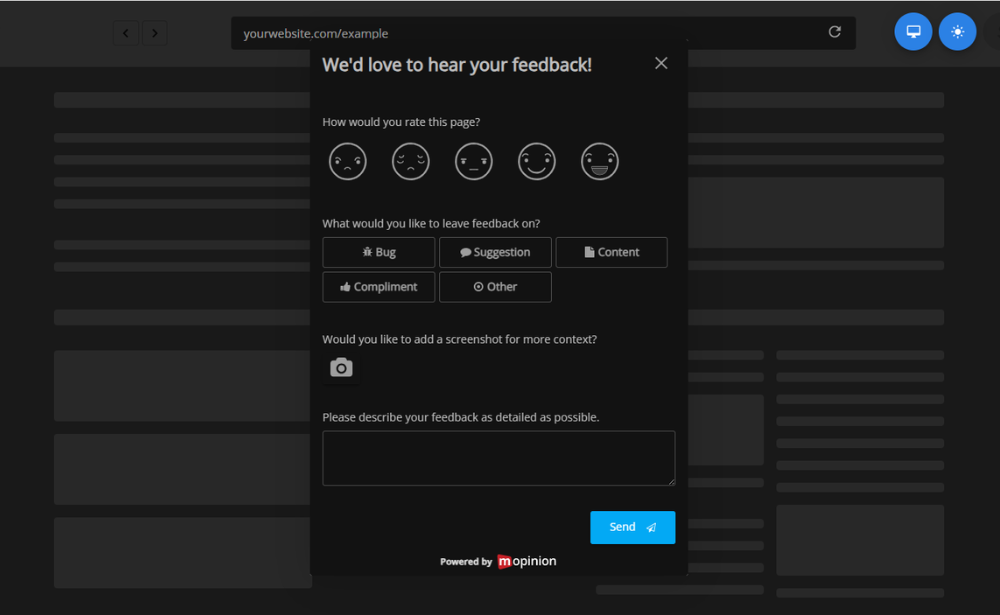
An always-visible feedback button on a website gives users a simple way to report issues, leave suggestions or share feedback at any point during their visit.
These widgets work well for:
- Bug reports
- Missing information
- UX issues
- Product feedback
- General suggestions
For richer contextual insights, allow users to submit:
- Open-text feedback
- Screenshots
- Screen recordings
- Video captures
A persistent feedback button placed on the side or corner of the website creates a low-friction feedback channel without interrupting the browsing experience.
2. Behaviour-triggered pop‑ups
Behaviour-triggered pop-ups appear when users meet predefined conditions, allowing businesses to capture feedback at moments of friction or hesitation.
Common triggers include:
- Exit intent
- Long time spent on the page
- Scroll depth
- Form abandonment
- Repeated clicks or errors
- Cart abandonment
These kinds of feedback forms help collect contextual feedback exactly when problems occur.
3. Embedded forms
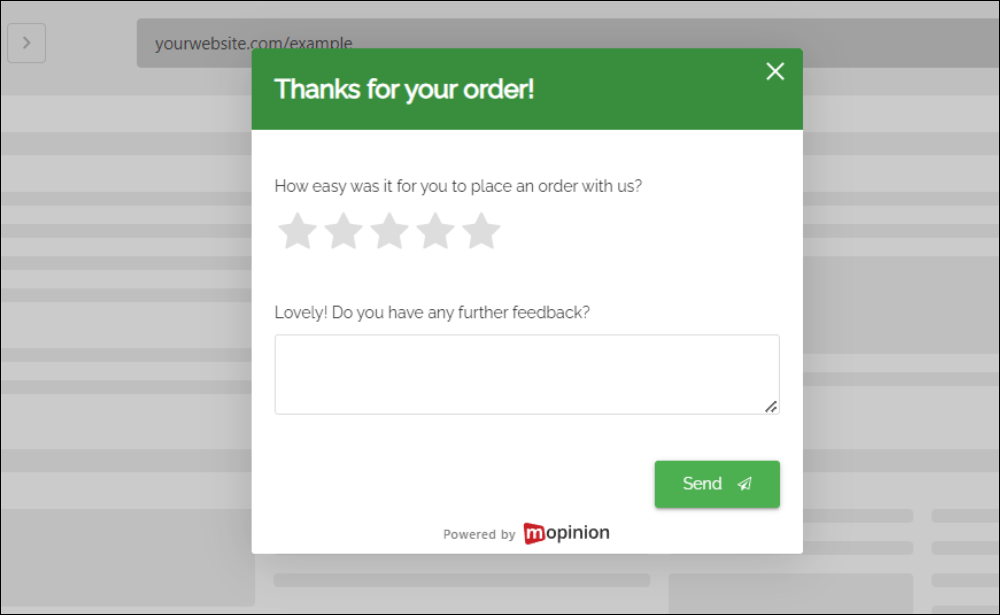
In contrast, embedded forms are generally more detailed and structured. They are less intrusive, as they are not elements that “pop up” or slide in. Embedded forms blend into the UX smoothly and, when used the right way, affect response rates positively.
For help centres with content heavy pages an embedded thumbs up/down button with a text like “did you find what you were looking for?” is good practice.
4. Micro‑surveys tracking business metrics
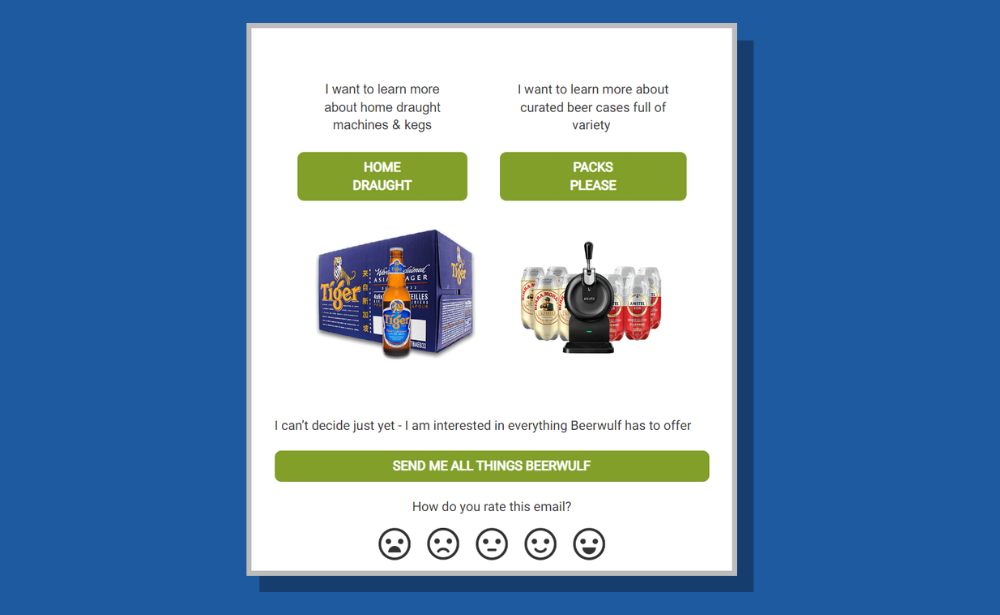
Micro-surveys are short, low-friction surveys designed to measure customer sentiment over time without disrupting the user experience.
They are commonly used to track metrics such as:
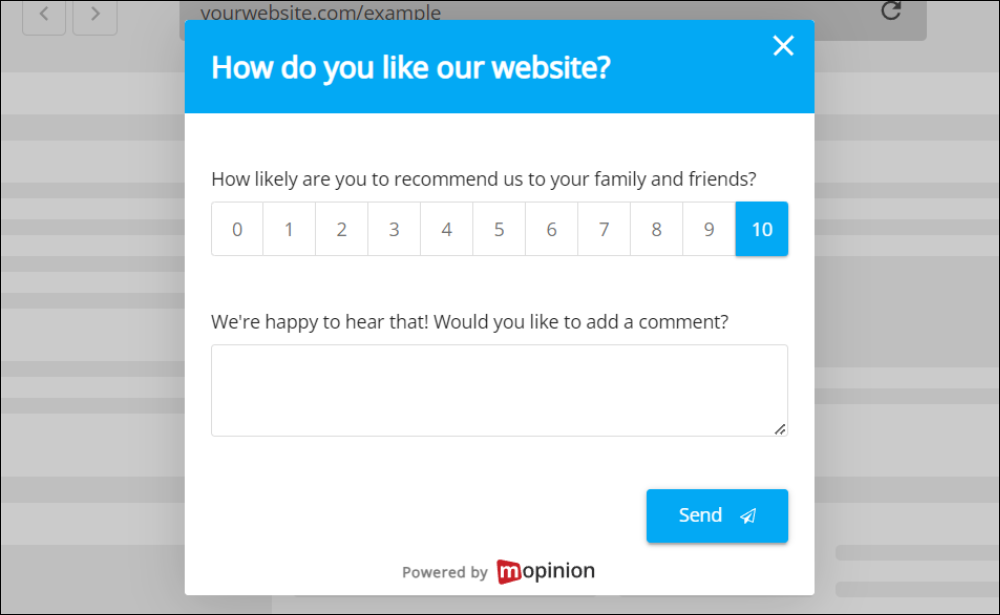
For example, NPS measures how likely customers are to recommend a business, product or service to others. A high NPS indicates business growth through customer loyalty and predicts future revenue.
Customer Satisfaction Score (CSAT)
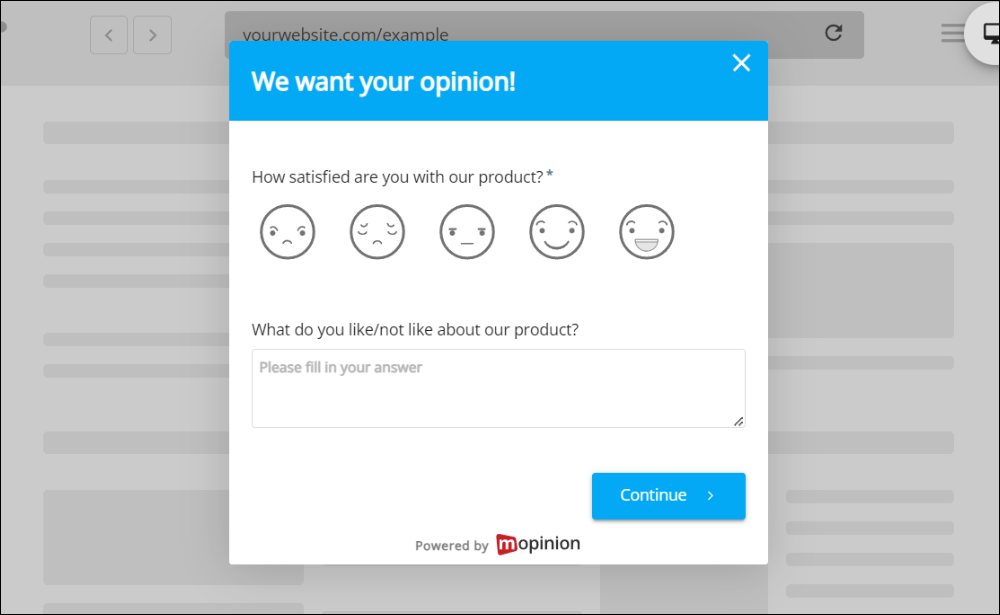
Similarly, CSAT measures how satisfied customers are with a specific interaction, product or experience. CSAT fuels customer retention, increasing Customer Lifetime Value (CLV) and turning customers into brand advocates.
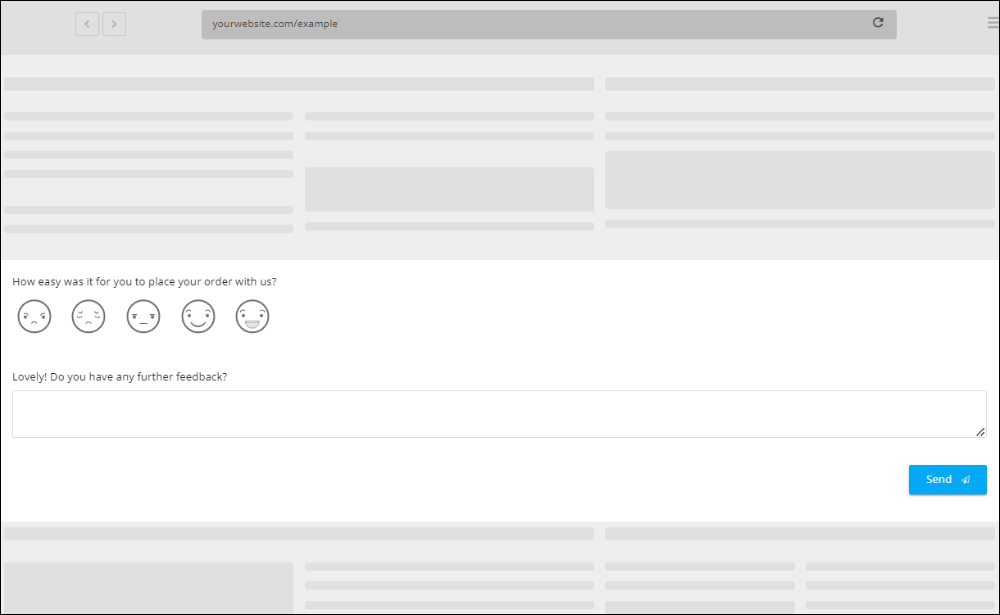
Meanwhile, CES measures how easy it is for customers to complete actions, solve issues or interact with a business. Lower-effort experiences typically lead to higher retention and customer loyalty.
CES helps your business grow by identifying processes that cause friction and smoothing your online journey.
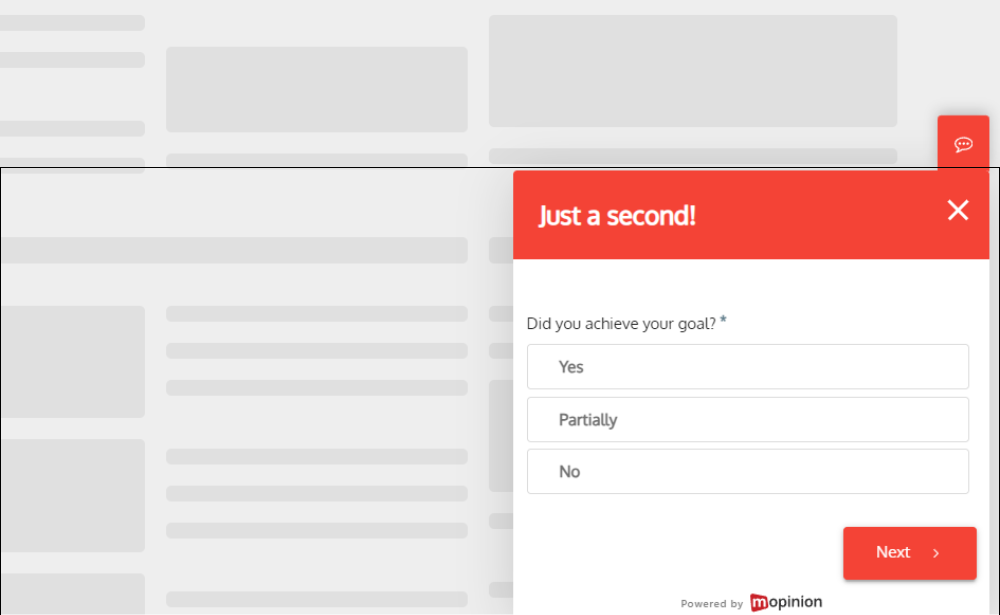
GCR measures if the visitor managed to do what they wanted while on their website. It is used to drive digital marketing initiatives, website optimisation, and project management to evaluate the user journey, campaign or productivity.
3) Best practices of collecting website feedback
Collect feedback at high-intent moments
The best feedback is collected at critical touchpoints in the customer journey, where user intent and engagement are highest.
Common high-value touchpoints include:
- Checkout pages
- Pricing pages
- Onboarding flows
- Account creation
- Feature discovery moments
- Post-purchase experiences
Collecting feedback at these moments improves response quality and relevance, making it easier to obtain actionable insights that target specific touchpoints within the user journey.
Keep surveys short and simple
In general, long forms often create survey fatigue and reduce completion rates. Focus on a few highly targeted questions instead of asking for too much information at once.
Ask specific questions
More importantly, generic questions often lead to vague answers. Make sure you ask questions that are tied to your goal to ensure you get the information you need to optimise your website.
A few examples:
- “What almost stopped you from completing your purchase today?”
- “Was any information missing on this page?”
- “What could make this process easier?”
Specific questions generate more actionable feedback.
Use visual feedback tools
Additionally, visual feedback tools allow users to submit screenshots, annotations and recordings directly from the website.
This helps businesses:
- Identify UI problems faster
- Reduce misunderstandings
- Improve bug reporting
- Understand usability issues in context
Keep feedback widgets non-intrusive
However, poorly timed pop-ups and intrusive widgets can negatively impact conversions and user experience. Research from Nielsen Norman Group has consistently shown that intrusive pop-ups and interruptions negatively affect user experience and task completion.
To reduce friction:
- Avoid interrupting users too early
- Limit pop-up frequency
- Use subtle animations and placements
- Trigger surveys contextually
- The best feedback experiences feel natural and helpful rather than disruptive.
Final takeaway
Effective website feedback collection combines the right tools, well-timed feedback requests, and a frictionless user experience. Businesses that continuously collect and act on customer feedback are better equipped to improve usability, conversions, and long-term customer loyalty.
How to turn website feedback into business growth?
Collecting feedback is only the first step. To drive measurable business growth, businesses must know how to analyse and act on customer insights effectively. Customer feedback management can be challenging for businesses, especially when dealing with a large amount of feedback.
1) Interpret the data
The tool, method and survey design only go as far as the usable data they return. The real value comes from turning raw comments, ratings and behavioural signals into actionable insights.
To identify meaningful patterns, businesses need to:
- Separate subjective opinions from recurring usability issues
- Prioritise feedback based on business impact
- Combine qualitative feedback with quantitative analytics
- Look for repeated themes across customer segments
Moreover, behavioural data, such as session recordings, heatmaps, conversion paths, exit rates and time spent on page, becomes significantly more valuable when combined with website feedback. It shows you why your visitors behave the way they do and provides actionable insights to improve the online journey.
In addition, for large volumes of text-based feedback, AI-powered analysis tools can help summarise comments, detect recurring themes and surface the most important issues faster.
For example, Mopinion uses Smart Recaps to summarise large volumes of customer feedback and automatically identify common patterns to remove friction, understand UX and leverage the power of customer feedback at scale.
Contextual analytics features, such as feedback trails, also help businesses understand what users did before and after submitting feedback, making it easier to identify friction points in the customer journey.
2) Identify friction points affecting retention
While behavioural metrics can reveal when something is wrong, customer feedback helps explain why users struggle, hesitate or leave.
For example:
- High exit rates may indicate missing information or poor usability
- Long time spent on a page can signal confusion rather than engagement
- Repeated clicks or navigation loops may reveal unclear user flows
- Low conversion rates often point to friction within the customer journey
A user repeatedly moving between pages without taking action may suggest:
- Missing information
- Weak calls to action
- Poor navigation
- Unclear pricing or product messaging
To identify what is hurting retention, businesses should combine:
- User sentiment data
- Behavioural analytics
- UX feedback
- Conversion metrics
Behavioural analytics show what users do, while website feedback reveals why they do it. According to Nielsen Norman Group, usability testing with real users consistently uncovers issues that analytics alone fail to explain.
Key retention and UX metrics to monitor
- Net Promoter Score (NPS): measures customer loyalty
- Customer Satisfaction Score (CSAT): tracks satisfaction with specific interactions
- Customer Effort Score (CES): measures ease of use and task completion
- DAU/MAU ratio: indicates product stickiness and engagement
- Churn rate: tracks customer loss over time
- Goal completion rate (GCR): measures whether users complete intended actions
- Task completion issues: reveal usability and UX friction points
3) Turning feedback into retention gains
Although collecting customer feedback is important, acting on it is what improves retention.
According to Harvard Business Review, increasing customer retention rates by just 5% can increase profits by 25% to 95%.
The most effective businesses use website feedback to continuously optimise the customer experience and remove friction from key journeys.
Common actions include:
- Prioritising issues that block conversions
- Fixing frequently reported bugs
- Simplifying unclear user interfaces
- Improving onboarding flows
- Clarifying pricing or product messaging
- Highlighting underused features to disengaged users
- Reducing customer effort during critical tasks
Small UX improvements based on recurring feedback can significantly increase customer satisfaction, retention, and conversion rates over time.
4) Create an ongoing feedback loop
Instead of treating website feedback as a one-time research project, the most successful businesses build continuous feedback loops into their customer experience strategy.
An effective feedback loop typically follows this process:
collect feedback → analyze insights → identify friction points → prioritize improvements → test changes → measure impact → repeat
This ongoing cycle helps businesses continuously improve:
- User experience
- Customer retention
- Conversion rates
- Product adoption
- Customer satisfaction
Continuous feedback loops also help businesses respond faster to changing customer expectations and evolving user behaviour.
5) Common website feedback mistakes to avoid
Focusing only on the loudest users
One highly vocal customer does not always represent the broader user base. Businesses should avoid over-prioritising isolated complaints while ignoring larger behavioural trends.
Confusing what users say with what they do
In reality, users often describe their behaviour differently from how they actually behave. Behavioural analytics should always complement self-reported feedback.
Assuming you already know the “why”
For example, metrics alone rarely explain user behaviour. A high bounce or abandonment rate should be validated with qualitative feedback before concluding.
Treating all feedback equally
Not every suggestion aligns with business goals or improves usability.
Feedback should be prioritised based on:
- Frequency
- Severity
- Business impact
- Customer value
Ignoring user segmentation
Feedback from new users, loyal customers, and power users should be analysed separately. Different customer groups experience products differently and often have different expectations.
Jumping to solutions too quickly
Businesses often react to symptoms instead of identifying root causes.
For example, “The menu is too big” may actually mean users cannot find the checkout page.
Focus on understanding the underlying problem before implementing changes.
Final takeaway
Website feedback is most valuable when businesses continuously collect, analyse, and act on customer insights throughout the user journey. By combining behavioural analytics with direct user feedback, businesses can uncover friction points, improve customer retention, and create better digital experiences that drive long-term growth.
Ready to see Mopinion in action?
Want to learn more about Mopinion’s all-in-1 user feedback platform? Don’t be shy and take our software for a spin! Do you prefer it a bit more personal? Just book a demo. One of our feedback pro’s will guide you through the software and answer any questions you may have.