
A post-purchase customer feedback form helps you understand what customers experienced before, during and shortly after buying from you.
It can reveal whether checkout was easy, whether customers had enough information to make a decision, whether delivery met expectations and what could be improved before their next order.
The key is to ask short, relevant questions at the right moment. This could be directly after checkout, in a post-purchase email, through an app or after delivery.
In this blog, we’ll look at what a customer feedback form after purchase is, when to use one, which questions to ask and how to turn post-purchase feedback into better customer journeys.
TL;DR – Article Summary
- A post-purchase customer feedback form helps you understand the buying journey from the customer’s point of view.
- It can reveal friction in checkout, payment, delivery, product information, order communication or product expectations.
- The best forms are short, specific and easy to complete.
- Timing matters. Ask about checkout immediately, delivery after the order arrives and product satisfaction once the customer has had time to use the product.
- Useful channels include thank-you pages, post-purchase emails, in-app surveys and customer portals.
- Combining ratings with open follow-up questions helps explain the reason behind the score.
- Post-purchase feedback becomes valuable when it is analysed, shared and used to improve the customer experience.
In this blog, we’ll cover:
- What is a post-purchase customer feedback form?
- Why ask for post-purchase customer feedback?
- When should you ask for post-purchase feedback?
- Where can you collect post-purchase feedback?
- What questions should you ask in a post-purchase customer feedback form?
- Post-purchase customer feedback form examples
- Best practices for post-purchase customer feedback forms
- Common post-purchase customer feedback form mistakes to avoid
- How to use post-purchase feedback to improve the buying journey
- Conclusion
- How Mopinion helps you collect post-purchase customer feedback
What is a post-purchase customer feedback form?
A post-purchase customer feedback form is a short survey used to collect feedback after a customer completes an order, booking, subscription, upgrade or transaction.
It helps you understand how the customer experienced the buying process and whether anything caused confusion, hesitation or friction.
For example, you might ask: How easy was it to complete your purchase today?
Or: Was anything unclear during checkout?
These questions help you understand what worked well and what could be improved in the buying journey.
Why ask for post-purchase customer feedback?
The moment after a purchase is valuable because the customer has just completed an important action. They can usually remember what helped them buy, what made them hesitate and whether anything felt unclear.
A post-purchase customer feedback form can help you understand whether checkout was easy, whether payment and delivery information was clear, whether customers found the information they needed before buying and what almost stopped them from completing their order.
This is especially useful for e-commerce, travel, finance, SaaS and other digital-first businesses where small moments of friction can affect conversions and loyalty.
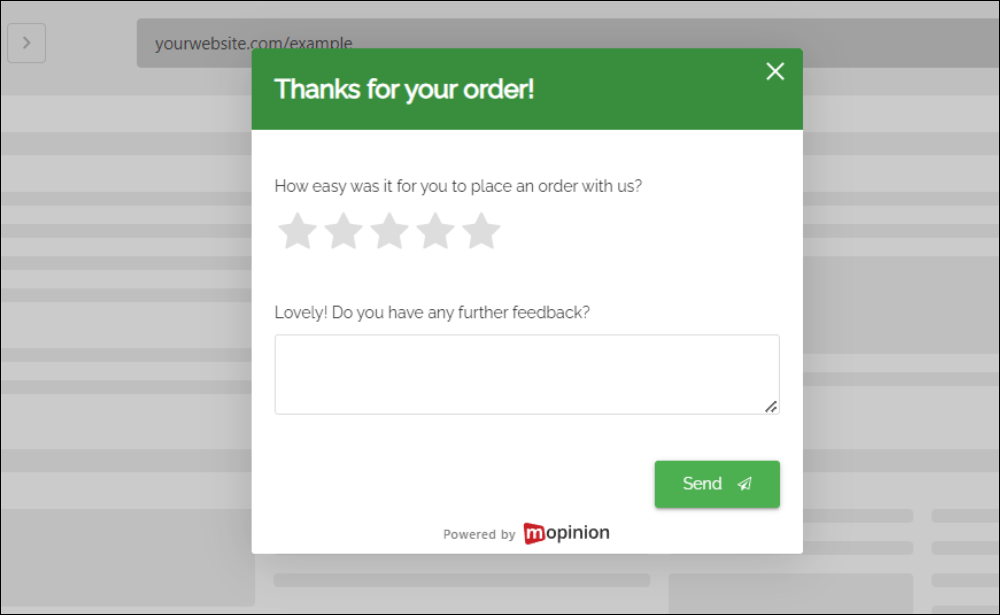
Analytics can show where customers drop off, but customer feedback explains why. For example, your data might show that customers abandon checkout at the payment stage. A website feedback survey can reveal whether the issue is missing payment methods, unclear delivery costs, unexpected fees or a technical problem.
That context matters. According to Baymard Institute’s ecommerce checkout research, the average cart abandonment rate is around 70%, which means many buying journeys still contain friction before purchase completion.
When should you ask for post-purchase feedback?
The best time to ask depends on what you want to learn.
If you want to understand the checkout experience, ask immediately after the purchase. A thank-you page feedback form works well because the customer has just completed the process.
If you want to understand delivery, ask after the order has arrived. This gives the customer enough time to comment on shipping, packaging, communication and whether the order arrived as expected.
If you want to understand product satisfaction, wait until the customer has had time to use the product or service. Asking too early can lead to vague or inaccurate answers.
If you want to understand loyalty or repeat purchase intent, ask after the full experience has taken place.
The key is to match the question to the moment. Nielsen Norman Group also recommends that feedback requests should not interrupt the user’s task and should be sent through the appropriate channel.
Simple examples:
- After checkout: How easy was it to complete your purchase today?
- After delivery: How satisfied are you with the delivery of your order?
- After product use: Did the product meet your expectations?
- After the full experience: How likely are you to buy from us again?
Where can you collect post-purchase feedback?
There are several ways to collect feedback after a purchase. The right channel depends on the journey and the type of feedback you want to collect.
Thank-you page feedback form
A thank-you page feedback form appears directly after checkout. This is useful for collecting feedback about the buying process while the experience is still fresh.
Example question: How easy was it to complete your purchase today?
Post-purchase email survey
A post-purchase email survey is useful when the customer needs more time before responding. This works well for delivery feedback, product satisfaction and overall customer experience.
Example question: How satisfied are you with your recent order?
In-app feedback form
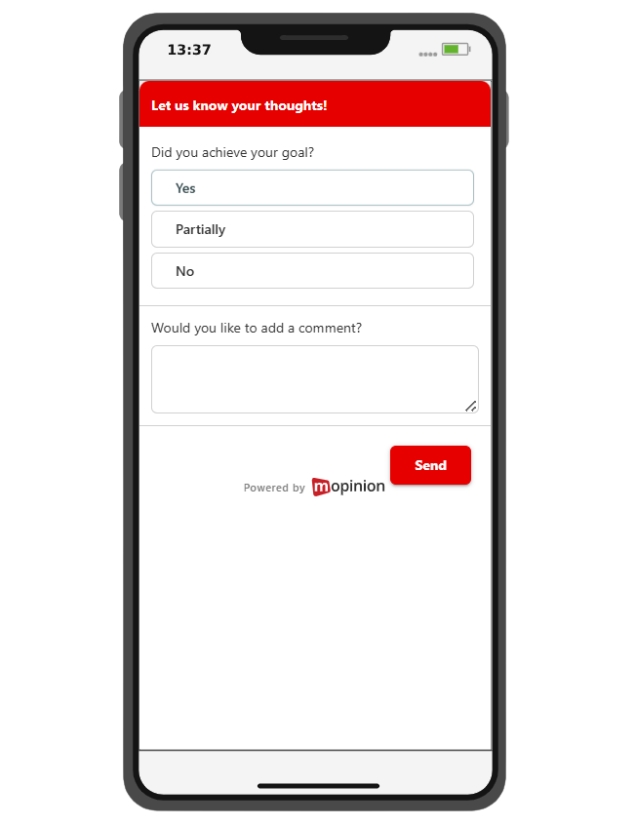
For apps, platforms or SaaS products, in-app feedback forms can help you collect feedback after a subscription, upgrade, booking, payment or completed action.
Example question: Was anything unclear during this process?
Customer portal feedback form
A customer portal feedback form is useful when customers log in to manage orders, bookings, invoices, subscriptions or account details.
Example question: Did you find everything you needed in your account today?
What questions should you ask in a post-purchase customer feedback form?
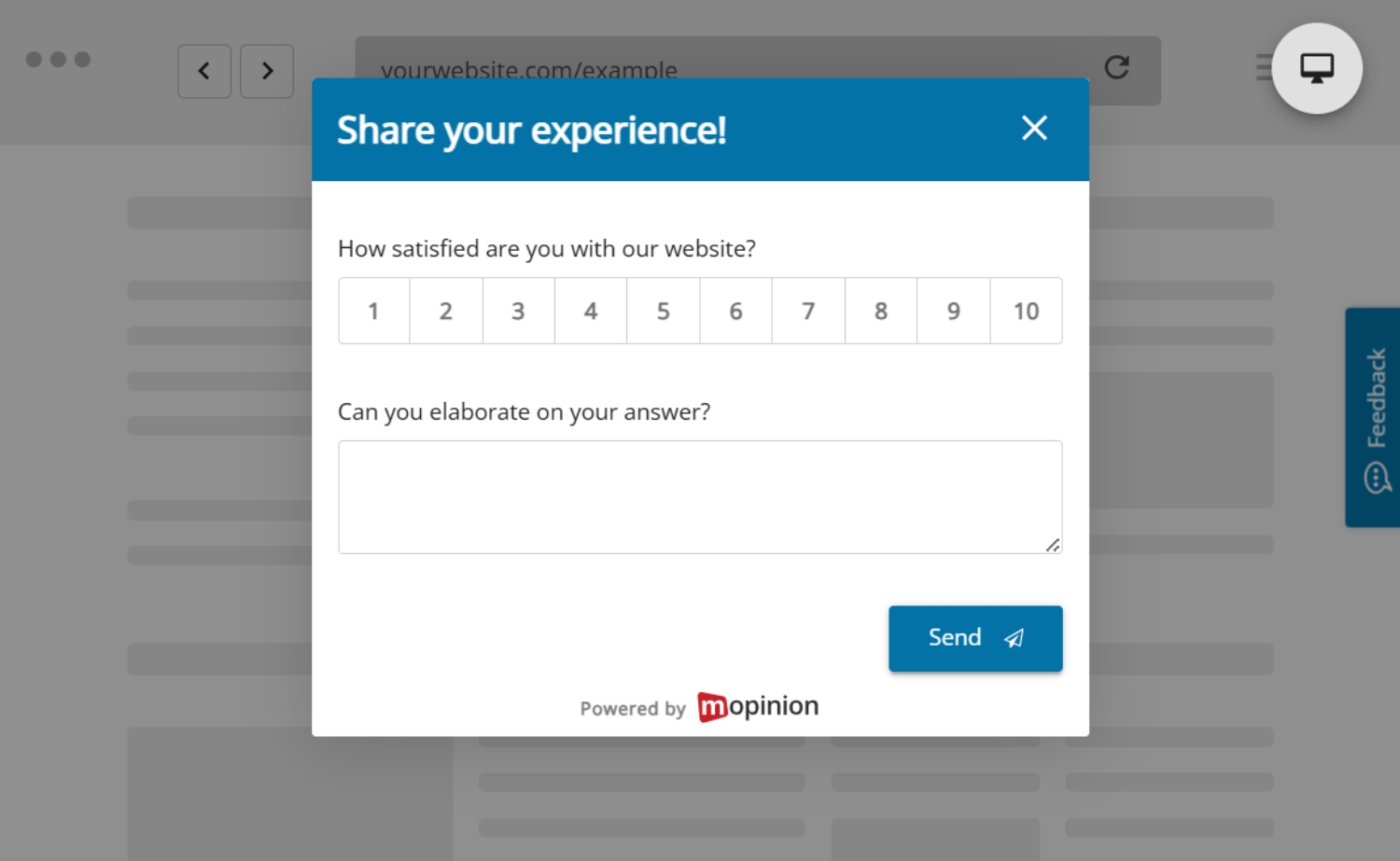
A customer feedback form after purchase should be short and focused. In most cases, one rating question and one open follow-up question are enough.
The rating gives you a measurable signal. The open question explains the reason behind it.
For more inspiration, you can also explore these website feedback questions and adapt them to the post-purchase journey.
Checkout experience questions
- How easy was it to complete your purchase today?
- Was anything unclear during checkout?
- Did you find all the information you needed before purchasing?
- Was there anything that almost stopped you from completing your order?
Satisfaction questions
- How satisfied are you with your purchase experience?
- How satisfied are you with your recent order?
- What is the main reason for your score?
Customer effort questions
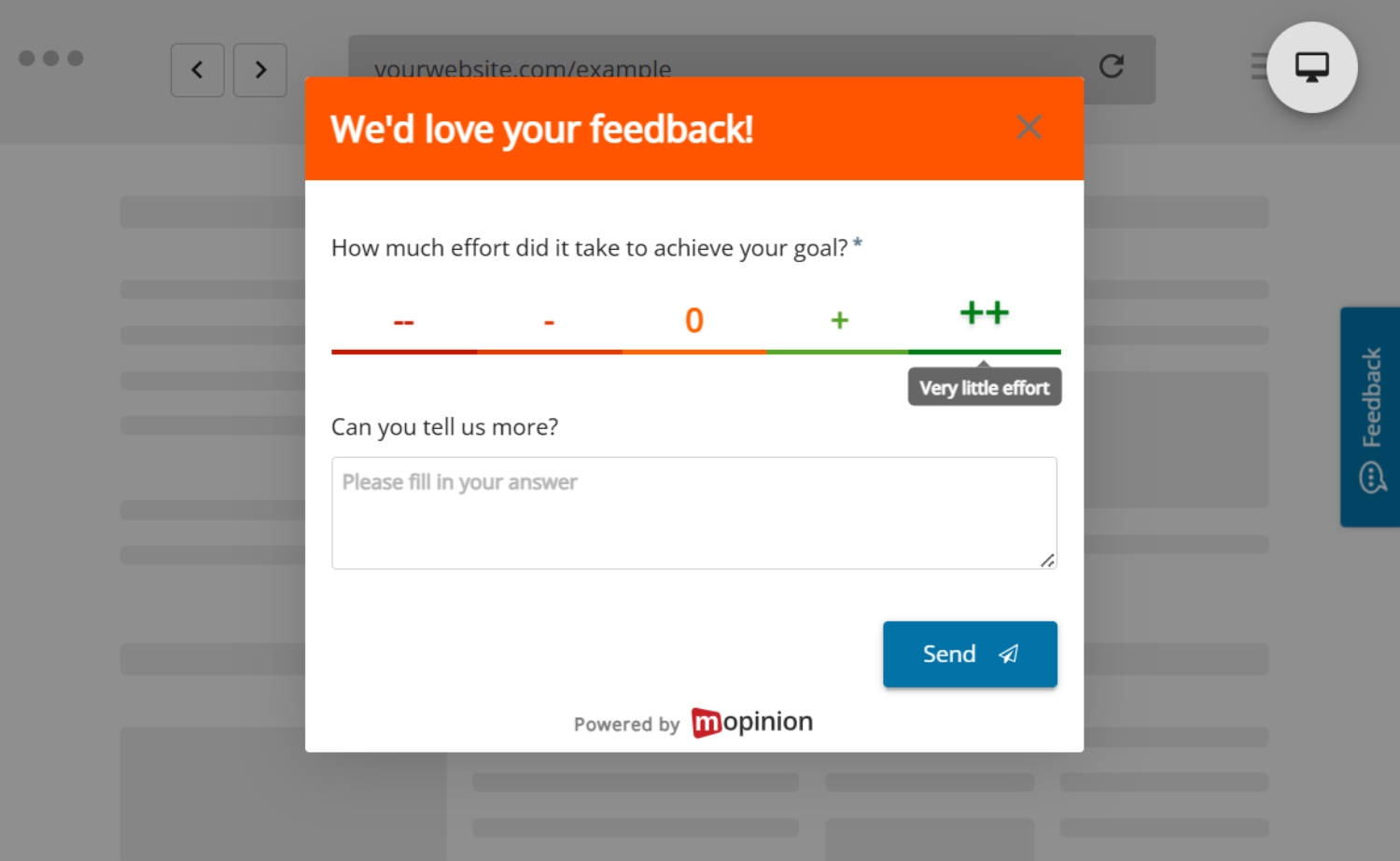
- How easy was it to complete your order?
- Was there anything that made the process harder than expected?
- What could we make easier next time?
Open feedback questions
- What could we improve about the buying experience?
- What would have made your purchase easier?
- Is there anything else you would like to share?
Open questions are important because they explain the reason behind a score. They help teams understand what customers actually experienced, not just how they rated it.
Post-purchase customer feedback form examples
Different post-purchase moments call for different feedback questions. The best form depends on what you want to understand: checkout, delivery, product satisfaction or the likelihood of a customer buying again.
Checkout feedback form
Goal: Understand whether the checkout process was clear and easy.
Use this form immediately after a customer completes their purchase. It can help identify unclear delivery costs, missing payment options, technical problems, forced account creation or too many checkout steps.
Questions:
- How easy was it to complete your purchase today?
- Was anything unclear during checkout?
- What could we improve?
When to use it: On a thank-you page or order confirmation page.
Delivery feedback form
Goal: Understand the delivery experience.
Use this form after the customer has received their order. It can help you understand whether delivery speed, communication, packaging and expectations matched the customer’s needs.
Questions:
- How satisfied are you with the delivery of your order?
- Was your order delivered as expected?
- What could we improve about delivery or communication?
When to use it: After delivery confirmation or a few days after the expected delivery date.
Product satisfaction form
Goal: Understand whether the product met expectations.
Use this form once the customer has had time to use the product or service. It can reveal gaps between product information and customer expectations, such as unclear descriptions, missing details or quality issues.
Questions:
- How satisfied are you with your purchase?
- Did the product meet your expectations?
- What could have made your experience better?
When to use it: After the customer has had enough time to experience the product or service.
For a broader view, you can also read this guide to product feedback.
Repeat purchase feedback form
Goal: Understand whether customers are likely to buy again.
Use this form after the full purchase experience has taken place, including checkout, delivery and product use.
Questions:
- How likely are you to buy from us again?
- What would make you more likely to return?
- What could we improve before your next purchase?
When to use it: After the customer has experienced the full journey.
If you want to measure loyalty more directly, an NPS survey can also help you understand how likely customers are to recommend your brand, product or service.
Best practices for post-purchase customer feedback forms
A post-purchase feedback form should be easy for the customer to complete and useful for your team to analyse.
Keep it short
Customers have already completed a task, so avoid long surveys. In many cases, two questions are enough: one rating question and one open follow-up question.
For example:
How easy was it to complete your purchase?
What made the process easy or difficult?
Ask specific questions
Avoid vague questions such as:
Any feedback?
Instead, ask something more focused:
Was anything unclear during checkout?
Specific questions lead to more useful answers because they help the customer focus on a particular part of the experience.
Match the question to the moment
Do not ask about product satisfaction immediately after checkout if the customer has not received the product yet. Ask about checkout first, then delivery or product experience later.
The more relevant the question feels, the more useful the answer will be.
Use follow-up questions
A rating tells you how the customer feels. A follow-up question explains why.
For example: How easy was it to complete your purchase?
Follow-up: What made the process easy or difficult?
This gives your team both quantitative and qualitative feedback.
Make it mobile-friendly
Many customers complete purchases on mobile. Your feedback form should be easy to read, tap and submit on every device.
This also matters because digital experience depends on more than page content alone. Google’s Web Vitals guidance highlights loading performance, interactivity and visual stability as important quality signals for user experience on the web.
Avoid interrupting the customer journey
Post-purchase feedback should feel helpful, not disruptive. A checkout feedback form should appear after the order is confirmed, not while the customer is still trying to pay.
Analyse and share the feedback
Collecting feedback is only useful if it leads to action. Look for recurring themes, share insights with the right teams and use the feedback to improve the buying journey.
For example, if customers often say delivery costs were unclear, your e-commerce team can improve the checkout page. If customers mention missing payment options, your product or development team can investigate. If customers say product descriptions were unclear, your content team can improve product pages.
This is also where customer feedback management becomes important. By collecting, organising, analysing and acting on feedback in a structured way, teams can move beyond individual comments and start improving the customer journey at scale.
Common post-purchase customer feedback form mistakes to avoid
When using a customer feedback form after purchase, avoid:
- Asking too many questions
- Asking too late
- Asking about the product before the customer has received it
- Only asking for ratings without open feedback
- Using vague questions
- Making every question mandatory
- Ignoring mobile users
- Interrupting checkout before the purchase is complete
- Collecting feedback without analysing it
- Failing to share insights with the right teams
The best feedback forms feel quick for the customer and purposeful for the business.
How to use post-purchase feedback to improve the buying journey
Post-purchase feedback can help different teams improve different parts of the customer journey.
E-commerce teams can use checkout feedback to reduce friction. Product teams can use satisfaction feedback to understand whether the product meets expectations. Marketing teams can use feedback to improve product information, messaging and purchase confidence. Customer service teams can use delivery and order feedback to identify recurring support issues.
For example, if customers say delivery costs were unclear, it may mean pricing information is shown too late in the journey. A useful action would be to make delivery costs visible earlier, before the customer reaches the final checkout step.
If customers say they could not use their preferred payment method, your team could review payment method demand by region, customer type or device.
If customers say the product was smaller than expected, it may point to unclear product information. Your team could improve product descriptions, images, size guides or comparison details.
If customers say they did not receive enough updates, it may suggest that order communication is weak. A useful next step would be to review confirmation, shipping and delivery emails.
This is where post-purchase feedback becomes more than a satisfaction check. It becomes a practical way to improve the buying journey, prioritise fixes and create a smoother experience for future customers.
Conclusion
A customer feedback form after purchase helps you understand the moments that shape the buying experience. It shows whether customers could complete their purchase easily, whether they had enough information, whether delivery met expectations and what could be improved before they buy again.
The most effective forms are short, specific and shown at the right moment. By asking about checkout, delivery, product satisfaction or repeat purchase intent at the right stage, you can collect feedback that is easier to understand and act on.
When used well, post-purchase feedback gives teams the context they need to improve digital journeys, remove friction and create purchase experiences that feel easier, clearer and more reliable for customers.
How Mopinion helps you collect post-purchase customer feedback
Mopinion helps digital teams collect customer feedback across key moments in the buying journey, including checkout, order confirmation, post-purchase emails, mobile apps and customer portals.
With Mopinion, teams can create customised feedback forms using different question types, customer experience metrics, form logic and targeting. This makes it easier to ask the right question at the right moment, instead of sending the same generic survey to every customer.
Mopinion also helps teams analyse incoming feedback through dashboards, filtering, categorisation and reporting. This makes it easier to spot recurring issues, understand customer needs and share insights across teams.
As part of Netigate, Mopinion supports broader experience management use cases, helping organisations collect, analyse and act on feedback across different customer touchpoints.
Frequently Asked Questions
A post-purchase customer feedback form is a short survey sent after a customer completes a purchase, order, booking or subscription. It helps you understand how they experienced the buying journey, including checkout, payment, delivery, product expectations and overall satisfaction.
Post-purchase feedback helps explain what happened during and after the buying journey. Analytics can show where customers complete or abandon a purchase, but feedback helps explain why something felt easy, unclear or frustrating. These insights can help teams improve the experience for future customers.
The best time depends on what you want to learn. Ask about checkout immediately after the purchase, ask about delivery once the order has arrived and ask about product satisfaction once the customer has had enough time to use the product or service.
The best questions are short, specific and connected to the customer’s experience. For example, you could ask: “How easy was it to complete your purchase today?”, “Was anything unclear during checkout?”, “Did your order arrive as expected?” or “What could we improve before your next purchase?”
In most cases, one rating question and one open follow-up question are enough. This keeps the form easy to complete while still giving your team both a measurable score and the reason behind it.
Look for recurring themes in the feedback, such as unclear delivery costs, missing payment options, confusing product information or weak order communication. These patterns can help e-commerce, product, marketing and customer service teams understand what to fix first.
Ready to see Mopinion in action?
Want to learn more about Mopinion’s all-in-1 user feedback platform? Don’t be shy and take our software for a spin! Do you prefer it a bit more personal? Just book a demo. One of our feedback pro’s will guide you through the software and answer any questions you may have.