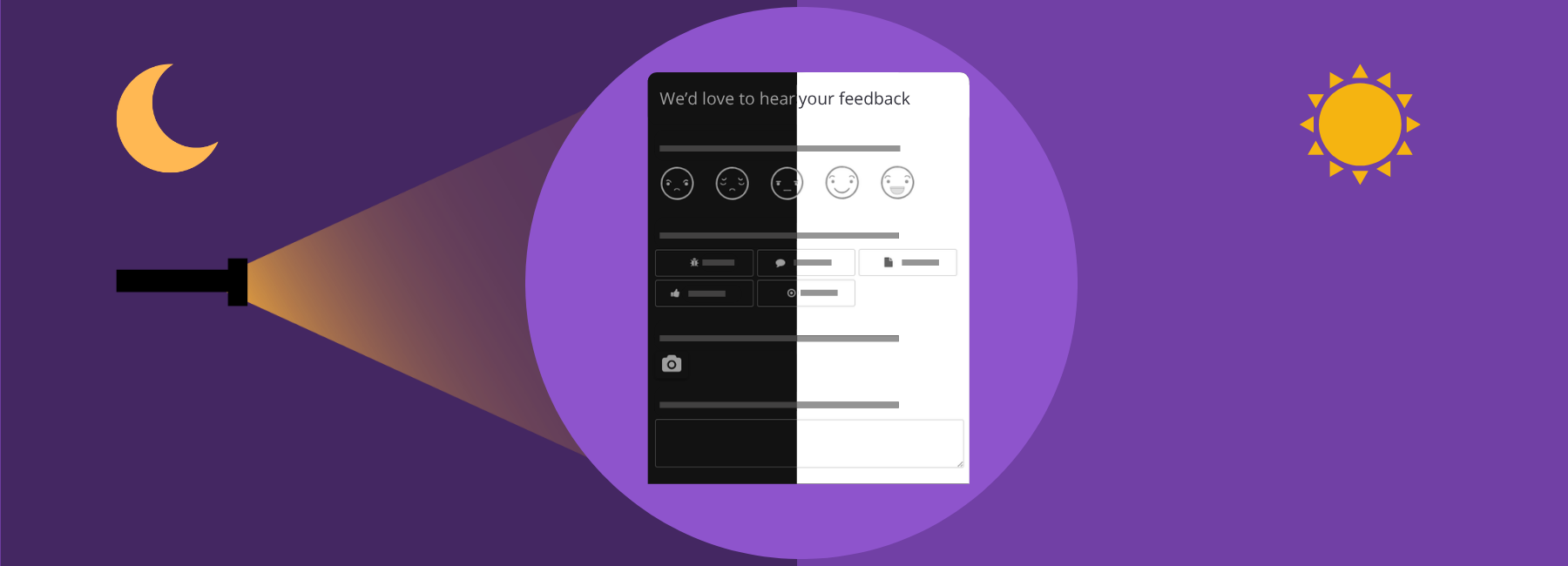

Picture this: you are lying in bed, surfing on your phone. Your settings are set to dark mode to protect your eyes (and your sleep) from bright lights. Suddenly, you open an element of the website you are on, only to be blasted by a light that feels like it’s powered by the sun. Yeah, such an event can definitely take one out of an otherwise good user experience (UX). That’s why Mopinion is now launching responsive feedback forms in Dark Mode! This means you can now blend your feedback forms even further into your user interface (UI), regardless of whether your users have their devices set to dark or light mode.
TL;DR – Article summary
Mopinion now offers responsive dark mode feedback forms that automatically adapt to your users’ device settings. This helps create a consistent and seamless user experience, avoiding jarring transitions between light and dark interfaces. With full customisation available in both modes, you can ensure your feedback forms blend naturally into your website or mobile app, strengthening your overall digital experience while keeping user comfort front of mind.
In this article, we’ll cover:
- Even more customisation options
- What is dark mode, and why is it popular?
- Why dark mode feedback forms will enhance your UX
- What does Mopinion’s dark mode entail?
- How do I set up a responsive dark mode design in Mopinion?
Even more customisation options
Mopinion has always been highly customisable – from colour options, logo inclusions and signature icons to question logic, font choices/sizes and form viewing options (modal, pop-up and embedded).
The introduction of Dark Mode for mobile apps and websites is the next step in giving you even more options to create a seamless impression between your voice of the customer programme and the rest of your digital experience (DX).
Of course, there’s always been an option to create feedback forms in static dark mode for websites, meaning optimised for a dark design, but not responsive to the device settings of the user.
With this new solution, however, you’ll be able to set the design of each feedback form in both light and dark mode. This means that the form adapts to the settings of your users and displays accordingly. Neat, huh?
What is dark mode, and why is it popular?
Dark mode is essentially a user interface colour scheme with light-coloured text, icons and UI elements on a dark background, rather than the traditional dark text on a light background.
It’s a popular feature used to reduce eye strain in low-light environments and to save battery life on mobile devices. Additionally, it reduces blue light exposure, making it a preferred mode for many when using mobile devices before bed.
Why dark mode feedback forms will enhance your UX
60% of consumers abandon purchases due to poor user experience. Even if you are not in the retail industry, this number tells us something about how important it is to create a smooth online journey for users. Ensuring a unified look and feel to your website and mobile apps builds the foundation for this.
Creating feedback forms in both dark and light mode with Mopinion creates:
- A uniform UX: Having all elements of your website or mobile app, even down to your feedback forms, displayed in the same mode your users have set for their devices creates a sleek, uniform design.
- Heightens the online experience further: Opening a UX element set to light mode when surfing in dark mode can be jarring. A small fix like this ensures that you optimise your digital experience even further.
What does Mopinion’s dark mode entail?
With Mopinion’s new solution for dark mode, you can now set the design for your forms in both light and dark mode. Let us break it down for you:
- Responsive feedback forms: Create one form, with two designs that automatically activate depending on your users’ settings.
- Smooth editing: All design options are, as usual, available from the form builder, and you can preview your forms in both modes before launching them.
- Full editing freedom: Dark mode is just as customisable as light mode, meaning you can still create feedback forms that feel like a natural part of your branding.
Seems pretty straightforward, right? The only thing left is to break down how you go about setting it up. Let’s break it down
How do I set up a responsive dark mode design in Mopinion?
In the Mopinion software, go to the navigation bar on the left. Click ‘Data collection’ and choose ‘Feedback forms’.
Either choose to create a new form and select which type you want (website or in-app) or edit an existing form by clicking the pen icon.
Once you are inside the form builder, start by creating the form with the question elements you want, as usual. Once you are happy with your copy and the questions you’ve chosen to include, it’s time to move on to the design. This is where the fun starts.
Switching between dark mode and light mode designs
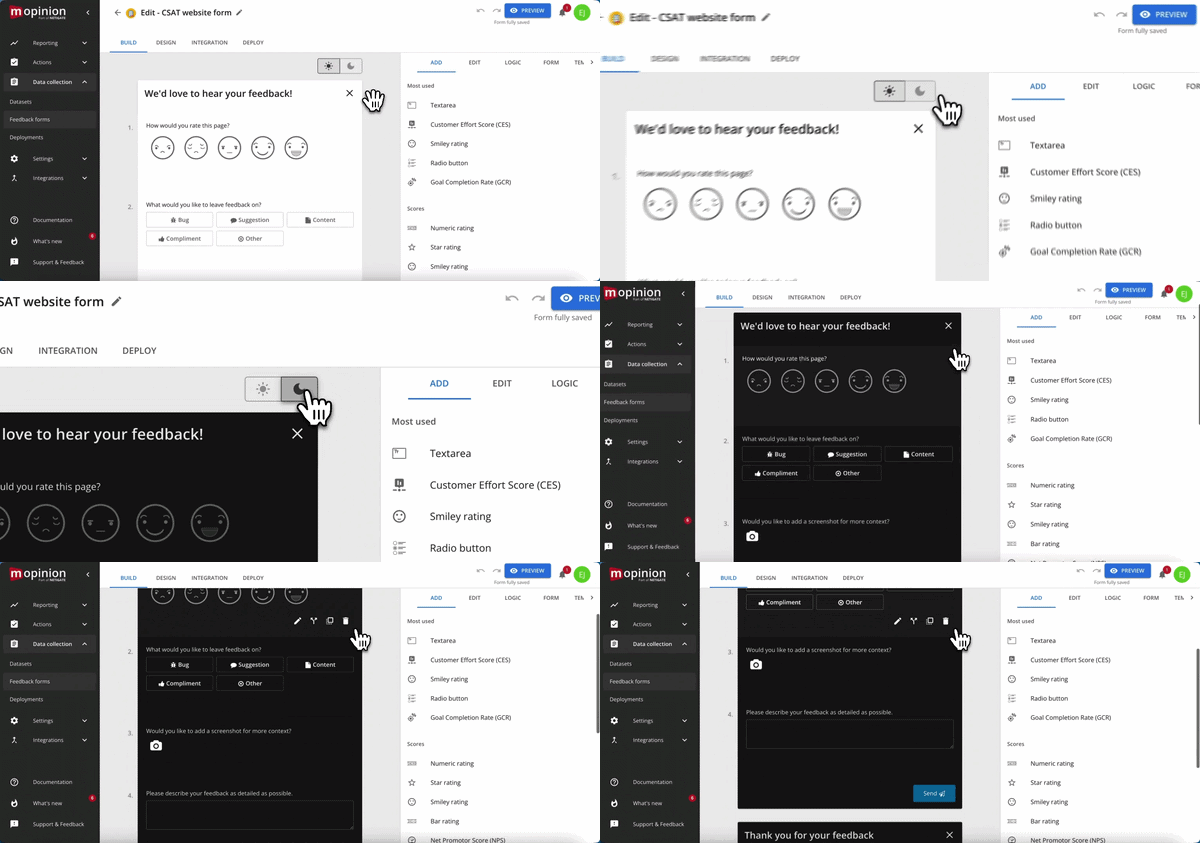
In the form builder, directly on top of your feedback form, there are two icons. One displaying a sun and one displaying a moon. To edit your feedback form for light mode, you choose the sun and for dark mode, the moon.
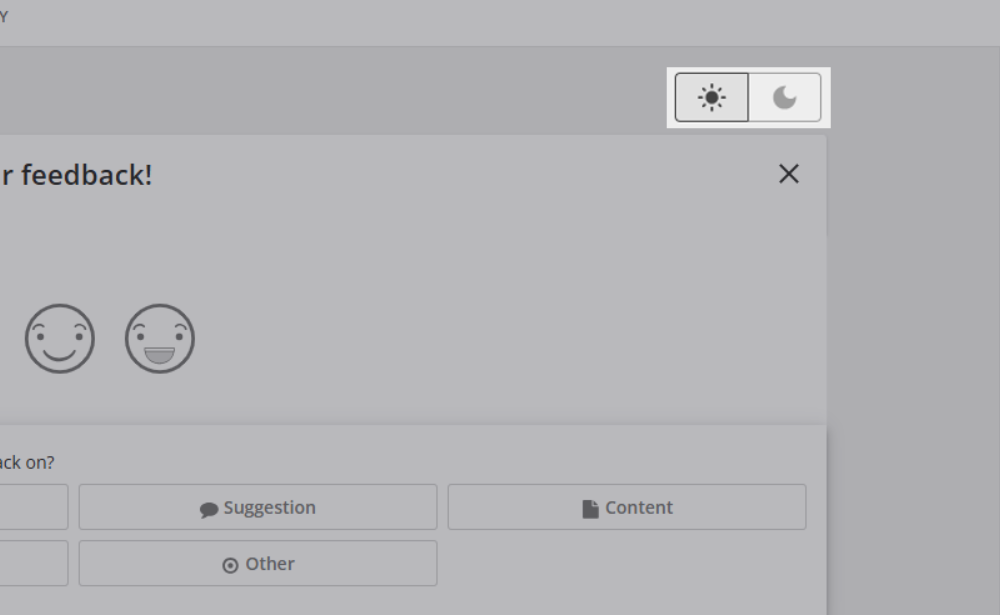
Before going into the dark mode settings, go to the ‘Design’ tab and either choose a custom theme or create a new one. Then continue to set up the design for the light mode form as usual.
Now it’s time for dark mode!
Editing your dark mode feedback form
Click the moon icon. As you’ll see, the look of the design changes to a dark background with grey text.
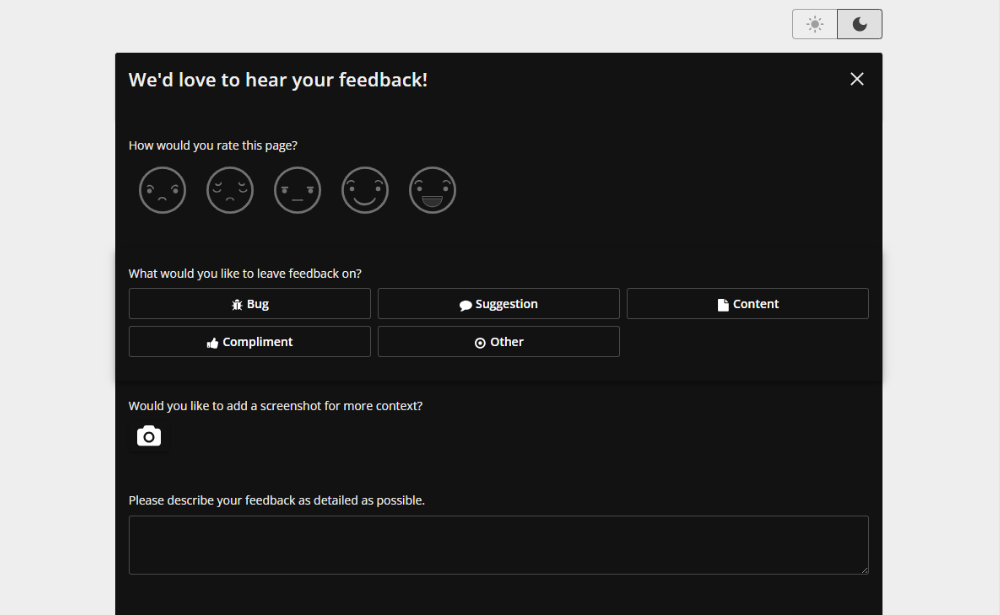
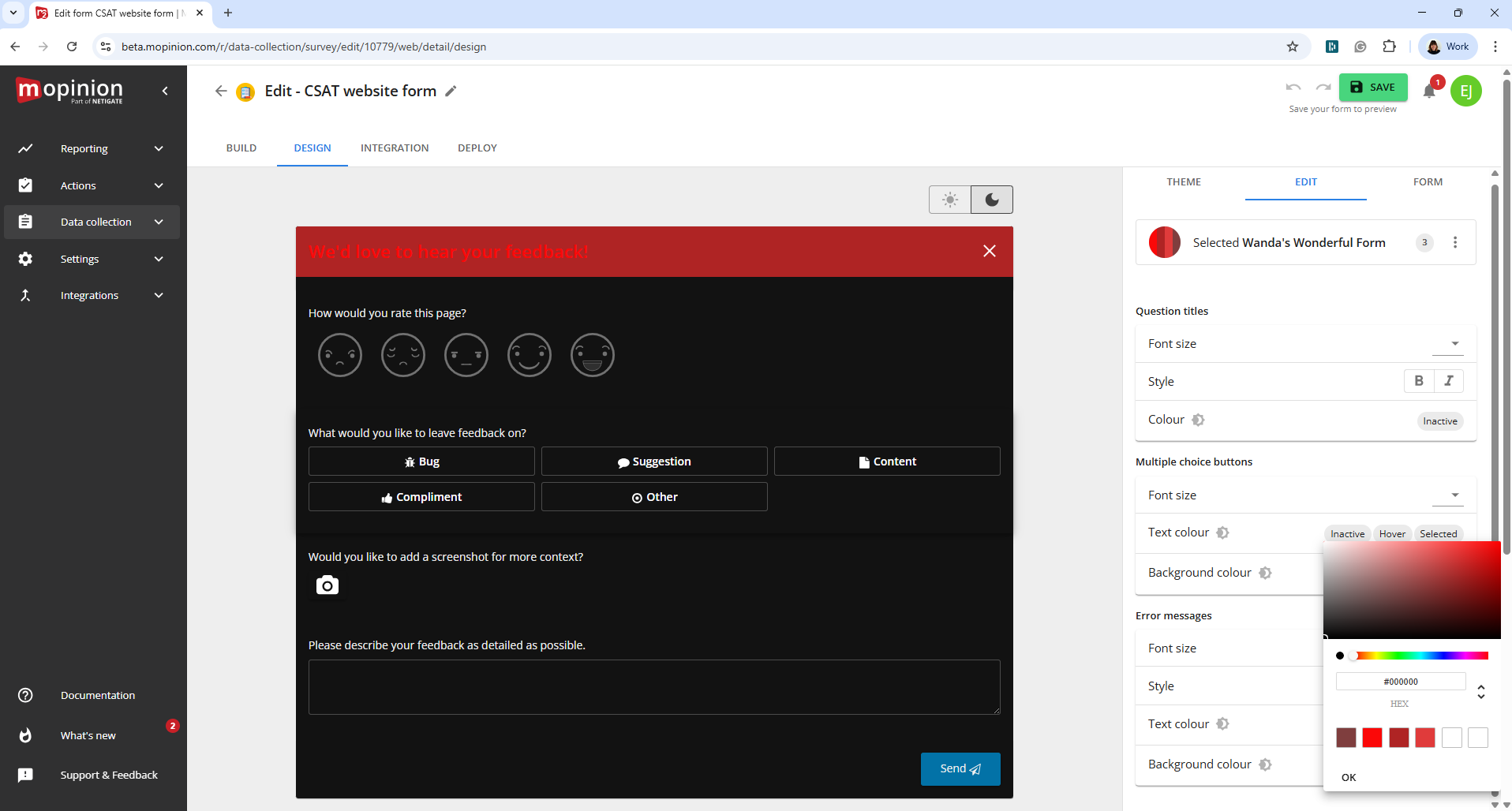
Now you can edit the colour of your header, text and icons, just as usual. Simply click the element you’d like to edit and select your preferred colour.
An additional new feature is that you can now also choose between your most used colours, underneath the input field for the HEX code
Preview in dark mode and light mode
Once you are happy with both designs, click the ‘Save’ button at the top right corner and then ‘Preview’.
Here, you can preview both designs by clicking the moon or sun (depending on what design you are looking at) icon in the top right corner.
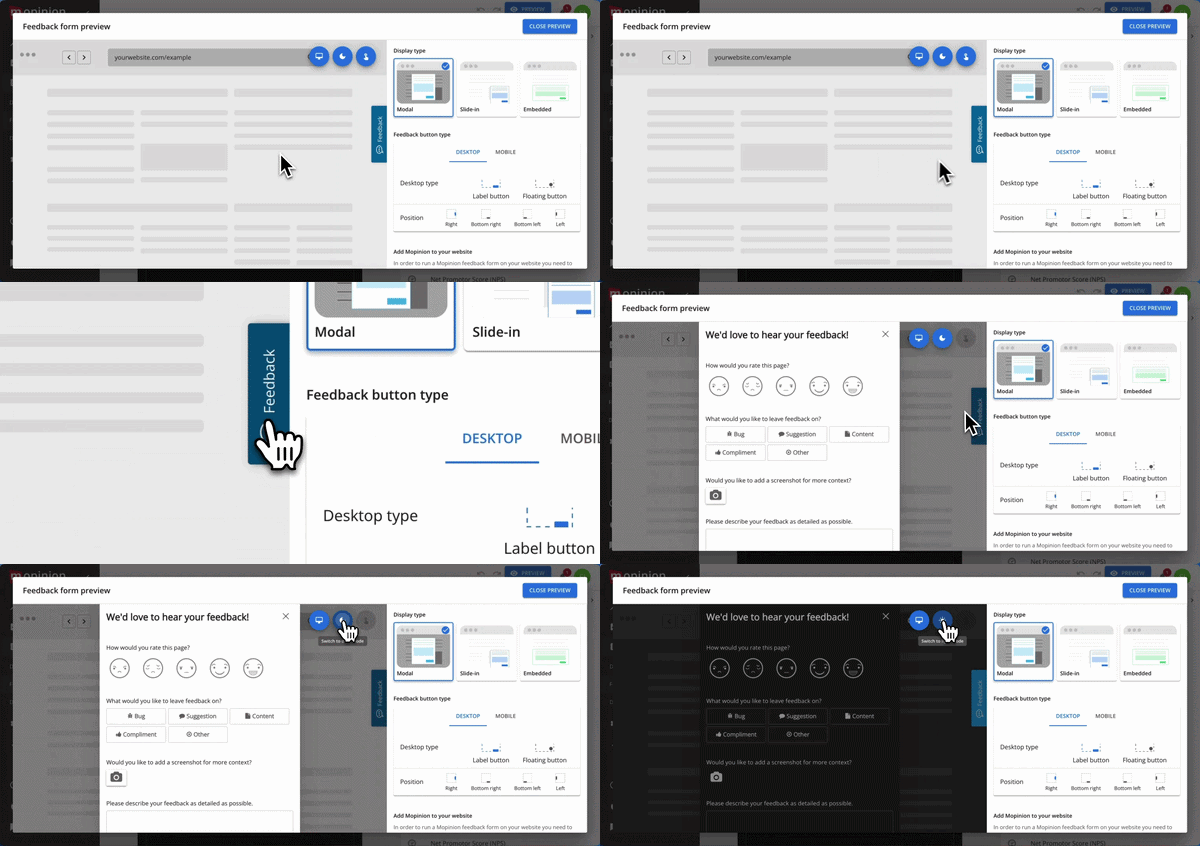
That’s all there is to it! All that’s left is to add your feedback form to a deployment and publish it as usual. Pretty simple, right?
Create a personalised design with Mopinion
Now you just need to go and try it out! Mopinion offers a whole library of options for customisation, ensuring that your feedback programme will feel like a natural part of your digital journeys. From colour and logo to question logic, custom icons and logo inclusion – create a feedback form that blends in seamlessly with your brand.
When everything is set, the choice of where to display your forms is entirely up to you. With a plethora of options for triggers based on user behaviour, URL and much more, you can ensure a personalised experience for your users. Not a Mopinion customer just yet? Try it out today!
Ready to see Mopinion in action?
Want to learn more about Mopinion’s all-in-1 user feedback platform? Don’t be shy and take our software for a spin! Do you prefer it a bit more personal? Just book a demo. One of our feedback pro’s will guide you through the software and answer any questions you may have.