
Customisable website feedback forms help businesses collect more relevant insights by showing the right survey to the right visitor at the right moment. Instead of displaying the same generic form across an entire website, teams can adapt the questions, design, placement and targeting rules to different audiences and customer journeys.
A customisable website survey tool with advanced targeting options makes this possible. It allows businesses to control where a survey appears, who sees it and which visitor action triggers it.
In this article, we explore how customisable feedback forms can increase website survey response rates and which targeting options help you collect more actionable feedback.
TL;DR – Article Summary
- Customisable website feedback forms make surveys more relevant to each visitor and journey.
- Advanced targeting controls who sees a survey, where it appears and when it is triggered.
- Short, contextual surveys are less disruptive and easier to complete.
- Useful targeting options include page rules, visitor behaviour, device type, exit intent and completed events.
- The right website survey tool should combine customisation, advanced targeting and clear feedback analysis.
In this blog, we’ll cover:
- What are customisable website feedback forms?
- Why customisable feedback forms can increase response rates
- Which parts of a website survey can you customise?
- What are advanced website survey targeting options?
- Best website feedback form formats
- Practical examples of advanced survey targeting
- How to improve website survey response rates
- What should you look for in a customisable website survey tool?
- Create customisable website feedback forms with Mopinion
- Collect more relevant website feedback
- Frequently asked questions
What are customisable website feedback forms?
Customisable website feedback forms are surveys that can be adapted to match your brand, audience and research goal.
Depending on the survey tool, you can customise:
- Questions and answer options
- Colours, fonts, logos and rating icons
- Survey formats and placement
- Languages and translations
- Conditional question logic
- Thank-you messages
- Triggers and targeting rules
This allows you to create different surveys for different moments.
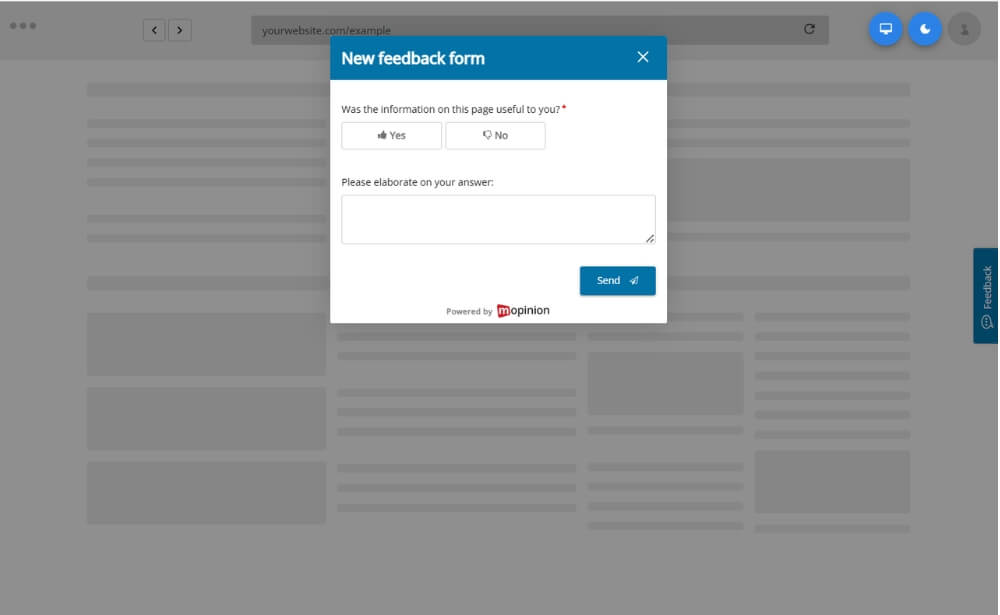
For example, a visitor reading a help article could see a simple question asking whether the content was useful. Someone leaving the checkout could instead receive an exit survey asking what prevented them from completing the purchase.
Both forms collect website feedback, but their purpose, timing and audience are different.
Why customisable feedback forms can increase response rates
Visitors are more likely to respond when a survey feels relevant and easy to complete.
A generic survey shown immediately after someone enters a website may appear disruptive. A targeted question shown after a meaningful interaction has clearer context.
Customisation can improve response rates by making surveys:
- More relevant to the visitor’s experience
- Shorter and easier to understand
- Consistent with the website’s branding
- Better timed within the customer journey
- Less likely to appear repeatedly or unnecessarily
The goal is not simply to show more surveys. It is to create better opportunities for visitors to provide useful feedback.
The Nielsen Norman Group’s guidelines for requesting user feedback also recommend keeping surveys short, easy to complete and appropriately timed so they do not unnecessarily interrupt the user’s task.
Which parts of a website survey can you customise?
Survey questions
Questions should be directly connected to the visitor’s experience.
Examples include:
- Did you find what you were looking for?
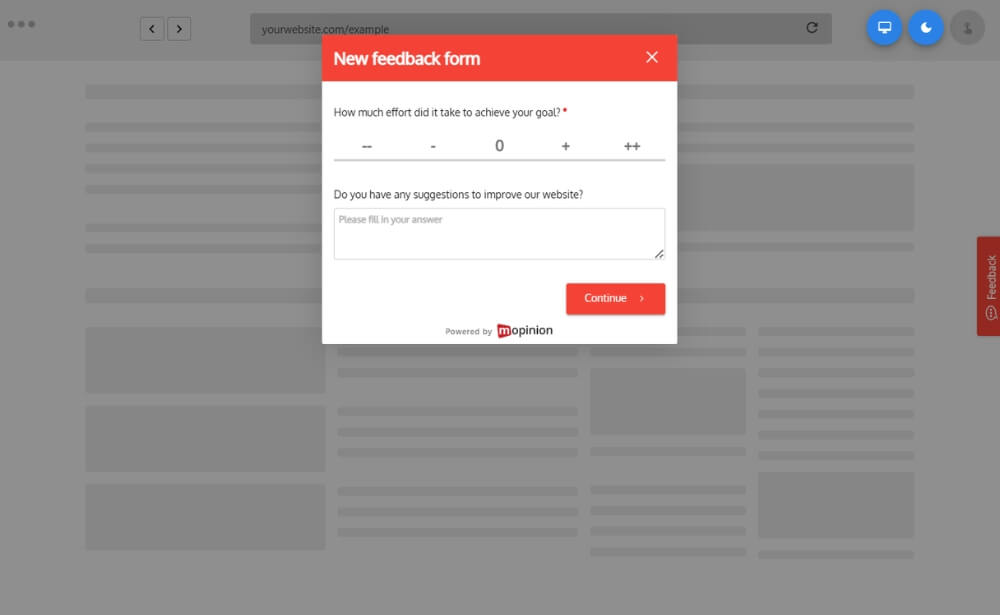
- How easy was it to complete your task?
- Was this information helpful?
- What prevented you from completing your purchase?
- What could we improve?
A useful structure is to begin with a simple rating or multiple-choice question and then provide an optional open-text follow-up.
For example:
Did you find the information you needed?
- Yes
- Partly
- No
Visitors who select “Partly” or “No” could then be asked:
What information was missing?
Closed questions generally require less effort to answer than open-text questions. However, an optional comment field can provide the qualitative context needed to understand why someone selected a particular answer. You can learn more about this balance in the Nielsen Norman Group’s guide to open-ended and closed survey questions.
Question logic
Conditional logic allows the survey to change based on previous answers.
A visitor who gives a low satisfaction score can be asked what went wrong, while someone who gives a positive score can be asked what worked well.
This keeps the form shorter and prevents visitors from seeing questions that are not relevant to them.
Design and branding
Website feedback forms can also be customised to match your brand.
This may include:
- Brand colours
- Fonts
- Logos
- Rating icons
- Button labels
- Survey position
- Backgrounds and imagery
The design should remain simple, readable and easy to use across desktop and mobile devices.
Languages
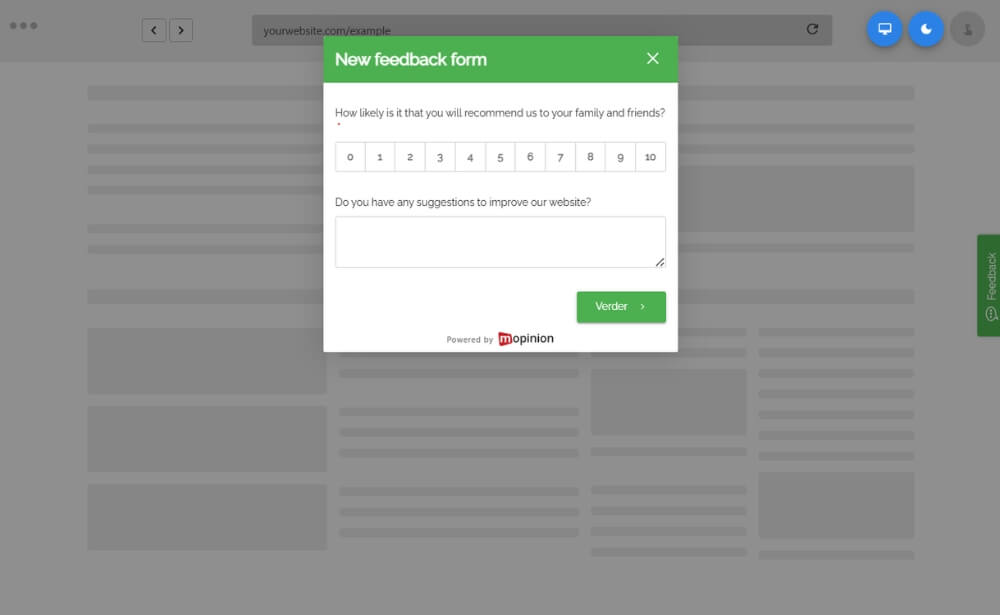
For international websites, surveys can be adapted to the language of the visitor or webpage.
This can include translated questions, answer options, buttons, validation messages and thank-you screens.
Offering feedback forms in the correct language makes the survey easier to understand and helps businesses compare feedback across markets. Features such as AI form translations can also help teams create and manage multilingual forms more efficiently.
What are advanced website survey targeting options?
Advanced targeting options determine which visitors see a survey and what must happen before it appears.
Page and URL targeting
Page targeting allows you to display a feedback form on one page, a group of pages or an entire website section.
For example, you could run one survey on product pages and another across your online help centre.
This helps teams collect feedback that is specific to the content or journey being evaluated.
Behavioural targeting
Behavioural targeting triggers a survey based on visitor actions.
Examples include:
- Time spent on a page
- Scroll depth
- Number of pages viewed
- Clicking a specific button
- Repeatedly visiting the same page
- Starting but not completing a process
For example, a visitor who spends several minutes on a support page could be asked whether they found the answer they needed.
Event-based targeting
Event-based surveys appear after a visitor completes a particular action.
A feedback form could be triggered after someone:
- Makes a purchase
- Creates an account
- Downloads a document
- Completes a booking
- Uses a website feature
- Encounters an error
- Cancels a subscription
These surveys are valuable because the experience is still fresh in the visitor’s mind.
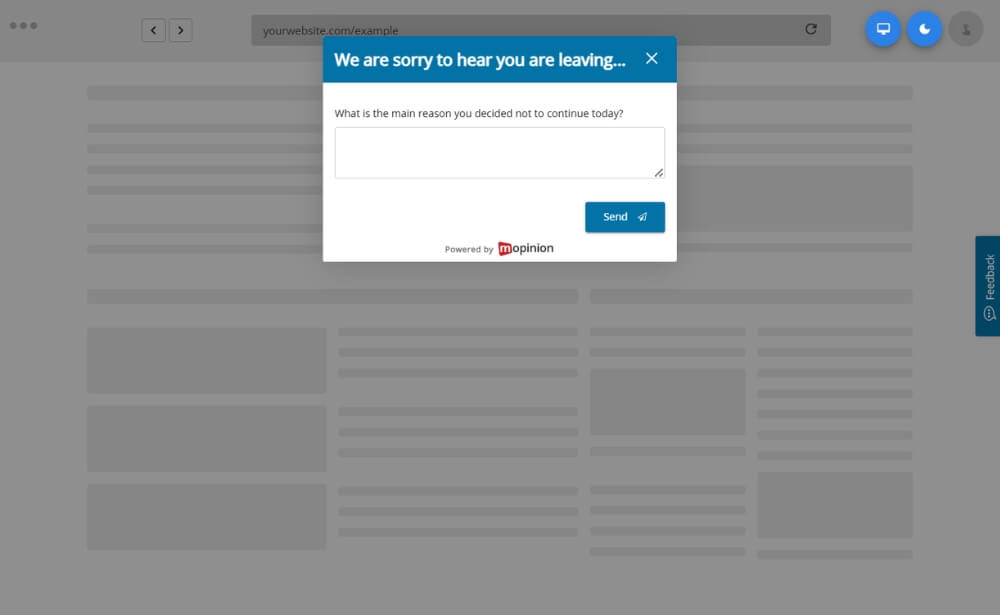
Exit-intent targeting
Exit-intent surveys appear when a visitor is about to leave a page or process.
They are commonly used to understand abandonment on:
- Checkout pages
- Pricing pages
- Booking flows
- Sign-up forms
- Quote requests
An exit survey should be brief. One clear question is often enough:
What is the main reason you decided not to continue today?
This feedback can help teams investigate issues that analytics alone cannot explain. For example, Baymard Institute’s checkout research identifies factors such as unexpected costs, slow delivery, complicated checkout processes and website errors among the reasons shoppers abandon purchases.
Device targeting
Visitors may have very different experiences on desktop, tablet and mobile.
Device targeting lets businesses display surveys to a specific device group. This can be useful when analytics indicate that mobile visitors are experiencing more friction in a particular journey.
For example:
How easy was it to complete this task on your phone?
Visitor and campaign targeting
Surveys can also target different audiences, such as:
- New or returning visitors
- Logged-in customers
- Specific customer groups
- Visitors from a particular campaign
- Visitors using a certain language
- Visitors from a selected market
This allows businesses to compare experiences across different segments instead of combining every response into one broad dataset.
Sampling and frequency controls
A website survey does not need to appear to every eligible visitor.
Sampling and frequency controls can help you:
- Show a form to only a percentage of visitors
- Display it once per session
- Hide it after completion
- Prevent it from returning for a set period
- Exclude visitors who already answered another survey
These rules help reduce survey fatigue and protect the overall website experience.
Best website feedback form formats
Different survey formats work better for different goals.
Passive feedback button
A passive feedback button remains visible on the website and can be opened voluntarily.
It is useful for visitors who want to report a problem, suggest an improvement or comment on a particular page.
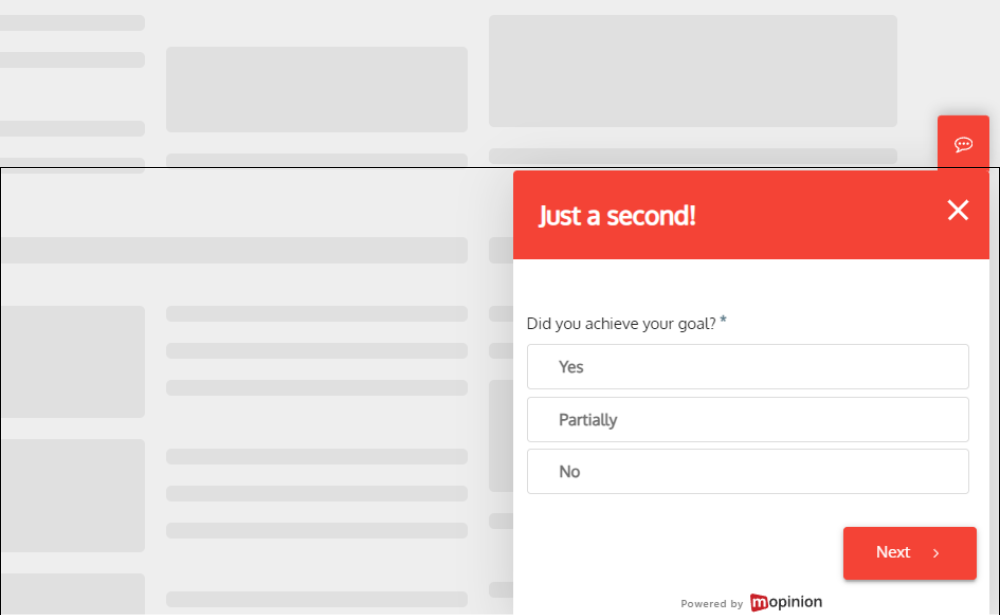
Slide-in survey
A slide-in survey appears from the side or bottom of the screen.
It works well for short satisfaction, content or goal-completion questions because it is noticeable without completely covering the page.
Embedded feedback form
An embedded form is placed directly within a webpage.
This is commonly used on help articles, FAQ pages and documentation with questions such as:
Was this article helpful? Read our step-by-step guide to learn how to embed a feedback form on your website.
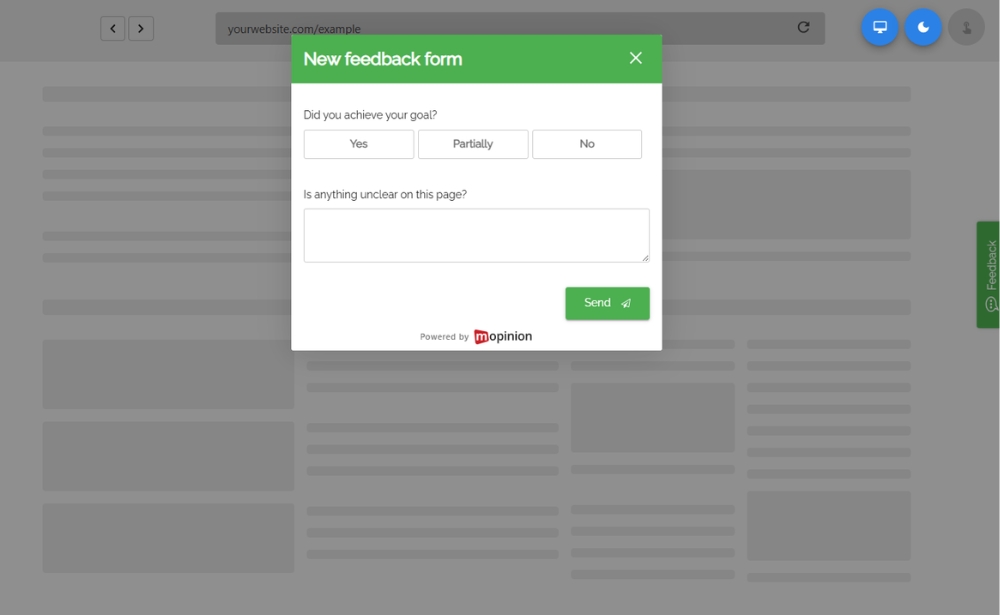
Pop-up or modal survey
A pop-up survey appears over the webpage and attracts immediate attention.
Because it is more disruptive, it should only appear after a meaningful action or at an appropriate stage in the journey.
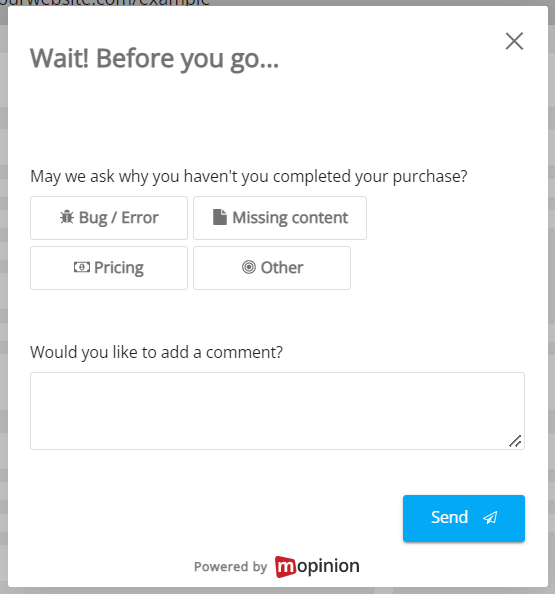
Exit survey
An exit survey collects feedback from visitors who appear likely to leave.
It is particularly useful for understanding checkout abandonment, unclear pricing or incomplete registrations.
For a broader comparison of these formats, explore our guide to website feedback surveys.
Practical examples of advanced survey targeting
Checkout abandonment
Audience: Visitors who reach checkout but do not complete the purchase
Trigger: Exit intent
Question: What prevented you from completing your purchase today?
Help-centre feedback
Audience: Visitors reading a support article
Trigger: Reaching the end of the page
Question: Did this article answer your question?
Mobile journey feedback
Audience: Mobile visitors who complete or abandon an important process
Trigger: Task completion or exit
Question: How easy was it to complete this task on your phone?
Pricing-page feedback
Audience: Visitors who spend time on the pricing page without taking action
Trigger: Time on page combined with exit intent
Question: Is there any information missing that would help you choose the right option?
Post-purchase feedback
Audience: Customers who complete checkout
Trigger: Order confirmation
Question: How easy was it to complete your purchase today?
How to improve website survey response rates
Keep surveys focused
Start with one clear research goal and include only the questions needed to support it.
Website surveys should usually be short. One initial question and one optional follow-up can often provide enough insight.
The Nielsen Norman Group similarly recommends keeping online surveys short and limiting questions to the information that is genuinely necessary.
Make the first question easy
Simple ratings, yes-or-no questions and multiple-choice questions require less effort than broad open-text questions.
Instead of beginning with:
Please describe your experience with our website.
Try:
Were you able to complete your task today?
Choose the right moment
A survey should appear only after the visitor has enough experience to provide an informed answer.
Good moments include:
- After task completion
- At the end of an article
- Following a purchase
- After using a feature
- During abandonment
- After an error
Optimise for mobile
Mobile feedback forms should use readable text, large buttons and minimal typing.
The survey should also be easy to dismiss and should not cover important website content. The W3C’s mobile accessibility guidance provides additional recommendations for making digital experiences accessible across mobile phones, tablets and other devices.
Explain why you are asking
A short introduction can encourage participation.
For example:
Help us improve this checkout. This survey takes less than one minute.
Only include a completion-time estimate when it is accurate.
Avoid repeated survey invitations
Use frequency rules to prevent the same survey from appearing too often.
A visitor who has dismissed or completed a form should not immediately see it again on another page.
What should you look for in a customisable website survey tool?
A strong website survey tool should offer more than basic form creation.
Look for:
- Flexible question types and customer experience metrics
- Conditional question logic
- Custom branding and design options
- Multiple feedback form formats
- Page, behavioural and event-based targeting
- Exit-intent and device targeting
- Sampling and frequency controls
- Multilingual survey support
- Dashboards and feedback analysis
- Integrations with existing tools
- ppropriate privacy and security controls
The best option is one that allows your team to collect feedback, analyse it and share the results with the people responsible for improving the customer experience.
Create customisable website feedback forms with Mopinion
Mopinion is a digital user feedback platform that helps organisations collect and analyse feedback across websites, mobile apps and email campaigns.
With Mopinion, teams can build customisable feedback forms using different question types, customer experience metrics, conditional logic and branded design elements.
Website surveys can be adapted to particular pages, audiences and customer journeys. Teams can use active survey triggers to ask for feedback at meaningful moments or provide passive feedback buttons that visitors can open whenever they want to share their experience.
Mopinion helps teams:
- Build branded website feedback forms
- Target surveys to specific pages and visitor groups
- Trigger forms based on behaviour and events
- Create multilingual surveys
- Collect scores and open-text feedback
- Analyse results in dashboards
- Share insights across teams
- Connect feedback to existing workflows
This flexibility enables a content team to measure article usefulness, a conversion team to investigate checkout abandonment and a product team to evaluate specific online journeys from one platform.
Mopinion is part of Netigate, combining digital user feedback with broader experience management expertise.
Interested? Start your free trial today or request a demo.
Collect more relevant website feedback
Higher survey response rates do not come from showing more forms to more visitors. They come from making each feedback request more relevant.
Customisable website feedback forms allow you to adapt the questions, design and format to a particular experience. Advanced targeting options help you reach the right audience at the right stage of the journey.
Start with a clear goal, keep the survey short and choose a meaningful trigger. This will help you collect more contextual feedback without unnecessarily disrupting the website experience.
Frequently asked questions
A customisable website feedback form is an online survey that can be adapted to a specific brand, audience and research goal. Businesses can customise elements such as the questions, design, placement, language, conditional logic, triggers and targeting rules.
Customisable feedback forms can improve response rates by making surveys more relevant, easier to understand and better timed. Visitors are more likely to respond when a short survey relates directly to the page, task or journey they have just experienced.
Businesses can customise survey questions, answer options, colours, fonts, logos, rating icons, button labels, form formats, placement, languages, conditional logic, thank-you messages, triggers and targeting rules.
Advanced website survey targeting options control who sees a survey, where it appears and which visitor action triggers it. Common options include page and URL targeting, visitor behaviour, completed events, exit intent, device type, visitor segments, campaign source, sampling and frequency controls.
A website feedback survey should appear after visitors have had enough experience to provide an informed answer. Useful moments include after completing a task, reaching the end of an article, making a purchase, using a feature, encountering an error or abandoning an important process.
Common website feedback form formats include passive feedback buttons, slide-in surveys, embedded forms, pop-up surveys and exit surveys. The best format depends on the research goal, page type and stage of the customer journey.
Businesses can prevent website survey fatigue by limiting how often forms appear, showing surveys to only a percentage of eligible visitors, hiding them after completion and preventing them from returning for a set period. Surveys should also be short, relevant and easy to dismiss.
Look for a website survey tool that offers flexible question types, conditional logic, custom branding, multiple form formats, advanced targeting, multilingual support, frequency controls, feedback analysis, integrations and appropriate privacy and security controls.
Ready to see Mopinion in action?
Want to learn more about Mopinion’s all-in-1 user feedback platform? Don’t be shy and take our software for a spin! Do you prefer it a bit more personal? Just book a demo. One of our feedback pro’s will guide you through the software and answer any questions you may have.