
Customer feedback analysis helps you understand what customers are trying to do, where their experience breaks down and which improvements deserve attention. It turns individual comments and survey scores into evidence your team can use.
A low satisfaction score tells you there is a problem. A comment about a confusing payment step gives you a starting point for investigating it. Bring those signals together and you can move from reporting on customer experience to improving it.
In this guide, we explain the main customer feedback analysis methods, walk through a practical process and show how to turn findings into action.
TL;DR: Article summary
- Combine customer comments with relevant scores and journey context to understand both the problem and its possible causes.
- Categorise feedback consistently, then compare themes across relevant segments and time periods.
- Prioritise issues using frequency, severity and impact. A less common problem can still require urgent action.
- Use AI to support categorisation and summarisation, while checking findings against the original feedback.
- Give each action an owner and measure whether the customer experience improves.
In this blog, we’ll cover:
- What is customer feedback analysis?
- Why is customer feedback analysis important?
- Customer feedback analysis methods
- How to analyse customer feedback in 7 steps
- Customer feedback analysis example
- How AI supports customer feedback analysis
- Common customer feedback analysis mistakes
- How Mopinion helps teams analyse and act on feedback
- Frequently asked questions
What is customer feedback analysis?
Customer feedback analysis is the process of organising and interpreting customer input to identify recurring needs, problems and opportunities. It combines qualitative feedback, such as written comments, with quantitative feedback, such as ratings and survey scores.
Customer feedback can come from website surveys, in-app forms, email campaigns, support conversations, interviews and reviews. The right sources depend on the question you want to answer.
For digital teams, useful context might include the page a customer visited, their device or the task they wanted to complete. This helps explain where an issue occurs and who experiences it.
A useful analysis connects three types of information:
- Quantitative feedback: Ratings and survey scores that help you measure the experience.
- Qualitative feedback: Comments that describe customers’ problems, needs and positive experiences in their own words.
- Contextual data: Information about where, when and under which conditions the experience occurred.
Why is customer feedback analysis important?
Customer feedback analysis helps teams identify friction, understand changes in experience scores and decide what to investigate or improve.
Behavioural analytics might show that visitors leave a checkout page. Feedback can reveal whether they encountered an error, could not find a payment option or were simply checking prices. Each explanation calls for a different response.
Analysis also helps you recognise what works well. Positive comments can identify useful features, clear information or successful service interactions worth preserving when you make changes.
By analysing feedback consistently, organisations can:
- Identify recurring customer frustrations.
- Investigate the reasons behind low satisfaction scores.
- Compare experiences across relevant customer groups and digital journeys.
- Detect emerging problems after a release or process change.
- Prioritise improvements using customer evidence.
- Measure whether changes improve the experience.
However, feedback represents the people who responded. It should inform decisions alongside other evidence, rather than automatically being treated as representative of every customer.
Customer feedback analysis methods
Different methods answer different questions. Combining them gives a more useful picture than relying on a score or a list of frequently used words alone.
Thematic analysis and categorisation
Thematic analysis identifies recurring patterns in written feedback. You read comments, label relevant ideas and group related observations into themes.
For example, comments about unclear delivery charges and unexpected fees could sit within a broader theme of cost transparency. Keep subcategories when the distinction changes what your team needs to do.
Nielsen Norman Group’s guide to thematic analysis explains how coding qualitative data supports the discovery of meaningful themes.

A single comment may need several labels. “The app is easy to use, but payment keeps failing” contains both positive usability feedback and a payment problem.
Keep your labels specific enough to support action. “Website problem” is difficult to investigate, while “payment error on mobile” gives the responsible team a clearer starting point.
Sentiment analysis
Sentiment analysis helps identify whether feedback expresses positive, negative or neutral feelings. It can help teams explore changes in customer reactions and find comments that need closer attention.
Sentiment alone does not explain the issue or its urgency. A politely written report of a failed transaction may matter more than a strongly worded complaint about a minor preference. Read the underlying comment before making a decision.
Review positive feedback too. Understanding what customers appreciate helps you protect successful parts of the experience when making improvements.
Quantitative analysis
Quantitative analysis examines ratings and customer feedback metrics, such as:
- Customer Satisfaction (CSAT): How satisfied customers are with a particular experience.
- Customer Effort Score (CES): How easy or difficult customers find an interaction.
- Net Promoter Score (NPS): Customers’ stated likelihood of recommending an organisation.
- Goal Completion Rate (GCR): Whether respondents report achieving their intended goal.
Choose metrics that match your question. Goal completion feedback can help investigate an unsuccessful website task, while effort scores can help assess how easy a particular interaction feels.
Keep questions, scales and calculation methods consistent when comparing results. Include response counts so a score based on a handful of responses is not mistaken for a stable trend.
Segmentation and trend analysis
Segmentation compares feedback across relevant groups, such as device type, journey stage or customer status. Trend analysis examines how themes and scores change over time.

Use both to ask more precise questions:
- Are mobile customers reporting more payment problems?
- Did delivery-related complaints rise after a policy change?
- Do new customers find registration more difficult than returning customers?
- Has feedback about a particular feature improved since its last update?
Compare like with like. Changes in survey placement, traffic mix or response volume can affect results even when the underlying experience has not changed.

How to analyse customer feedback in 7 steps
A practical customer feedback analysis process starts with a clear question and ends with an action whose impact you can evaluate.
1. Define the question you want to answer
Start with a decision your team needs to make. “Why are customers struggling to complete payment on mobile?” gives the analysis a clearer purpose than “What do customers think?”
Other useful questions include:
- Why has satisfaction declined during account registration?
- Which problems stop customers from completing an in-app task?
- Can customers find the information they need?
- What do customers value most about a newly launched feature?
Define the journey, customer group and time period you will examine. Agree on which metric or observable outcome would indicate improvement.
This scope keeps the work manageable without ignoring serious issues that fall outside it. Route urgent feedback to the responsible team as it arrives.
2. Bring relevant feedback and context together
Gather feedback from the sources that can answer your question. For a checkout investigation, this could include on-page comments, goal completion responses and related support enquiries.
Keep the original comment alongside its source, date and available journey context. Separate different survey questions and channels so you can interpret each response correctly.
When analysing feedback across multiple systems, use an appropriate export or integration workflow. Only include customer information necessary for the analysis and follow your organisation’s data-handling rules.
For a closer look at analysing page-level comments, scores and journey context, read our guide to website feedback analytics.
3. Clean and organise the data
Remove spam and identify duplicate records before counting themes. Distinguish duplicate data from customers independently reporting the same problem.
Standardise inconsistent labels, check missing fields and separate test submissions. Retain the original wording so your team can verify interpretations later.
Cleaning the dataset should not mean removing criticism or comments that contradict your expectations.
For large datasets, a carefully selected sample can help you develop your initial categories. Be clear about its scope and avoid presenting sample findings as a complete count of all feedback.
4. Categorise comments consistently
Create a manageable set of labels based on the feedback and your analysis question. Define each label so different colleagues can apply it consistently.
For checkout feedback, you might use:
- Payment failure.
- Missing payment options.
- Unclear delivery costs.
- Account creation difficulties.
- Confusing form fields.
Add subcategories when they help distinguish problems requiring different fixes. Allow more than one label when a response covers several issues.
Review a shared set of comments with another team member. If you disagree on labels, clarify the definitions before analysing more responses. Keep room for new themes rather than forcing every comment into an existing category.
5. Identify patterns and investigate possible causes
Look at the number and proportion of responses mentioning each theme. Then explore relevant segments and read representative comments, including those that challenge your initial interpretation.
Separate observations from explanations. Several mobile customers reporting payment errors is an observation. A browser compatibility issue is a possible explanation that needs investigation.

Use technical checks, usability research or other journey data to test that explanation. Feedback can point you towards a cause, but it does not always establish one.
Be particularly careful when interpreting changes after a release. Timing may suggest a connection, but other changes in traffic, customer behaviour or survey exposure could also influence the results.
6. Prioritise actions and assign owners
Assess issues using frequency, severity, customer impact and the strength of the evidence. Consider business impact and implementation effort when choosing between improvements.
- Frequency: How often does the issue appear within the relevant feedback?
- Severity: Does it create a minor inconvenience or prevent customers from completing a task?
- Customer impact: Which customers are affected, and what does the issue mean for their experience?
- Evidence: How confidently can you describe the problem and its possible cause?
- Business impact: Could it affect conversion, satisfaction, retention or support demand?
- Implementation effort: What resources would an investigation or improvement require?
Do not let volume be the only deciding factor. An accessibility barrier or a problem preventing payment may deserve attention even if few customers report it.
Customer segments can help you understand different needs, but avoid automatically dismissing feedback from new customers or people who did not complete a purchase. Their comments may reveal why they struggled to become customers in the first place.
Summarise each finding with its supporting evidence, affected journey, proposed next step and owner. Where the cause is uncertain, make the next step an investigation rather than committing to an untested fix.
7. Measure results and close the feedback loop
After a change, review the relevant experience metric and the feedback theme that prompted it. Use comparable periods and note other changes that could influence results.
Fewer complaints do not automatically mean the problem is solved. Check whether traffic, survey exposure or response volume also fell.
Share the outcome with the teams involved. Where appropriate, follow up with customers or explain the improvement through a broader update. Keep monitoring for recurring issues and unintended effects.
This creates a continuous feedback process:
Collect → analyse → prioritise → act → measure
Customer feedback analysis example
Consider this hypothetical example of a retailer investigating mobile checkout friction. The figures below illustrate the process and are not Mopinion customer results.
The feedback
Over four weeks, the retailer collects 200 mobile checkout feedback submissions. Forty mention delivery costs, and 25 of those specifically describe discovering the charge late in the journey.
This means delivery costs appear in 20% of the collected submissions. It does not mean 20% of all mobile shoppers experienced the problem.
The investigation
The team checks the original comments and reviews the checkout journey. It finds that delivery charges are displayed only after customers enter their address. This supports investigating whether earlier cost information would help customers make a decision.
Baymard’s checkout research identifies additional costs as a common reason for abandonment. That provides useful context, while the retailer’s own evidence determines what to test on its website.
The action and measurement
The team tests clearer delivery-cost information earlier in the journey. It then monitors cost-related feedback, goal completion and checkout conversion under comparable conditions.
The analysis leads to a specific, testable action: make delivery costs easier to understand before customers reach the final payment steps.
How AI supports customer feedback analysis
AI can help teams work through large volumes of open-text feedback by suggesting categories, detecting sentiment and generating summaries of recurring themes.

These outputs can make an initial review more manageable. They still need checking against the original comments, especially when feedback contains mixed opinions, ambiguous wording or a serious issue that appears infrequently.
For example, an automated summary may highlight the most common checkout complaints. Your team should also check whether a less frequent issue prevents a particular group of customers from completing payment.
Use human judgement to confirm the interpretation, assess severity and decide what action to take. A concise summary is useful only if it preserves the information needed for that decision.
Our guide to AI customer feedback analysis explains these methods in more detail. You can also explore how customer feedback summarisation helps teams review open-text responses.
Curious to learn more? Discover Smart Recaps, Mopinion’s solution for AI-generated feedback summaries.
Common customer feedback analysis mistakes
A useful analysis depends on how you interpret the evidence, as well as which tools you use. Watch out for these common mistakes:
- Treating respondents as the entire customer base: Consider who saw the survey, who responded and who may be missing.
- Counting themes without checking context: A high count can reflect a larger segment or increased survey exposure.
- Using sentiment as a priority score: Emotional tone and practical severity are different signals.
- Comparing incompatible results: Different questions, scales or journey stages may measure different things.
- Assuming a pattern proves its cause: Use further investigation to test explanations before choosing a fix.
- Stopping at a dashboard: Findings need an owner, a next step and a way to assess the outcome.
How Mopinion helps teams analyse and act on feedback
Mopinion, part of Netigate, helps digital teams collect, analyse and act on feedback across websites, apps and email.
Its Insights & Actions capabilities include customisable dashboards, filtering and drill-down analysis, automated categorisation, sentiment analysis and workflows for following up on findings.
Teams can explore feedback by variables such as page URL, browser and device type, then examine the comments behind a result. This helps turn a broad score or recurring theme into a more specific investigation.
Smart Recaps uses generative AI to summarise open-text feedback and highlight key trends. Teams can use these summaries as a starting point, then examine the underlying feedback and apply their own judgement.
Feedback from email campaigns can also contribute to your analysis when you want to understand how customers experience your communications.
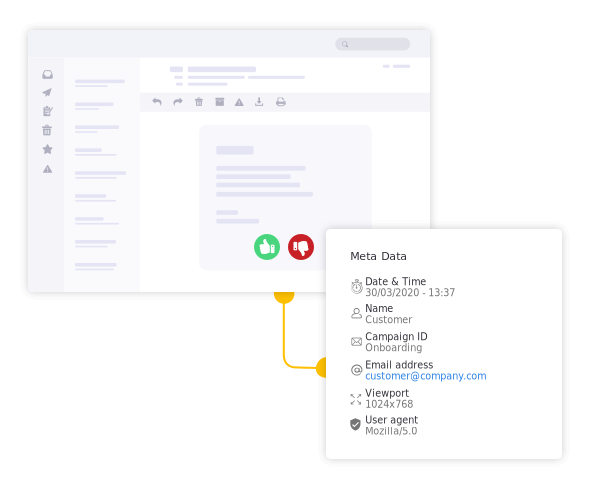
Try Email Campaign Feedback
Start delivering email messages your audience craves with Mopinion for Email.
Turn customer feedback analysis into action
Customer feedback analysis creates value when it helps your team make a better decision. Start with a clear question, combine comments with relevant scores and context, and investigate the patterns that matter.
Give the next step an owner, then measure whether the resulting change improves the experience. Keep positive feedback in view too, so you preserve what customers already appreciate.
Want to explore how this fits your feedback programme? Discover Mopinion’s feedback analysis and action capabilities.
Frequently Asked Questions
Customer feedback analysis is the process of organising and interpreting customer input to identify recurring needs, problems and opportunities. It combines qualitative comments with quantitative ratings and relevant context to help teams decide what to investigate or improve.
Collection gathers customer input through sources such as surveys and feedback forms. Analysis organises and interprets that input to identify patterns, investigate problems and decide what to do next.
Read the comments, label relevant ideas and group related observations into themes. Check those themes against the original responses, explore differences between relevant segments and use representative examples to explain your findings.
Choose a cadence that matches your feedback volume and the decisions you need to make. Urgent issues need prompt review, while recurring thematic analysis can follow a regular schedule. Review feedback after important releases or journey changes too.
Include the analysis question, sources, time period, response counts, main themes and relevant scores. Add supporting examples, limitations, proposed actions, owners and the metrics you will use to assess improvement.
AI can support tasks such as categorisation, sentiment analysis and summarisation. Human review remains necessary to validate interpretations, recognise important exceptions and turn findings into appropriate actions.
Ready to see Mopinion in action?
Want to learn more about Mopinion’s all-in-1 user feedback platform? Don’t be shy and take our software for a spin! Do you prefer it a bit more personal? Just book a demo. One of our feedback pro’s will guide you through the software and answer any questions you may have.